

Utilities Windows
Flameshot for Windows
Capture a screen region and add arrows, text, highlights or pixelation with Flameshot, a free, open-source screenshot tool for 64-bit Windows.
- Operating system
- Windows; specific supported Windows versions not established by the cited publisher pages
- Architecture
- 64-bit (win64)
- Download package
- MSI installer
Selected package: Flameshot-14.0.0-win64.msi. A separate portable ZIP is available; no installer was downloaded or executed.
Link checked · Download guidance
What is Flameshot?
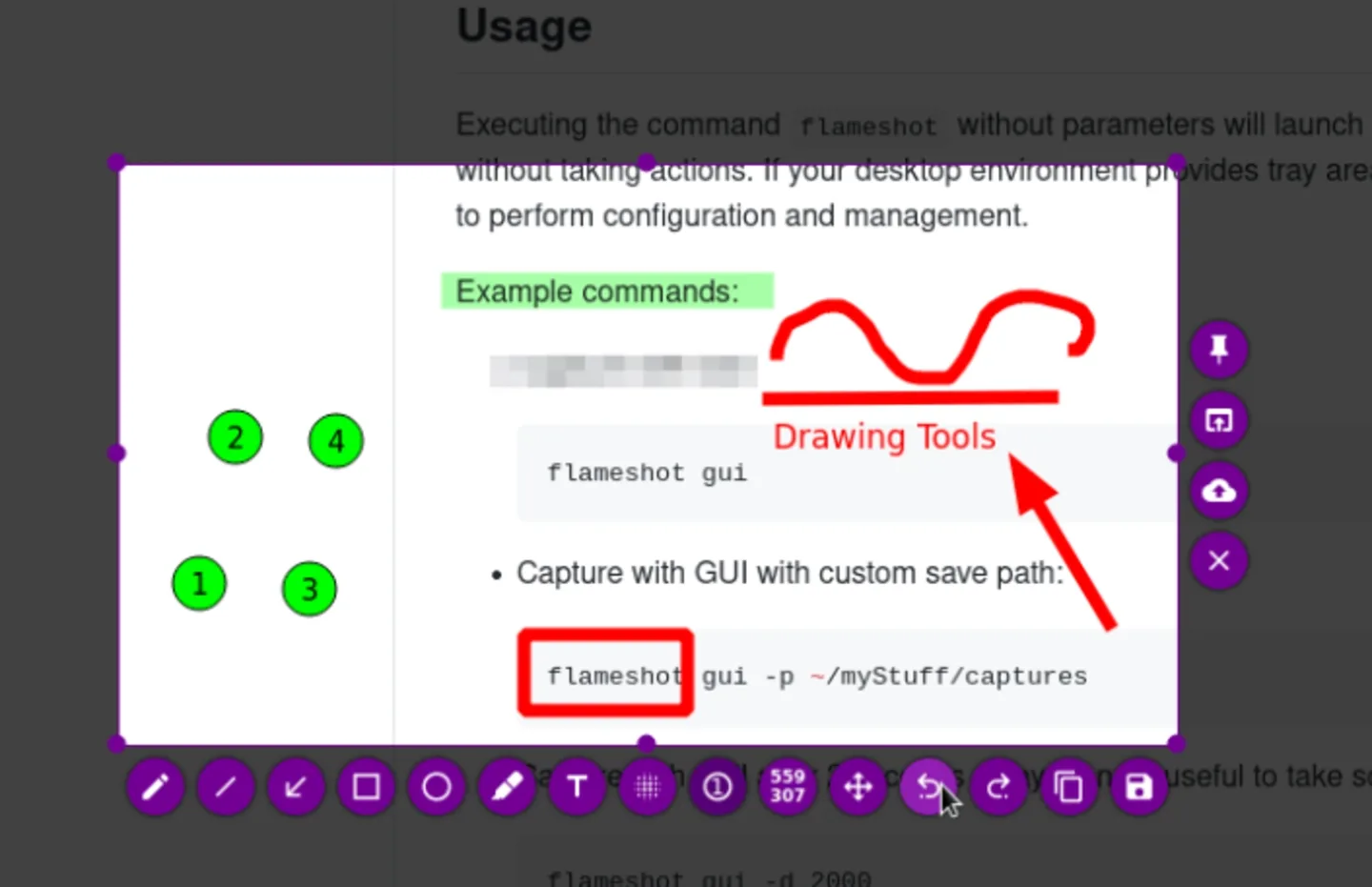
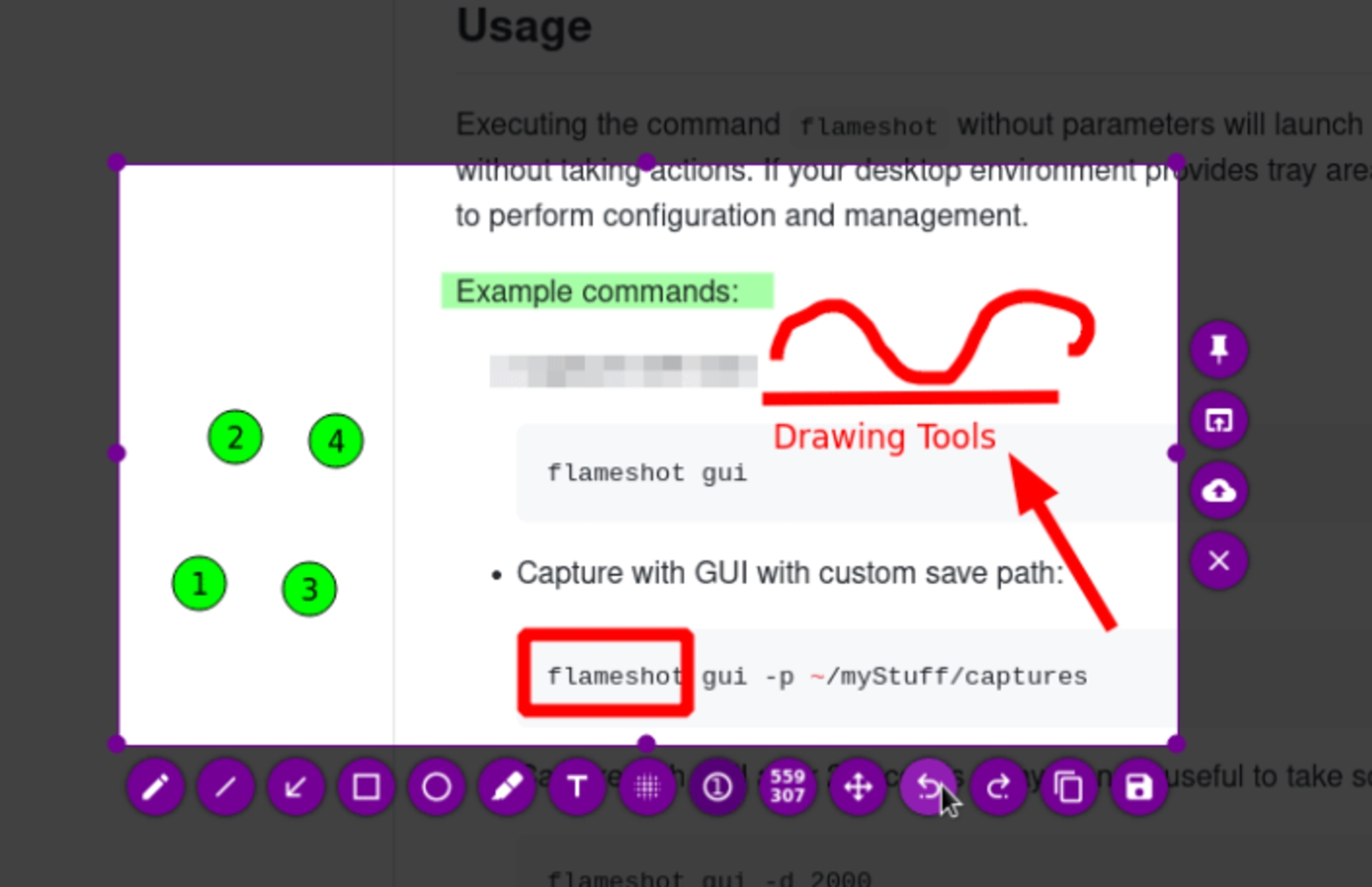
Flameshot combines screen capture with annotation tools in the capture overlay. Select the area you need, mark a detail with an arrow or numbered counter, highlight text, or pixelate part of the image before saving it or copying it to the clipboard. It suits illustrated instructions and annotated screenshots without a separate editing step.
The interface lets you choose visible tools, colors, keyboard shortcuts and saving preferences. Version 14.0.0 adds a configurable global screenshot shortcut on Windows and a monitor-selection workflow; an active-monitor option can skip that selection dialog.
This entry links to the Windows win64 MSI installer. The publisher also offers a separate portable ZIP. Windows downloads are 64-bit only, and version 14.0.0 forces PNG for clipboard copies because its JPG clipboard option caused compatibility problems. The screenshot is the publisher's demonstration of the shared editing interface, not a capture of this Windows package running locally.
What it offers
- Select a screen region and annotate it in the capture overlay.
- Add arrows, text, highlighting, shapes and numbered counters; blur or pixelate an area.
- Save the captured region as a file or copy it to the clipboard.
- Customize interface colors, tool selection, keyboard shortcuts and saving preferences.
- Use Windows global screenshot shortcuts and select a monitor, or enable active-monitor capture in version 14.0.0.
Good to know
- The publisher supplies Windows downloads for 64-bit systems only.
- Windows clipboard copies use PNG in version 14.0.0; the JPG clipboard option is disabled because of compatibility issues.
Product images
Sources
References used for this listing. Retrieval dates do not indicate hands-on testing.
- Flameshot | Open Source Screenshot Software ↗Retrieved
- Install on Windows | Flameshot ↗Retrieved
- Release v14.0.0 · flameshot-org/flameshot · GitHub ↗Retrieved
- Flameshot v14.0.0 release assets ↗Retrieved
- Flameshot v14.0.0 LICENSE ↗Retrieved
- Flameshot v14.0.0 README ↗Retrieved
More in utilities
View category ↗
1.1.1.1 with WARP 2026.8.2115.0
Encrypt traffic from your Mac to Cloudflare’s network with WARP, or use DNS-only mode for encrypted DNS queries to the 1.1.1.1 resolver.
1.1.1.1 with WARP 2026.8.2115.0
Encrypt traffic between your Windows PC and Cloudflare, or use encrypted DNS only, with the free 1.1.1.1 with WARP app.

3uTools 9.12.005
Manage iPhone and iPad photos, music, apps and backups from Windows with 3uTools, a free utility that also includes device checks and firmware flashing tools.