

Utilities Windows
Fluent Bit for Windows
Collect, process and forward logs, metrics and traces with Fluent Bit, an open-source telemetry agent with Windows Event Log inputs and Windows service support.
- Operating system
- Windows
- Architecture
- x64
- Download package
- EXE installer
Selected win64 package; publisher also lists win32 and ARM64 packages, ZIP archives and MSI installers. Exact supported Windows versions are not established here.
Link checked · Download guidance
What is Fluent Bit?
Fluent Bit moves telemetry from applications and operating systems into a configured destination. On Windows, its Event Log inputs can collect events from selected channels, while input, filter and output plugins define how records enter a pipeline, change along the way and leave it. It is intended for administrators building logging and observability pipelines, rather than for manually browsing event records.
Run the agent from a terminal or register it as a Windows service. Configuration files specify inputs and outputs; the publisher provides YAML and classic configuration examples. Built-in HTTP monitoring can expose internal metrics for external monitoring tools.
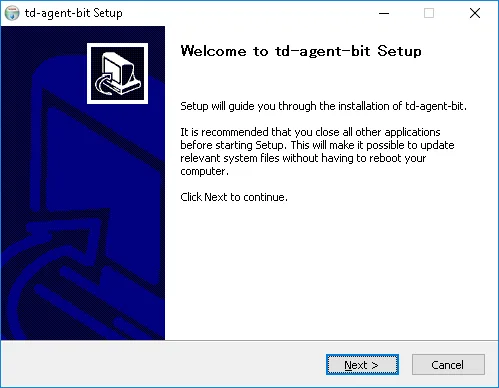
Windows does not support every Fluent Bit plugin. Check the Windows plugin list before adopting an existing configuration, and account for administrator privileges when reading restricted channels such as Security. The linked download is the Windows x64 EXE for version 5.1.3, explicitly listed in the Windows installation guide. The main homepage advertises 5.1.5, so this entry does not describe 5.1.3 as the latest release. The screenshot is a historical Windows setup dialog from the publisher's documentation, showing the former td-agent-bit package name; it is not a capture of the current installer.
What it offers
- Collect, process and forward logs, metrics and traces through configurable telemetry pipelines.
- Read selected Windows Event Log channels with Windows-specific input plugins.
- Run from the command line or register the agent as a Windows service.
- Configure pipelines using YAML or classic configuration files.
- Expose internal monitoring metrics over HTTP, including Prometheus-format output.
Good to know
- Not every Fluent Bit plugin is supported on Windows; configurations from other platforms need a Windows plugin check.
- Reading restricted Windows Event Log channels, including Security, requires administrator privileges.
- The linked 5.1.3 Windows package is older than the 5.1.5 release advertised on the publisher homepage.
Product images
Sources
References used for this listing. Retrieval dates do not indicate hands-on testing.
- Windows — Fluent Bit installation documentation ↗Retrieved
- Fluent Bit — publisher homepage ↗Retrieved
- fluent/fluent-bit — official source repository ↗Retrieved
- Windows Event logs (winevtlog) — Fluent Bit documentation ↗Retrieved
- Windows — historical Fluent Bit 1.9 installation documentation ↗Retrieved
More in utilities
View category ↗
1.1.1.1 with WARP 2026.8.2115.0
Encrypt traffic from your Mac to Cloudflare’s network with WARP, or use DNS-only mode for encrypted DNS queries to the 1.1.1.1 resolver.
1.1.1.1 with WARP 2026.8.2115.0
Encrypt traffic between your Windows PC and Cloudflare, or use encrypted DNS only, with the free 1.1.1.1 with WARP app.

%20(1).png?alt=media&token=063c1db2-d200-4b73-82cb-7e8d2f9b1427)
3uTools 9.12.005
Manage iPhone and iPad photos, music, apps and backups from Windows with 3uTools, a free utility that also includes device checks and firmware flashing tools.