
Utilities Windows
FM PDF To JPG Converter Pro
Batch-convert PDF pages to JPG, PNG, TIFF and other images on Windows, with page previews, output controls and reusable settings profiles.
- Operating system
- Windows 10 and Windows 11
- Architecture
- Publisher lists 32- and 64-bit Windows; selected installer architecture is not specified.
- Download package
- EXE installer
Publisher lists 4+ GB RAM and an internet connection for checks and updates. Software was not installed or run.
Link checked · Download guidance
What is FM PDF To JPG Converter Pro?
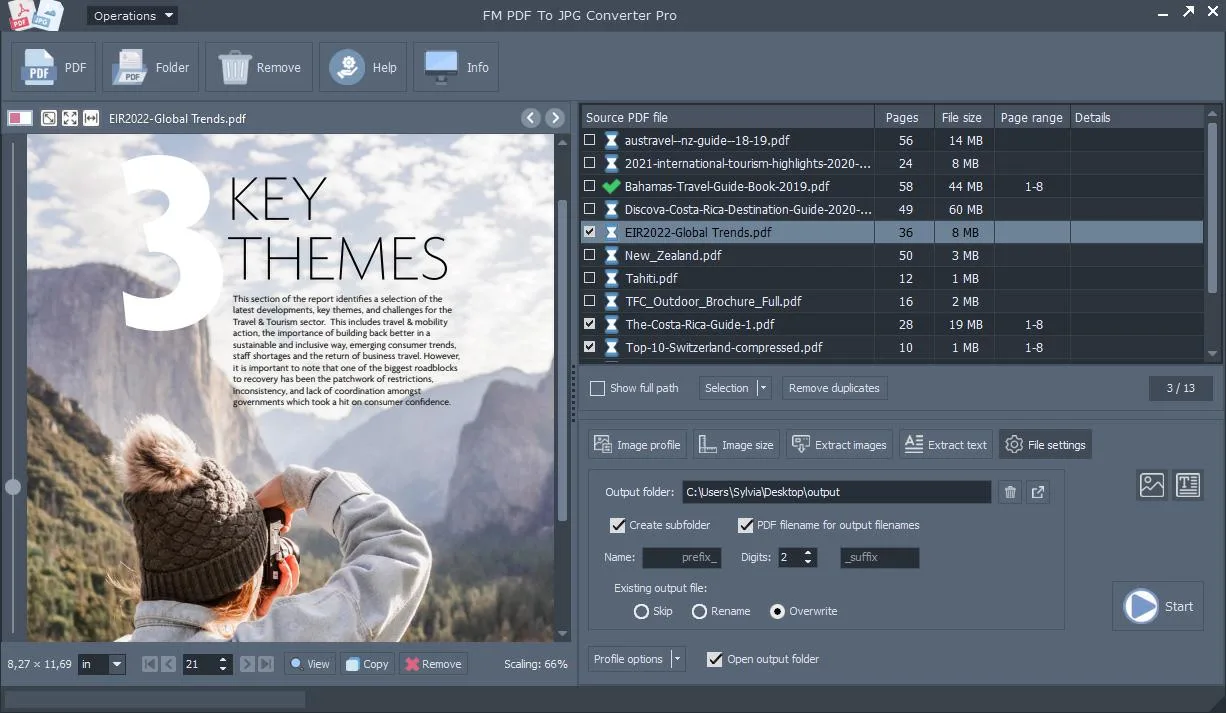
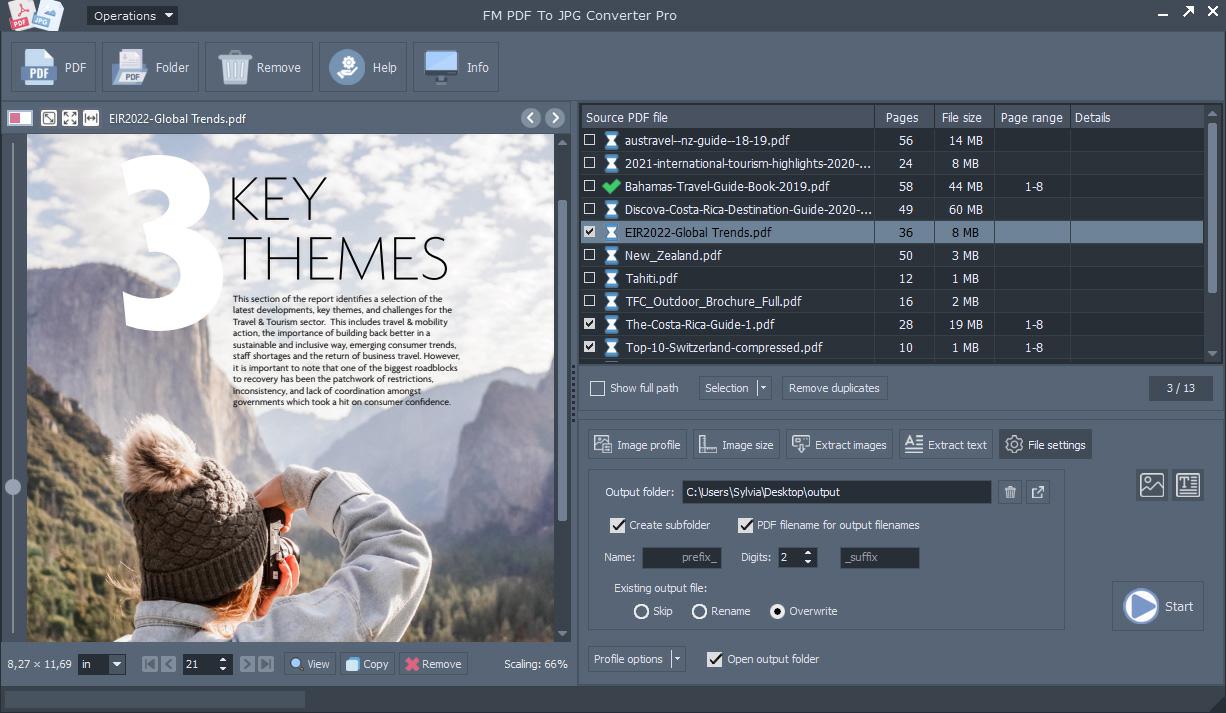
FM PDF To JPG Converter Pro turns PDF document pages into image files on a Windows PC. Add individual PDFs or folders to a batch, preview pages in the built-in viewer and choose which page ranges to export. It suits recurring tasks such as preparing document pages for presentations or an image-based archive. The publisher describes conversion as local processing rather than a cloud upload.
Output controls include image format, DPI, JPEG compression, rotation, resizing and RGB or grayscale color. Save a settings profile to reuse the same conversion setup across later batches. The application also offers extraction of embedded images, document text and URL links, but these features depend on the purchased license: the User tier excludes all three; Advanced and Workgroup include them.
The publisher provides a free download and sells licenses. The retrieved product and purchase pages do not specify an evaluation duration or unregistered-output restrictions, so this entry does not treat the download as unrestricted freeware. Version 5.2 and its January 12, 2024 release date are the publisher’s listed details, not a version independently read from the installer.
What it offers
- Convert batches of PDF pages to JPG, PNG, TIFF, BMP, GIF and WebP images.
- Preview PDFs and select page ranges before conversion.
- Adjust DPI, JPEG compression, rotation, image dimensions and RGB or grayscale output.
- Save and reload session profiles for repeat conversion jobs.
- Extract embedded images, text and URL links with the Advanced or Workgroup license.
Good to know
- The User license excludes embedded-image, text and URL extraction; those features require Advanced or Workgroup.
- Evaluation duration and unregistered-output restrictions are not specified on the retrieved publisher pages.
Product images
Sources
References used for this listing. Retrieval dates do not indicate hands-on testing.
More in utilities
View category ↗
1.1.1.1 with WARP 2026.8.2115.0
Encrypt traffic from your Mac to Cloudflare’s network with WARP, or use DNS-only mode for encrypted DNS queries to the 1.1.1.1 resolver.
1.1.1.1 with WARP 2026.8.2115.0
Encrypt traffic between your Windows PC and Cloudflare, or use encrypted DNS only, with the free 1.1.1.1 with WARP app.

3uTools 9.12.005
Manage iPhone and iPad photos, music, apps and backups from Windows with 3uTools, a free utility that also includes device checks and firmware flashing tools.