
Utilities Windows
Folder Size for Windows
See folder sizes while browsing Windows Explorer with this free, open-source utility. Version 2.6 offers an Explorer column for Windows 2000/XP and an experimental popup client for Vista/7/8.
- Operating system
- Windows 2000/XP column client; experimental Windows Vista/7/8 popup client
- Architecture
- x64 (selected download); separate x86 installer available
- Download package
- MSI installer
Publisher documentation describes legacy Windows versions. Windows 10/11 support is unconfirmed; older setup pages describe the pre-2.6 column client.
Link checked · Download guidance
What is Folder Size?
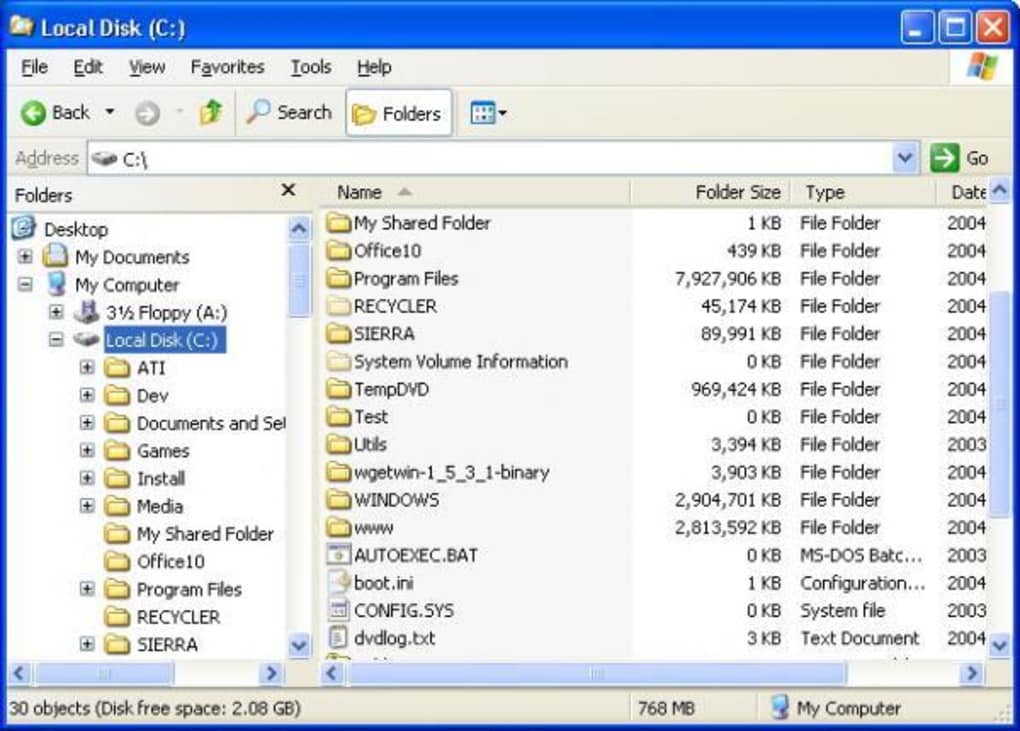
Folder Size helps you compare the space occupied by folders without leaving Windows Explorer. On Windows 2000 and XP, it adds a Folder Size column to Details view. A background service scans folders you browse and caches their size information, with the column updating as that information changes. This entry covers the SourceForge project listed under brio1337, not other applications with the same name.
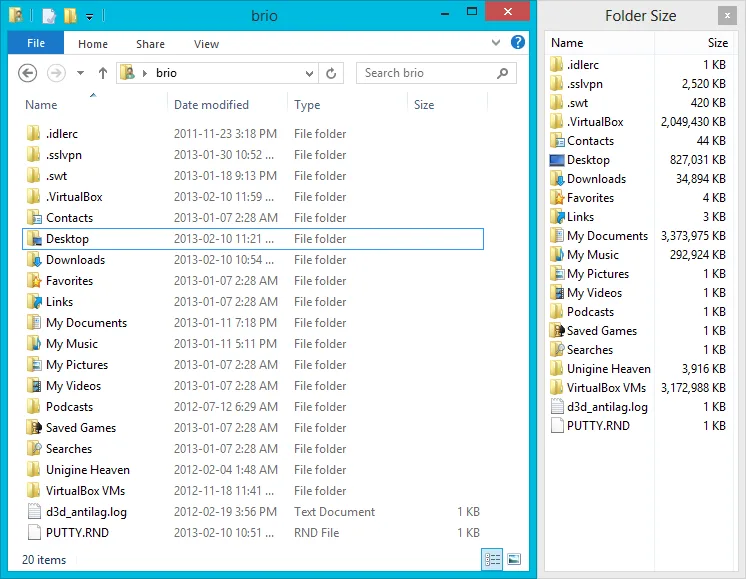
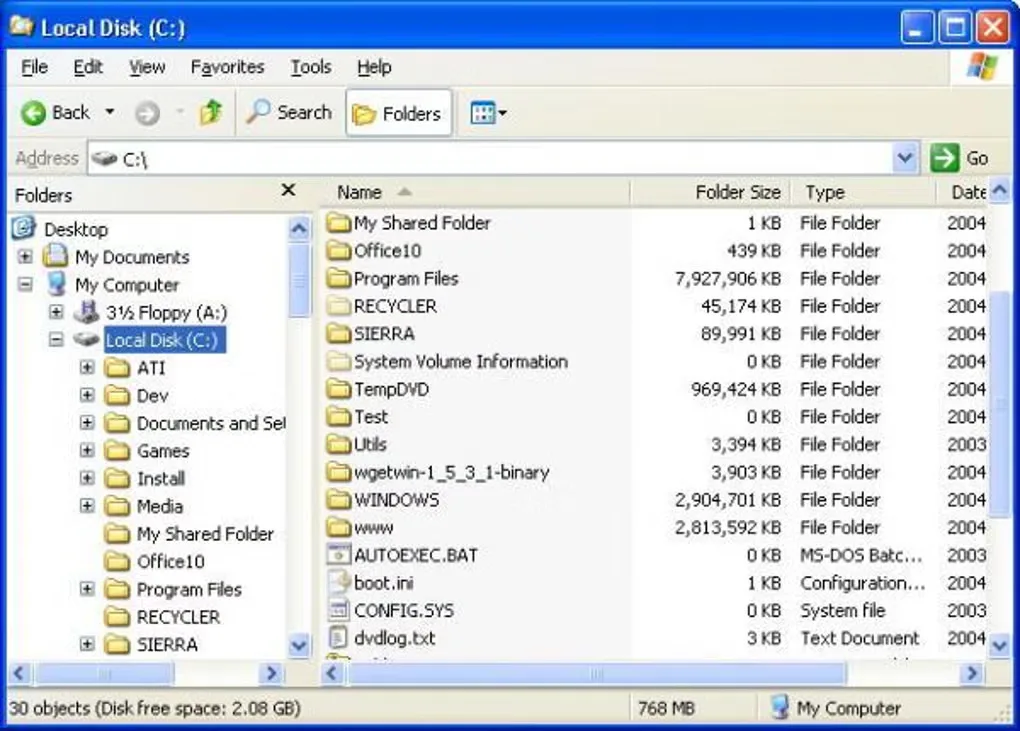
Version 2.6 adds an experimental client for Windows Vista, 7 and 8. Instead of extending Explorer's columns, it opens a separate Folder Size window that follows an open Explorer window. A tray icon can hide the popups. The screenshots show these two different interfaces: the publisher's popup client and a historical Windows XP column view from Softonic.
Treat the displayed totals as folder-size information, not an exact measurement of physical disk use: the publisher warns that hard-linked files can make the Windows directory appear larger than it really is. The experimental popup can also cover Explorer controls. Publisher documentation names older Windows releases; Windows 10 and 11 compatibility is unconfirmed. The linked package is the 64-bit MSI installer, with a separate 32-bit installer offered on the project homepage.
What it offers
- Add a Folder Size column to Windows Explorer's Details view on Windows 2000 and XP.
- Scan viewed folders in the background and cache size information for the Explorer column.
- Use the experimental Vista/7/8 client to display folder sizes in a separate window alongside Explorer.
- Toggle the popup windows with the tray icon.
Good to know
- Windows Vista/7/8 use an experimental popup client rather than the Windows 2000/XP Explorer column. Windows 10 and 11 compatibility is unconfirmed.
- Hard-linked files can inflate displayed directory totals, so those totals may differ from actual physical disk usage.
- The publisher reports that popup windows can cover Explorer's Close button and that background scanning is not optimized for Vista/7/8 I/O priorities.
Product images
Sources
References used for this listing. Retrieval dates do not indicate hands-on testing.
More in utilities
View category ↗
1.1.1.1 with WARP 2026.8.2115.0
Encrypt traffic from your Mac to Cloudflare’s network with WARP, or use DNS-only mode for encrypted DNS queries to the 1.1.1.1 resolver.
1.1.1.1 with WARP 2026.8.2115.0
Encrypt traffic between your Windows PC and Cloudflare, or use encrypted DNS only, with the free 1.1.1.1 with WARP app.

3uTools 9.12.005
Manage iPhone and iPad photos, music, apps and backups from Windows with 3uTools, a free utility that also includes device checks and firmware flashing tools.