
Utilities Windows
FolderMill
Automatically print incoming documents or convert them to PDF and images with FolderMill for Windows. Its free evaluation version adds watermarks or print cover pages.
- Operating system
- Windows 11, 10, 8 and 7; Windows Server 2008, 2012, 2016, 2019, 2022 and 2025 or newer
- Architecture
- Publisher lists 32-bit and 64-bit Windows support; installer architecture not independently inspected
- Download package
- EXE installer (free version)
Publisher requires .NET Framework 4.5 or later, 4 GB RAM and 280 MB installation space plus working storage; internet is required for activation and updates.
Link checked · Download guidance
What is FolderMill?
FolderMill watches designated Hot Folders and applies processing rules when documents arrive. It suits a shared office workflow where people drop files into an incoming folder rather than open each document to print or convert it. A workstation or Windows Server runs the processing; output can go to a folder or to local, network and virtual printers.
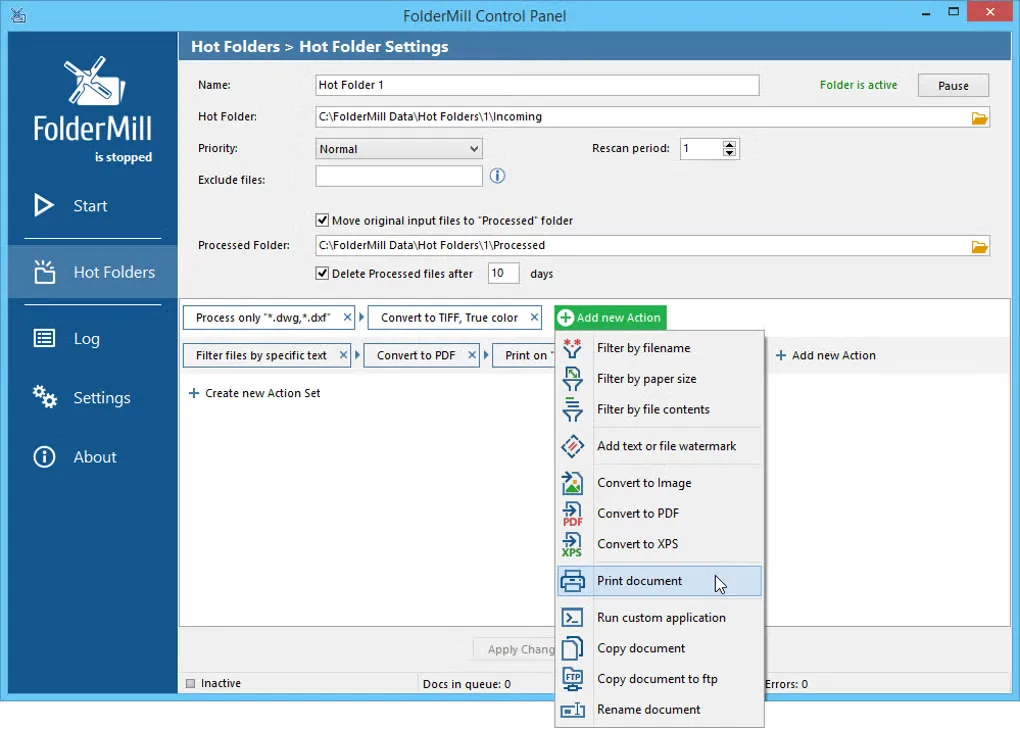
Actions can be combined: filter files by name, convert accepted documents to PDF or an image format, and send them to one or more printers. Supported conversion outputs include PDF, XPS, JPEG, PNG and TIFF. Email and FTP sources provide alternatives to a local or network folder, and the application can run as a Windows service.
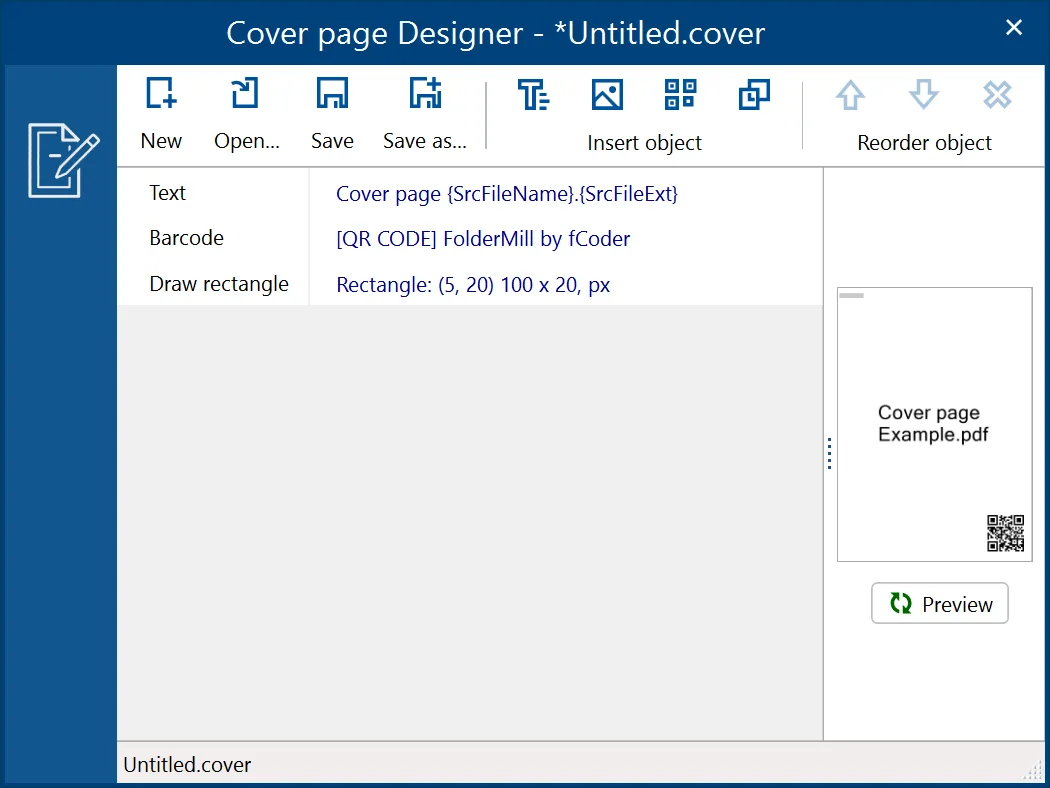
The linked installer is the publisher's free evaluation version, not an unrestricted commercial edition. Converted pages and images receive a watermark, while printed documents have separating cover pages by default; settings can replace cover pages with watermarks. The publisher permits evaluation and non-commercial use of the free version. Commercial use requires a commercial license.
What it offers
- Monitor Hot Folders and automatically process newly arriving documents.
- Print to local, network or virtual printers, including multiple printers in one workflow.
- Convert supported documents to PDF, XPS, JPEG, PNG or TIFF.
- Combine filters, conversion, watermarking, copying and printing Actions.
- Use local or shared folders, email and FTP sources, with Windows service operation supported.
Good to know
- The free version watermarks converted pages and images and inserts cover pages between printed documents; settings can use watermarks instead of cover pages.
- The free version is for evaluation and non-commercial needs; commercial use requires a paid license.
Product images
Sources
References used for this listing. Retrieval dates do not indicate hands-on testing.
More in utilities
View category ↗
1.1.1.1 with WARP 2026.8.2115.0
Encrypt traffic from your Mac to Cloudflare’s network with WARP, or use DNS-only mode for encrypted DNS queries to the 1.1.1.1 resolver.
1.1.1.1 with WARP 2026.8.2115.0
Encrypt traffic between your Windows PC and Cloudflare, or use encrypted DNS only, with the free 1.1.1.1 with WARP app.

3uTools 9.12.005
Manage iPhone and iPad photos, music, apps and backups from Windows with 3uTools, a free utility that also includes device checks and firmware flashing tools.