

Utilities macOS
ForkLift for macOS
Manage local folders and remote files side by side with ForkLift for Mac, a dual-pane file manager with SFTP, FTP, cloud connections and folder synchronization.
- Operating system
- macOS 14.6 or later
- Architecture
- Not specified in the consulted publisher documentation
- Download package
- ZIP archive containing the Mac application
Extract the application and move it to Applications as described by the publisher. CPU architecture was not independently verified.
Link checked · Download guidance
What is ForkLift?
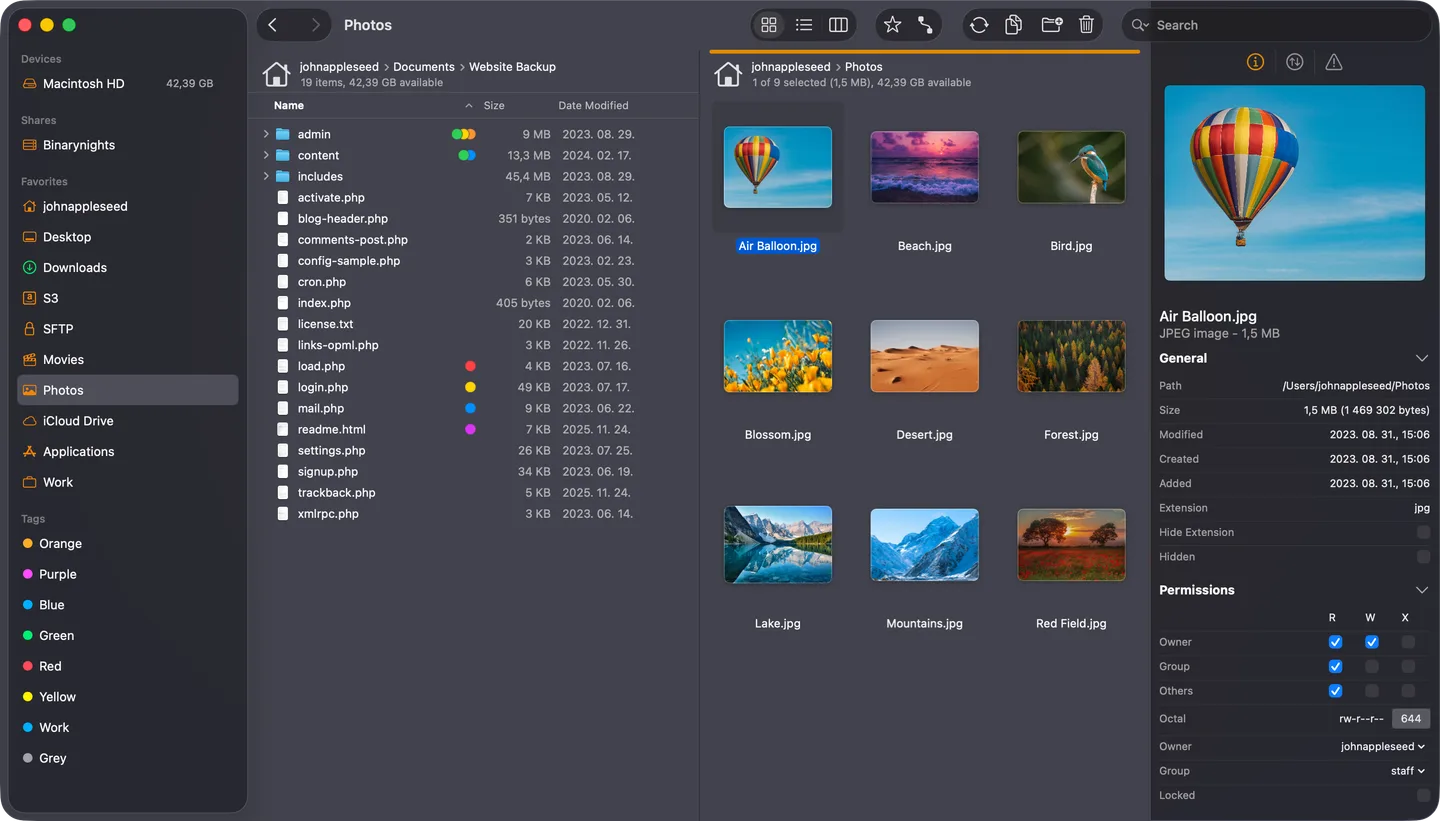
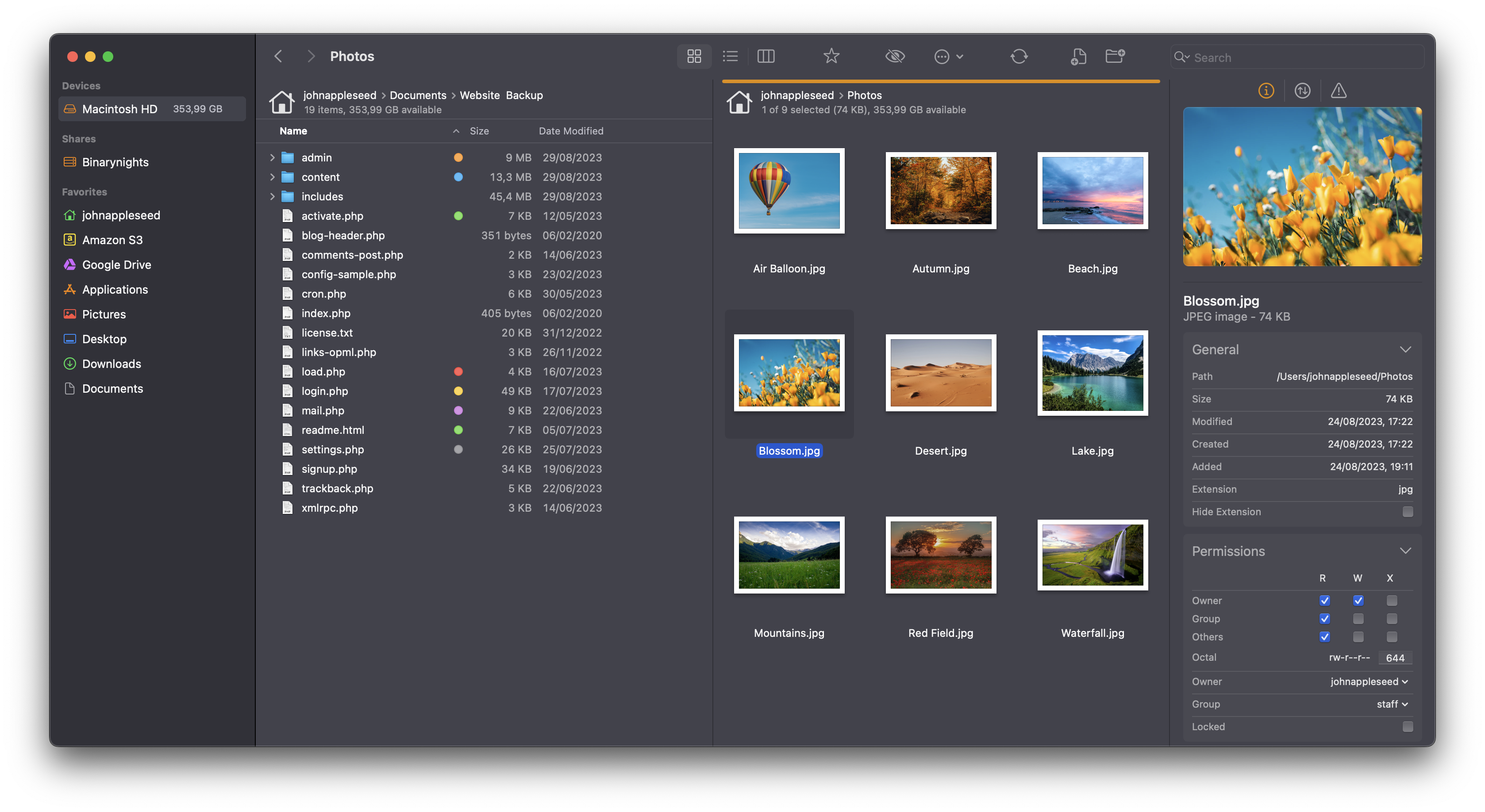
ForkLift puts two locations in one window so you can copy, move and compare files without switching between separate folder windows. It combines a local macOS file manager with remote connections, including SFTP, FTP, WebDAV, Amazon S3, Google Drive, OneDrive and Dropbox. That makes it useful for moving website files to a server or organizing files across local storage and cloud accounts.
Tabs and saved workspaces keep frequently used locations accessible. A preview panel displays images, documents and media, while folder synchronization compares local or remote source and target folders and supports one-way or two-way updates. Remote editing opens files in your preferred editor and uploads changes when you save.
The linked publisher ZIP is ForkLift 4.7.7, released October 20, 2026. This release requires macOS 14.6 or later. A free trial is available, but ForkLift is commercially licensed: a purchased license includes one or two years of updates, not every future release. The publisher also documents restricted folder access and drag-and-drop functionality without Full Disk Access.
What it offers
- Browse two locations side by side, with tabs and saved workspaces.
- Connect to SFTP, FTP, WebDAV, Amazon S3 and supported cloud services.
- Compare and synchronize local or remote folders in one or both directions.
- Preview files and edit remote files using a preferred editor with upload on save.
- Manage transfers with ordering, conflict rules and bandwidth limits.
Good to know
- ForkLift 4.7.7 requires macOS 14.6 or later; older supported releases are separate downloads.
- The free trial is not a free perpetual license. Purchased licenses include a limited update period of one or two years.
- Without Full Disk Access, the publisher documents restrictions on attached drives, Desktop, Downloads, Documents and drag-and-drop operations.
Product images
Sources
References used for this listing. Retrieval dates do not indicate hands-on testing.
More in utilities
View category ↗
1.1.1.1 with WARP 2026.8.2115.0
Encrypt traffic from your Mac to Cloudflare’s network with WARP, or use DNS-only mode for encrypted DNS queries to the 1.1.1.1 resolver.
1.1.1.1 with WARP 2026.8.2115.0
Encrypt traffic between your Windows PC and Cloudflare, or use encrypted DNS only, with the free 1.1.1.1 with WARP app.

3uTools 9.12.005
Manage iPhone and iPad photos, music, apps and backups from Windows with 3uTools, a free utility that also includes device checks and firmware flashing tools.