
Utilities Windows
FromScratch
Keep quick notes and to-do lists in an autosaving scratchpad. FromScratch for Windows adds checkboxes, folding and keyboard shortcuts to a plain-text workspace.
Version 1.4.3 · Direct publisher file
Link checked · Download guidance
What is FromScratch?
FromScratch is a free, open-source scratchpad for notes and to-do lists you want to return to throughout the day. Type into its text workspace and changes are saved automatically, rather than waiting for a manual save. Automatic indentation, collapsible notes and checkboxes help organize the text without turning it into a separate task-management system.
On Windows, Ctrl+Up and Ctrl+Down move the current line, Ctrl+/ adds or toggles a checkbox, and Ctrl+F searches the text. F1 opens the shortcut overview. Text zoom, light and dark themes, and fullscreen mode let you adjust the writing view. The publisher documents content.txt in a .fromscratch folder under your Windows user profile as the default note file. Portable mode can put notes and configuration in a chosen location instead.
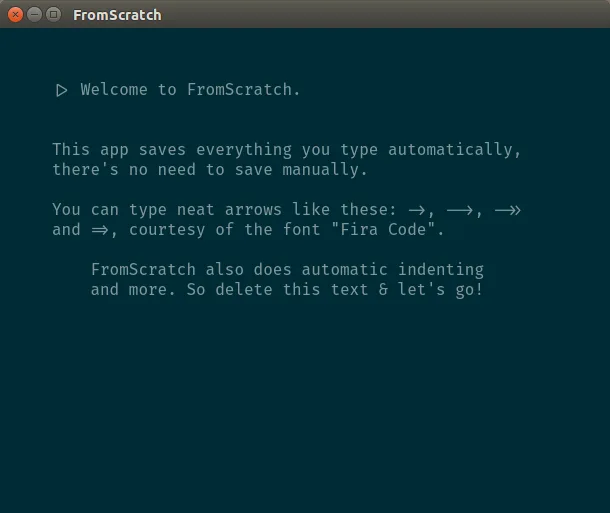
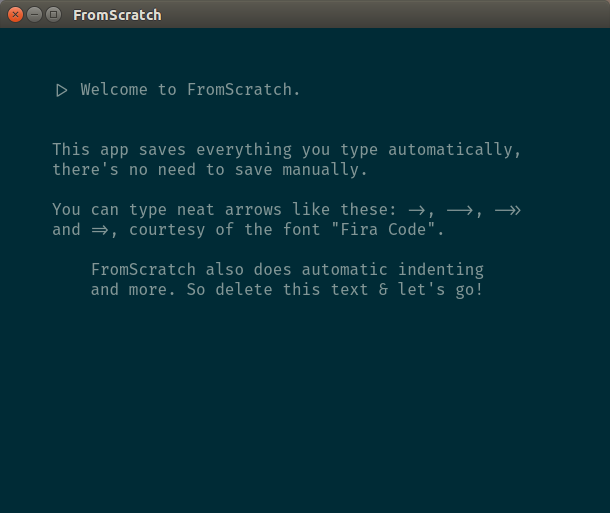
The linked EXE is the publisher's Windows setup package for version 1.4.3, released on January 5, 2019. The cited sources do not specify a minimum Windows version or processor architecture, and compatibility with Windows 10 or 11 has not been established here. This is a long-standing release, not a claim of current Windows support. The publisher screenshot illustrates the shared editor on Linux; it does not show a Windows installation.
What it offers
- Save notes automatically as you type.
- Organize text with automatic indentation, note folding and toggleable checkboxes.
- Move lines, search and replace text, and adjust text size with keyboard shortcuts.
- Switch between light and dark themes or use fullscreen mode.
- Use the documented portable mode to store notes and configuration in a selected directory.
Good to know
- The selected 1.4.3 release dates to January 2019; the cited publisher sources do not establish Windows 10 or 11 compatibility, a minimum Windows version, or the installer architecture.
- The default notes live in a local content.txt file. Choosing a cloud-synced directory through portable mode relies on a separate synchronization service, not a documented built-in cloud account.
Product images
Sources
References used for this listing. Retrieval dates do not indicate hands-on testing.
- FromScratch - auto saving scratchpad ↗Retrieved
- Kilian/fromscratch — publisher repository and README ↗Retrieved
- Release notes from fromscratch — official Atom alternate ↗Retrieved
- FromScratch, a simple but smart note-taking app | Kilian Valkhof ↗Retrieved
- FromScratch LICENSE — MIT License ↗Retrieved
More in utilities
View category ↗
1.1.1.1 with WARP 2026.8.2115.0
Encrypt traffic from your Mac to Cloudflare’s network with WARP, or use DNS-only mode for encrypted DNS queries to the 1.1.1.1 resolver.
1.1.1.1 with WARP 2026.8.2115.0
Encrypt traffic between your Windows PC and Cloudflare, or use encrypted DNS only, with the free 1.1.1.1 with WARP app.

3uTools 9.12.005
Manage iPhone and iPad photos, music, apps and backups from Windows with 3uTools, a free utility that also includes device checks and firmware flashing tools.