

Utilities Windows
GameLoop for Windows
Play Android games such as PUBG Mobile and Call of Duty: Mobile on a Windows PC with GameLoop's customizable keyboard and mouse controls.
What is GameLoop?
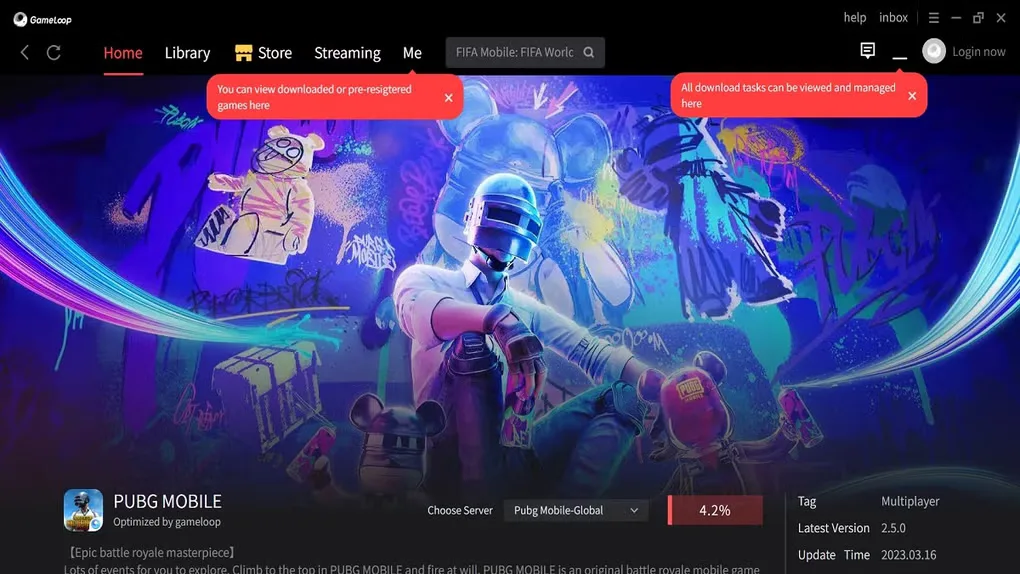
GameLoop is a free-to-download Android emulator for playing mobile games on a Windows PC. Its publisher identifies PUBG Mobile and Call of Duty: Mobile as supported titles and provides smart key mapping so you can adapt game controls to a keyboard and mouse. A built-in game library lets you manage titles and their updates from the emulator.
The publisher describes its self-developed AOW engine and includes graphics settings for adjusting the gaming experience. Performance is not guaranteed on every PC: its lag troubleshooting guidance recommends lowering resolution, changing rendering mode or disabling anti-aliasing when games run poorly. This entry links to the publisher-hosted Windows EXE installer; the installer version and processor architecture were not established from the available download evidence.
What it offers
- Run supported Android games on a Windows PC, including PUBG Mobile and Call of Duty: Mobile.
- Customize keyboard and mouse mappings with smart key-mapping controls.
- Manage installed games and start available game updates from the emulator's game library.
- Adjust resolution, rendering mode and anti-aliasing settings to suit your PC.
Good to know
- Games can lag on some PCs; the publisher recommends reducing resolution or graphics settings when performance is poor.
- The publisher's EULA limits the license to personal entertainment use, not commercial use.
Product images
Sources
References used for this listing. Retrieval dates do not indicate hands-on testing.
More in utilities
View category ↗
1.1.1.1 with WARP 2026.8.2115.0
Encrypt traffic from your Mac to Cloudflare’s network with WARP, or use DNS-only mode for encrypted DNS queries to the 1.1.1.1 resolver.
1.1.1.1 with WARP 2026.8.2115.0
Encrypt traffic between your Windows PC and Cloudflare, or use encrypted DNS only, with the free 1.1.1.1 with WARP app.

3uTools 9.12.005
Manage iPhone and iPad photos, music, apps and backups from Windows with 3uTools, a free utility that also includes device checks and firmware flashing tools.