
Development Windows
GeoServer
Publish geospatial data as web maps and standards-based services with GeoServer, a free, open-source Java server with a Windows installer and browser-based administration.
Version 3.0.2 · Direct publisher file
Link checked · Download guidance
What is GeoServer?
GeoServer turns spatial data into services that GIS clients and web mapping applications can use. It is a server for sharing maps and their underlying data, rather than a desktop map editor. Its standards-based interfaces include Web Map Service (WMS), Web Feature Service (WFS), Web Coverage Service (WCS) and Web Map Tile Service (WMTS). Choose it when you need to publish geospatial information for other applications to consume.
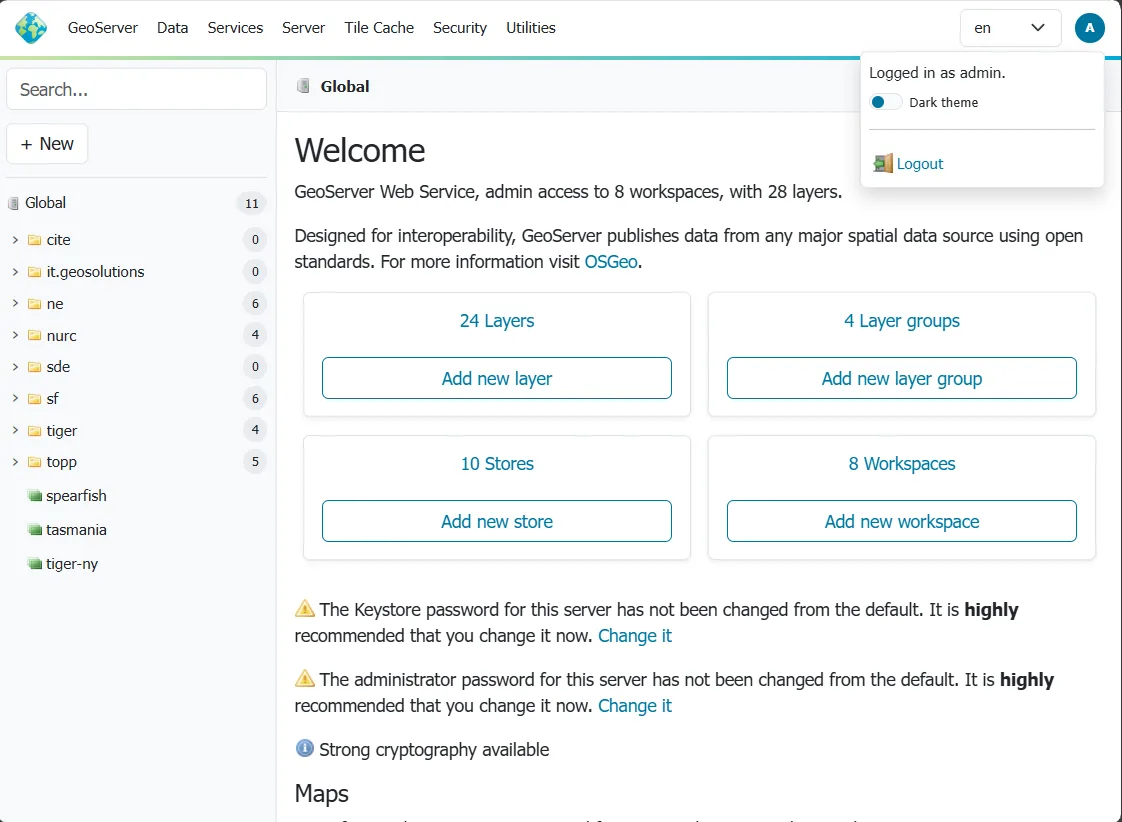
The browser-based administration interface handles data publication and service configuration. Administrators can work with stores, layers and workspaces, then use Browse Layers to open a preview, including OpenLayers output. Configuration changes require an authenticated account. The screenshot shows the publisher’s documented administration UI; it is not evidence of a local installation or a specific Windows build.
The linked package is the Windows EXE installer for GeoServer 3.0.2, released on October 19, 2026. Install a Java 17 or Java 21 runtime first. The installer asks for the Java location, data directory, administrator credentials and service port, and can configure manual startup or a Windows service. Its documented default port is 8080. Use non-default administrator credentials before exposing a deployment.
Some capabilities require separate extensions: the publisher identifies Web Processing Service (WPS) as one example. Do not assume that every listed extension is included in the base installer. The cited documentation does not establish an exact supported Windows-version range or installer CPU architecture, so neither is claimed here. To remove GeoServer, use its installation-directory uninstaller or standard Windows program removal.
What it offers
- Publish maps through WMS and share geospatial data through WFS and WCS.
- Serve tiled maps through WMTS for mapping applications.
- Configure publication and services through a browser-based administration interface.
- Preview published layers with the Browse Layers page and OpenLayers output.
- Choose manual startup or Windows service installation.
Good to know
- Requires an installed Java 17 or Java 21 runtime; the Windows installer is not a standalone Java-free application.
- Additional functionality such as WPS requires separate extensions. Exact Windows-version and CPU-architecture support is not established by the cited sources.
Product images
Sources
References used for this listing. Retrieval dates do not indicate hands-on testing.
- GeoServer 3.0.2 — official stable release ↗Retrieved
- About — GeoServer ↗Retrieved
- GeoServer License ↗Retrieved
- Windows installer — GeoServer 3.0 documentation ↗Retrieved
- Using the web administration interface - Documentation ↗Retrieved
More in development
View category ↗
010 Editor 17.0
Inspect and edit binary files on Mac with 010 Editor, a paid text and hex editor with Binary Templates, file comparison and a 30-day trial.
010 Editor 17.0
Inspect and edit binary files with 010 Editor for Windows, a text and hex editor with Binary Templates, file comparison and scripting. Includes a 30-day trial.
10x Editor
Edit and navigate C++ projects on Windows with a built-in parser, workspace search and Visual Studio project support. A paid license is required after the 30-day trial.