
Utilities Windows
GetDataBack Pro
Find and preview lost files on hard drives, SSDs and USB storage with GetDataBack Pro for Windows. A paid license is required to copy recovered files.
- Operating system
- Windows Vista, 7, 8, 10, 11; Windows Server 2008–2022
- Architecture
- 32-bit and 64-bit Windows; native 64-bit application on 64-bit Windows
- Download package
- EXE installer (gdbprosetup.exe)
Publisher lists 4 GB RAM. Apple and Linux file-system support refers to recoverable storage, not native application platforms.
Link checked · Download guidance
What is GetDataBack Pro?
GetDataBack Pro searches storage for files lost through accidental deletion, formatting or damaged file-system structures. It supports NTFS, FAT and exFAT as well as Apple HFS+/APFS and Linux EXT file systems, so a Windows recovery session can work with storage formatted for those systems. That file-system support does not make it a native Mac or Linux application.
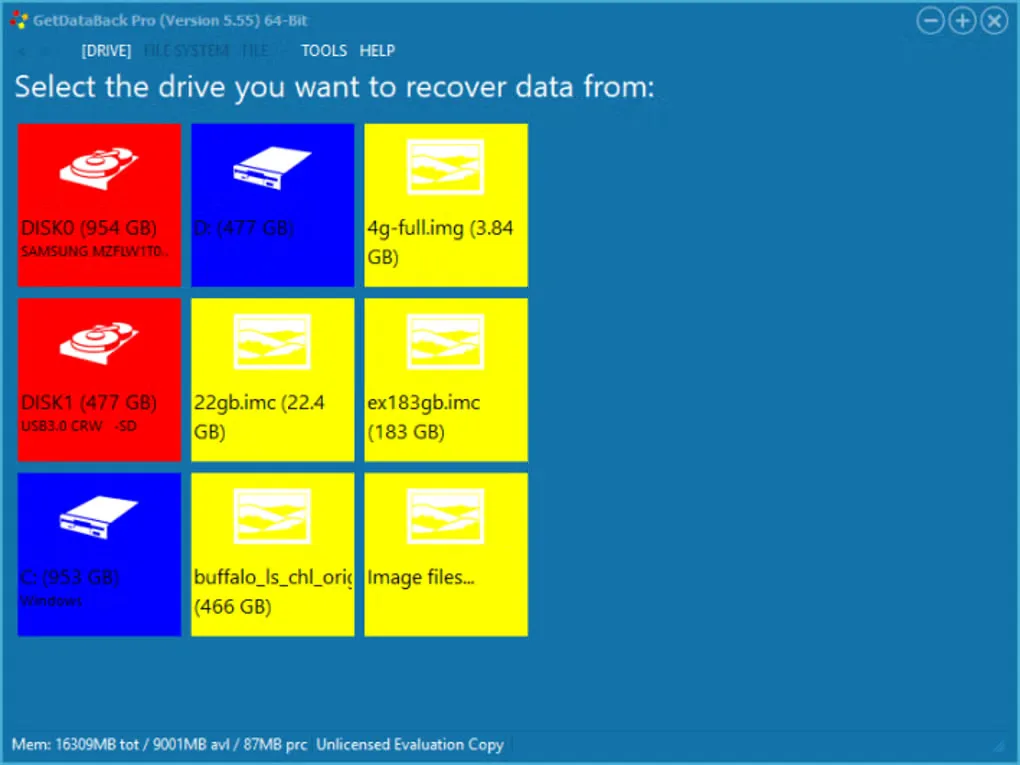
The recovery workflow starts by selecting a drive or image, then examining the files the program finds. Runtime describes the recovery engine as read-only: it does not attempt to repair or write to the source drive. Recovered data is copied to another medium rather than repaired in place.
Use the trial to inspect and preview the results before buying. Copying recovered files requires a license key; this is not a free recovery edition. The gallery image shows the older 5.55 drive-selection interface, while the publisher currently lists version 5.78.
What it offers
- Search for files after deletion, formatting or damage to partition tables, boot records and directories.
- Read NTFS, FAT12/16/32, exFAT, EXT/EXT2/EXT3/EXT4, HFS+ and APFS file systems.
- Work with hard drives, SSDs, flash cards and USB drives.
- Preview found data in the trial before purchasing a license to copy it.
- Examine the source drive without attempting in-place repairs; browse recovered files in an Explorer-style window.
Good to know
- The trial lets you preview results, but copying recovered files requires a paid license.
- Runs on Windows; support for Apple and Linux file systems does not mean native macOS or Linux application support.
- The read-only recovery workflow does not repair the source drive in place; recovered files must be copied to another medium.
Product images
Sources
References used for this listing. Retrieval dates do not indicate hands-on testing.
More in utilities
View category ↗
1.1.1.1 with WARP 2026.8.2115.0
Encrypt traffic from your Mac to Cloudflare’s network with WARP, or use DNS-only mode for encrypted DNS queries to the 1.1.1.1 resolver.
1.1.1.1 with WARP 2026.8.2115.0
Encrypt traffic between your Windows PC and Cloudflare, or use encrypted DNS only, with the free 1.1.1.1 with WARP app.

3uTools 9.12.005
Manage iPhone and iPad photos, music, apps and backups from Windows with 3uTools, a free utility that also includes device checks and firmware flashing tools.