

Utilities Windows
GiliSoft USB Lock for Windows
Control USB storage access on Windows with separate read and write restrictions, trusted-device lists, and controls for phones and removable media. A commercial trial is available.
- Operating system
- Windows 10 and Windows 11
- Architecture
- Not established by the consulted publisher sources
- Download package
- EXE installer
Administrator permission is required for installation. Publisher and Softonic version labels differ; the linked installer version has not been inspected.
Link checked · Download guidance
What is GiliSoft USB Lock?
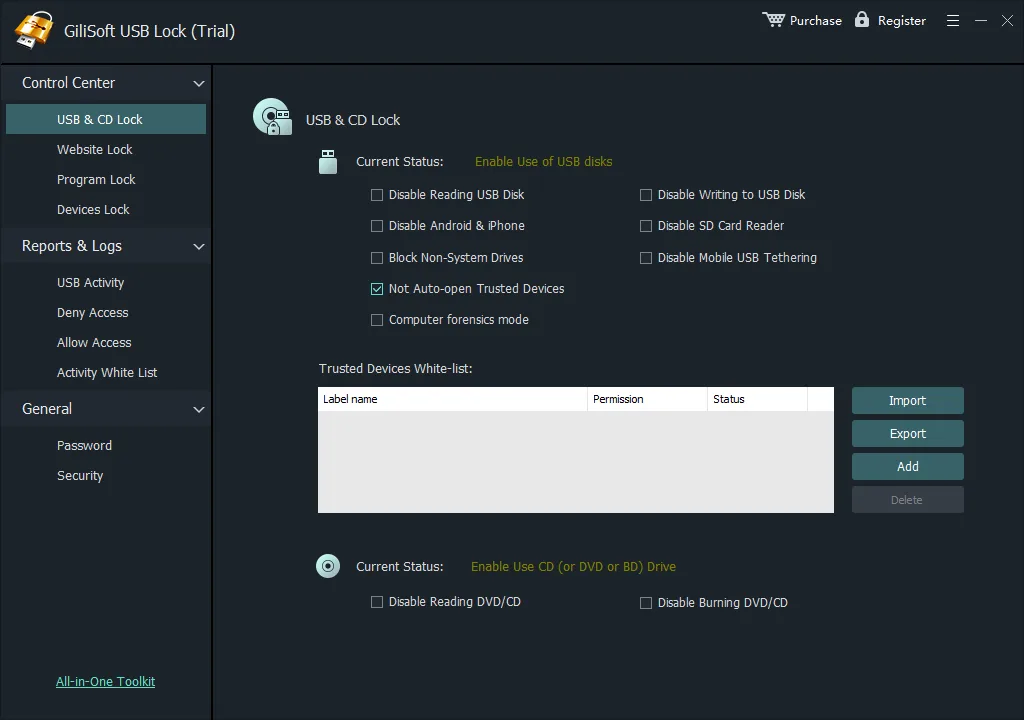
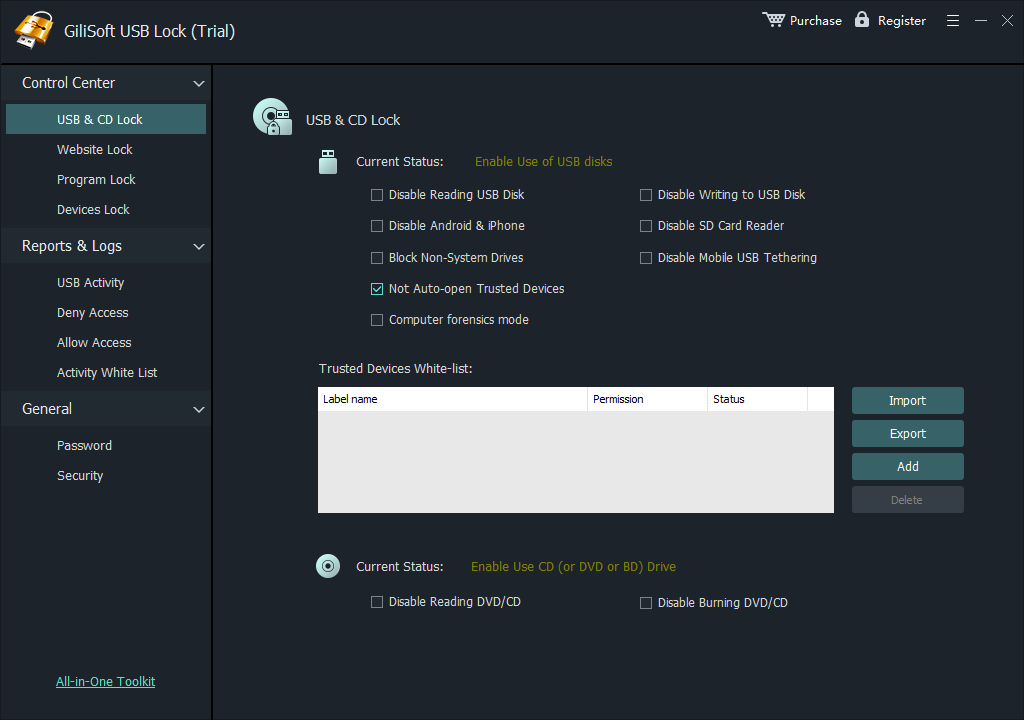
GiliSoft USB Lock manages which connected devices can read or receive data on a Windows PC. It is aimed at shared workstations and office computers where unknown flash drives should be blocked while approved company drives remain usable. Separate USB reading and writing settings let you permit files to be opened from a drive without allowing new files to be copied onto it.
The trusted-device whitelist provides exceptions for approved storage, and its import and export controls let administrators reuse that list on other PCs. Phone transfers, USB tethering, SD card readers and optical media have their own controls. Reports show USB activity and allowed or denied access, while a management password protects the settings.
This is device-access control, not USB drive encryption: it does not create an encrypted area that protects files when a drive is used elsewhere. The controls also do not physically cut power to every USB port. Installation requires administrator permission, and the publisher offers the download as a trial of paid software.
What it offers
- Apply separate read and write restrictions to USB storage, including read-only access.
- Keep approved storage available through a trusted-device whitelist with import and export.
- Restrict phone data transfers, USB tethering, SD card readers and optical-media access separately.
- Control USB Wi-Fi and Ethernet adapters with their own approved-adapter list.
- Review USB activity and access records, and password-protect administrative settings.
Good to know
- Controls device access on the Windows PC; it does not encrypt files stored on a USB drive.
- Data-access restrictions do not physically switch off USB power; a connected phone may still charge.
- The download is a commercial trial. Device-specific temporary passwords require the separately scoped enterprise custom edition.
Product images
Sources
References used for this listing. Retrieval dates do not indicate hands-on testing.
More in utilities
View category ↗
1.1.1.1 with WARP 2026.8.2115.0
Encrypt traffic from your Mac to Cloudflare’s network with WARP, or use DNS-only mode for encrypted DNS queries to the 1.1.1.1 resolver.
1.1.1.1 with WARP 2026.8.2115.0
Encrypt traffic between your Windows PC and Cloudflare, or use encrypted DNS only, with the free 1.1.1.1 with WARP app.

3uTools 9.12.005
Manage iPhone and iPad photos, music, apps and backups from Windows with 3uTools, a free utility that also includes device checks and firmware flashing tools.