

Utilities Windows
gImageReader for Windows
Extract text from scanned PDFs and images with gImageReader, a free Tesseract OCR front end for Windows with plain-text and hOCR output.
- Operating system
- Windows; minimum OS version for this release not established
- Architecture
- x86_64 (64-bit)
- Download package
- EXE installer (Qt6)
Tesseract is bundled. Scanning needs a matching 64-bit TWAIN driver. The publisher also offers a separate portable ZIP.
Link checked · Download guidance
What is gImageReader?
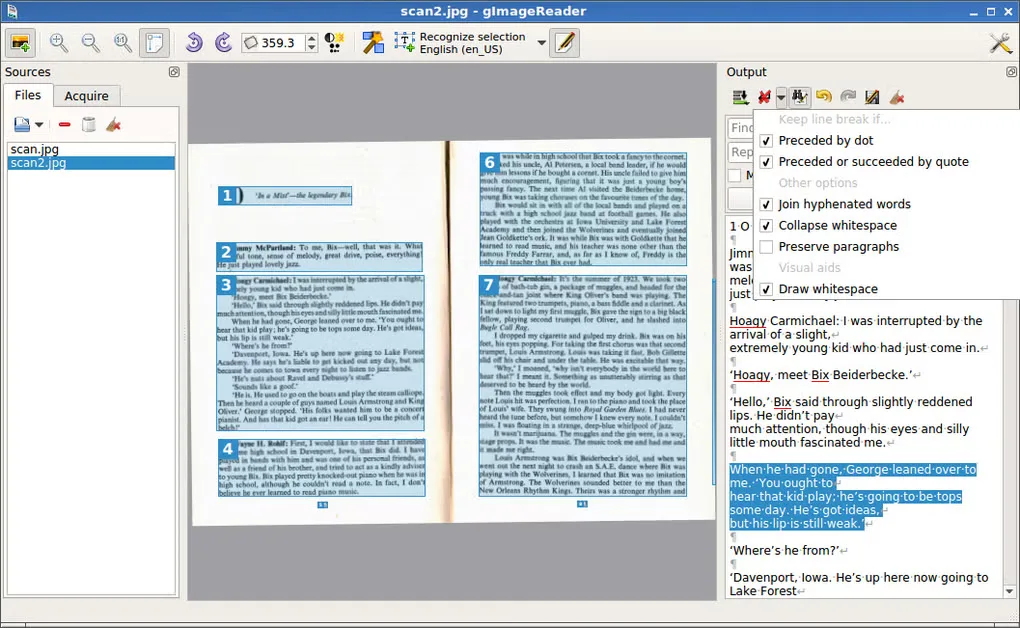
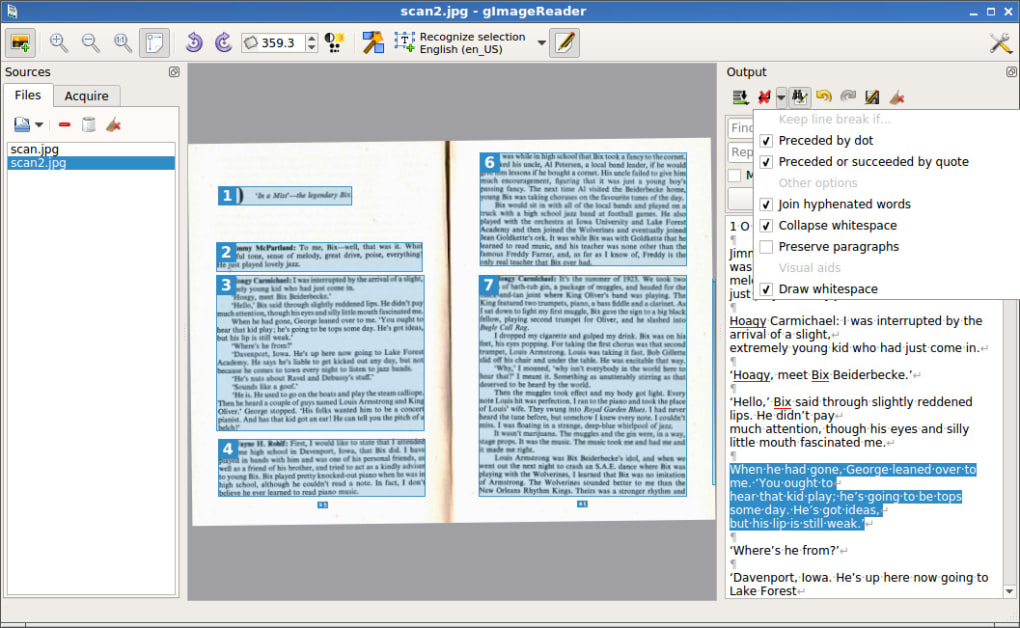
gImageReader turns scanned pages and image files into text through a graphical interface to Tesseract OCR. Import documents from disk, a scanner, the clipboard or screenshots, then recognize a full page or define the areas to process. The recognized text appears beside the source image for checking and editing. Multiple images and documents can be processed together.
Choose plain text when you need editable words, or hOCR for a document workflow that can generate PDF output. Spellchecking and text post-processing help with corrections. The Windows installer bundles the required Tesseract files; additional recognition languages can be selected through the built-in language manager.
This download is the publisher’s 3.4.4 Qt6 x64 EXE installer, not the portable ZIP or a development build. Scanner support on Windows requires a TWAIN driver with the same architecture as the application: a scanner with only a 32-bit TWAIN driver cannot be used with this 64-bit package. The gallery image illustrates an older Windows interface rather than a verified capture of version 3.4.4.
What it offers
- Import PDF documents and images from files, scanning devices, the clipboard or screenshots.
- Recognize multiple images and documents, with manual or automatic recognition areas.
- View recognized text beside the source image and edit it with spellchecking tools.
- Export recognized content as plain text or hOCR, and generate PDFs from hOCR documents.
- Use bundled Tesseract files on Windows and manage additional recognition languages within the application.
Good to know
- Windows scanning requires a TWAIN driver whose architecture matches the application; this x64 installer cannot use a 32-bit-only TWAIN driver.
Product images
Sources
References used for this listing. Retrieval dates do not indicate hands-on testing.
- gImageReader - Download ↗Retrieved
- gImageReader — publisher README and license ↗Retrieved
- gImageReader 3.4.4 — publisher release ↗Retrieved
- gImageReader 3.4.4 — publisher release assets ↗Retrieved
- gImageReader — publisher FAQ ↗Retrieved
More in utilities
View category ↗
1.1.1.1 with WARP 2026.8.2115.0
Encrypt traffic from your Mac to Cloudflare’s network with WARP, or use DNS-only mode for encrypted DNS queries to the 1.1.1.1 resolver.
1.1.1.1 with WARP 2026.8.2115.0
Encrypt traffic between your Windows PC and Cloudflare, or use encrypted DNS only, with the free 1.1.1.1 with WARP app.

3uTools 9.12.005
Manage iPhone and iPad photos, music, apps and backups from Windows with 3uTools, a free utility that also includes device checks and firmware flashing tools.