

Development macOS
GitHub Desktop for macOS
Review code changes, create branches and commit to Git repositories with GitHub Desktop, a free graphical Git client for macOS. This download is for Apple silicon Macs.
- Operating system
- macOS 12.0 or later
- Architecture
- Apple silicon (ARM64)
- Download package
- ZIP archive
This link selects the Apple silicon build. A separate Intel download is available on the publisher's download page.
Link checked · Download guidance
What is GitHub Desktop?
GitHub Desktop gives Git repositories a visual workflow on your Mac. Clone a project, create a branch, inspect changed files and choose which lines to include in a commit before pushing your work. It supports files hosted on GitHub and other Git hosting services, with dedicated integration for GitHub and GitHub Enterprise.
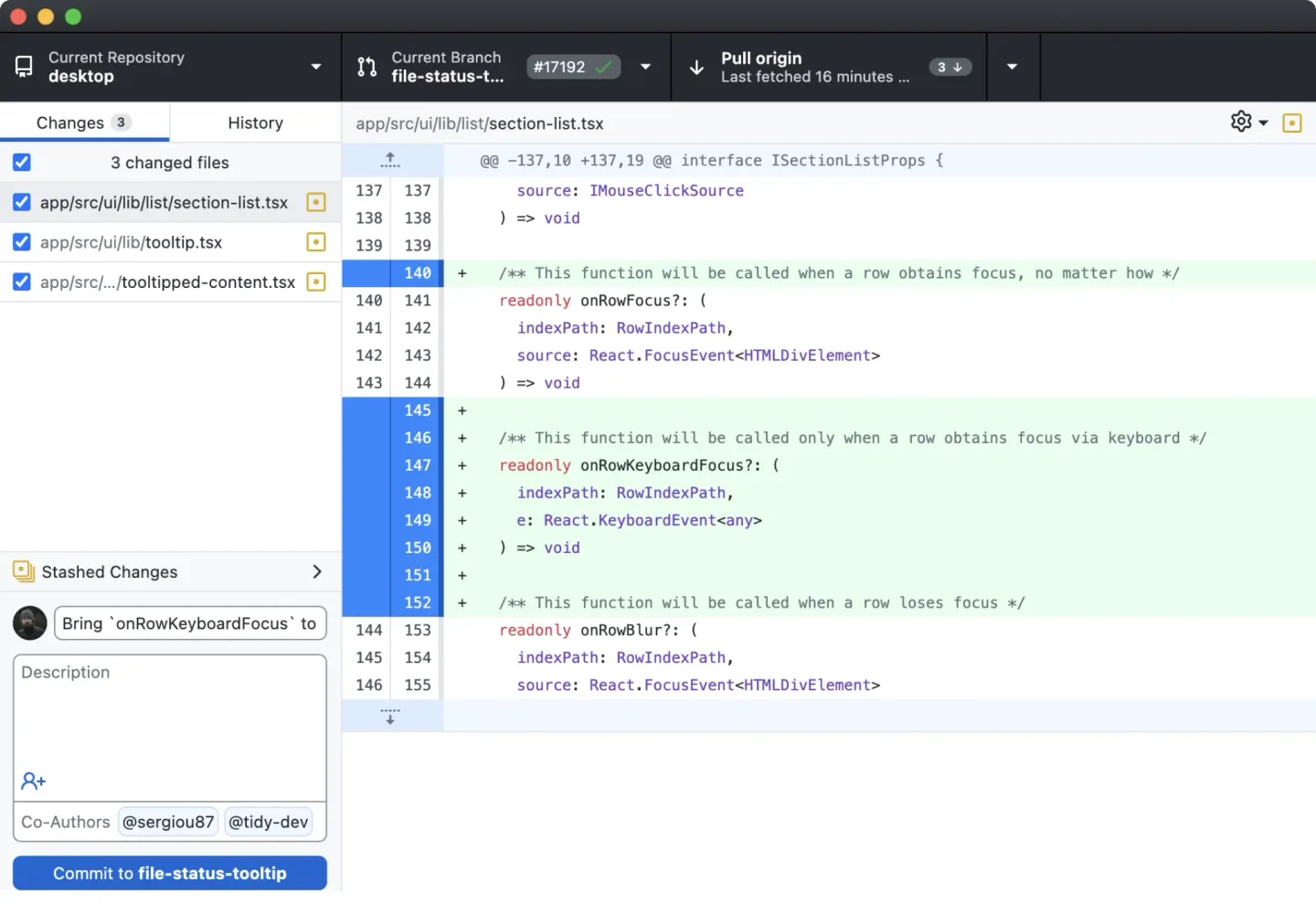
The interface includes code diffs, commit history and tools to stash unfinished changes. You can also cherry-pick, squash or reorder commits with drag and drop. Use a separate editor to change your code, then return to GitHub Desktop to review and commit it.
This entry links to the publisher's Apple silicon ZIP download. Intel Macs have a separate package on the official download page. GitHub's documentation requires macOS 12.0 or later; the older macOS requirement shown on the Softonic listing is not used here.
What it offers
- Clone repositories, create branches, and commit and push changes through a graphical interface.
- Review file diffs and choose individual changed lines to include in a commit.
- Stash unfinished changes without committing them to a branch.
- Cherry-pick, squash or reorder commits with drag and drop.
- Work with GitHub or other Git hosting services, with integration for GitHub and GitHub Enterprise.
Good to know
- Requires macOS 12.0 or later according to GitHub's supported-operating-systems documentation.
- The linked package is for Apple silicon; Intel Macs need the separate Intel download from the publisher.
Product images
Sources
References used for this listing. Retrieval dates do not indicate hands-on testing.
- GitHub Desktop for Mac - Download ↗Retrieved
- Download GitHub Desktop | GitHub Desktop ↗Retrieved
- GitHub Desktop | Simple collaboration from your desktop ↗Retrieved
- About GitHub Desktop ↗Retrieved
- Supported operating systems for GitHub Desktop ↗Retrieved
- GitHub Desktop project LICENSE ↗Retrieved
More in development
View category ↗
010 Editor 17.0
Inspect and edit binary files on Mac with 010 Editor, a paid text and hex editor with Binary Templates, file comparison and a 30-day trial.
010 Editor 17.0
Inspect and edit binary files with 010 Editor for Windows, a text and hex editor with Binary Templates, file comparison and scripting. Includes a 30-day trial.
10x Editor
Edit and navigate C++ projects on Windows with a built-in parser, workspace search and Visual Studio project support. A paid license is required after the 30-day trial.