

Utilities Windows
GnuCash for Windows
Track accounts, income and expenses with GnuCash, free accounting software for Windows with double-entry bookkeeping, reports and small-business invoicing.
Version 5.17 · Direct publisher file
Link checked · Download guidance
What is GnuCash?
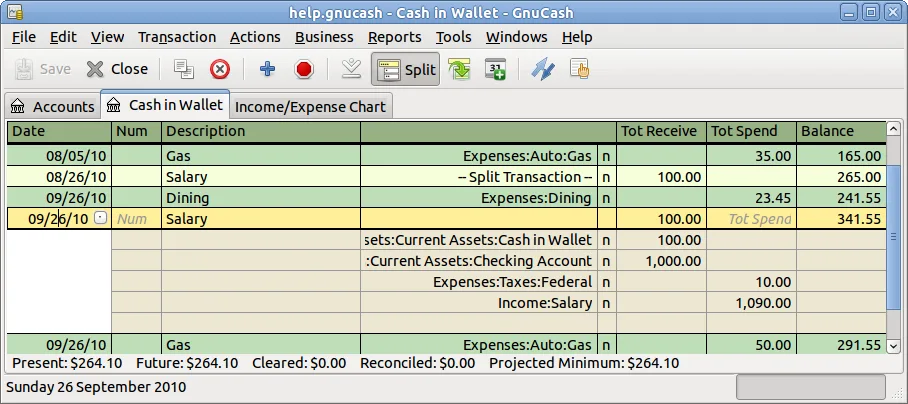
GnuCash keeps personal and small-business finances in a set of accounts. Enter spending, income and transfers in a checkbook-style register, split a payment across accounts, and reconcile recorded transactions against a bank statement. Double-entry bookkeeping requires matching debits and credits rather than treating each expense as an isolated note.
Scheduled transactions help handle recurring payments. Reports include balance sheets, profit and loss, and portfolio valuations; small-business tools cover customers, vendors, invoices and bills. QIF and OFX import provide a route for bringing in financial records from other software.
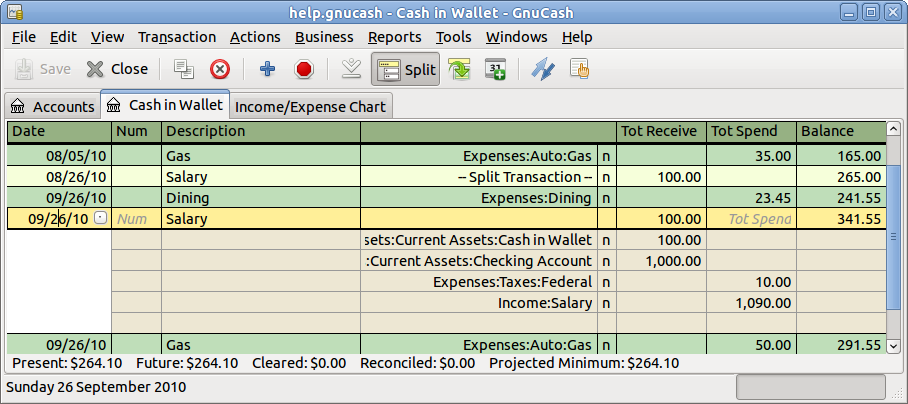
The publisher lists this GnuCash 5.17 Windows installer for Windows 8, 10 and 11. Its features page warns that SQL database storage is experimental and that some corner cases have caused data loss; XML is the default storage format. The screenshot comes from the official manual and illustrates an older register appearance, not a verified capture of version 5.17.
What it offers
- Record double-entry transactions in a checkbook-style register with split transactions and cleared or reconciled status.
- Schedule recurring transactions and reminders, and reconcile accounts against bank statements.
- Create balance-sheet, profit-and-loss and portfolio reports with financial charts.
- Track customers and vendors, issue invoices and record bills for a small business.
- Import QIF and OFX financial records and maintain accounts in different currencies.
Good to know
- The publisher describes SQL database storage as experimental and reports data-loss corner cases; XML is the default storage format.
- Double-entry bookkeeping requires each transaction's debits and credits to balance, so an account structure is needed rather than only a list of expenses.
Product images
Sources
References used for this listing. Retrieval dates do not indicate hands-on testing.
More in utilities
View category ↗
1.1.1.1 with WARP 2026.8.2115.0
Encrypt traffic from your Mac to Cloudflare’s network with WARP, or use DNS-only mode for encrypted DNS queries to the 1.1.1.1 resolver.
1.1.1.1 with WARP 2026.8.2115.0
Encrypt traffic between your Windows PC and Cloudflare, or use encrypted DNS only, with the free 1.1.1.1 with WARP app.

3uTools 9.12.005
Manage iPhone and iPad photos, music, apps and backups from Windows with 3uTools, a free utility that also includes device checks and firmware flashing tools.