
Utilities Windows
Gotify Tray
Receive Gotify server messages as Windows notifications, review message history and silence low-priority banners with this open-source desktop client.
Version 0.5.3 · Direct publisher file
Link checked · Download guidance
What is Gotify Tray?
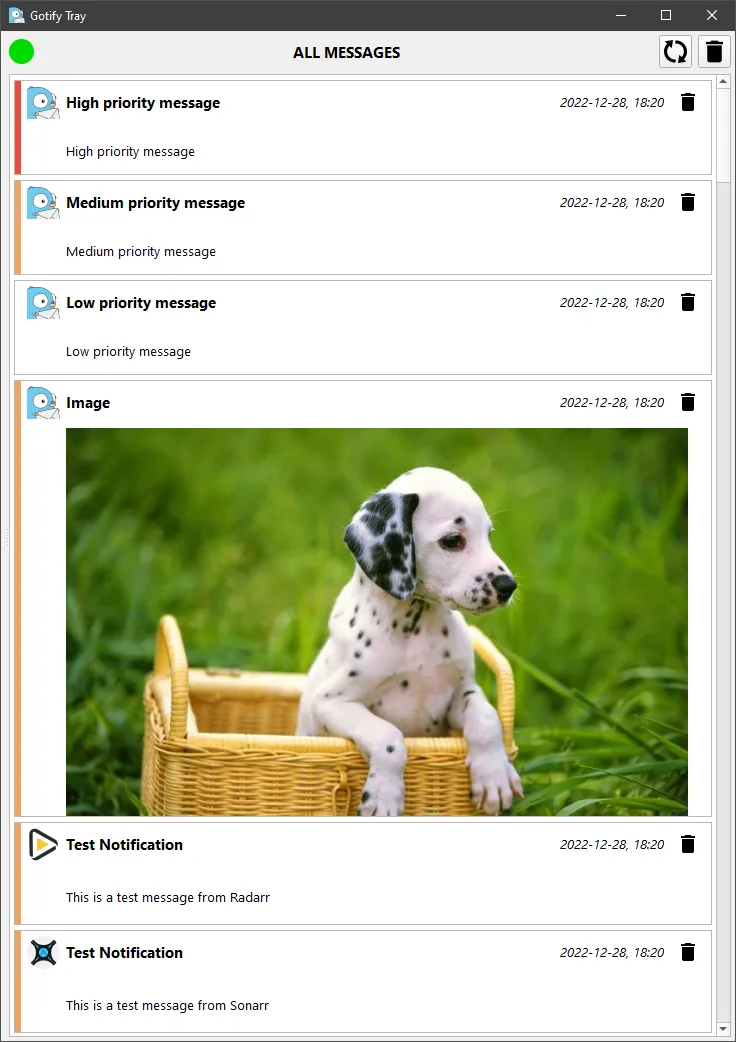
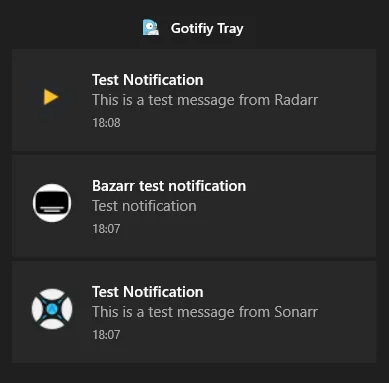
Gotify Tray brings messages from a Gotify server into the Windows notification area. It suits people who already send service alerts or other updates through Gotify and want to see them on their desktop. The main window keeps a message history, with controls for manually deleting received messages. Low-priority notification banners can be disabled when those updates do not need an interruption.
The publisher lists automatic reconnection after sleep or network loss and retrieval of messages missed during a disconnection. This is a client for a Gotify server, not a replacement for that server: you need access to one to receive messages. The linked Windows EXE is release 0.5.3, published on October 29, 2024. Publisher screenshots illustrate the main window and Windows 10 notifications; they are not evidence of a new installation or a Windows 11 compatibility test.
What it offers
- Receive Gotify messages in the native Windows notification area.
- Review previously received messages and delete them manually.
- Disable notification banners for low-priority messages.
- Reconnect after sleep or network loss and receive missed messages.
Good to know
- Requires access to a Gotify server; the desktop client does not replace the server.
- The inspected publisher material does not specify a minimum Windows build or the selected installer's CPU architecture; Windows 11 compatibility was not verified.
Product images
Sources
References used for this listing. Retrieval dates do not indicate hands-on testing.
More in utilities
View category ↗
1.1.1.1 with WARP 2026.8.2115.0
Encrypt traffic from your Mac to Cloudflare’s network with WARP, or use DNS-only mode for encrypted DNS queries to the 1.1.1.1 resolver.
1.1.1.1 with WARP 2026.8.2115.0
Encrypt traffic between your Windows PC and Cloudflare, or use encrypted DNS only, with the free 1.1.1.1 with WARP app.

3uTools 9.12.005
Manage iPhone and iPad photos, music, apps and backups from Windows with 3uTools, a free utility that also includes device checks and firmware flashing tools.