

Utilities macOS
GPT4All for macOS
Run language models on your Mac, chat with downloaded models and use LocalDocs to bring information from your own files into a conversation.
- Operating system
- macOS Monterey 12.6 or newer
- Architecture
- Apple Silicon; detailed minimum specifies M1
- Download package
- DMG disk image
Detailed publisher minimum: M1 and 16 GB RAM. Recommended Apple configuration: M2 Pro and macOS Sonoma 14.5 or newer. The selected release asset is macOS v3.10.0; its universal/Intel binary architecture was not inspected.
Link checked · Download guidance
What is GPT4All?
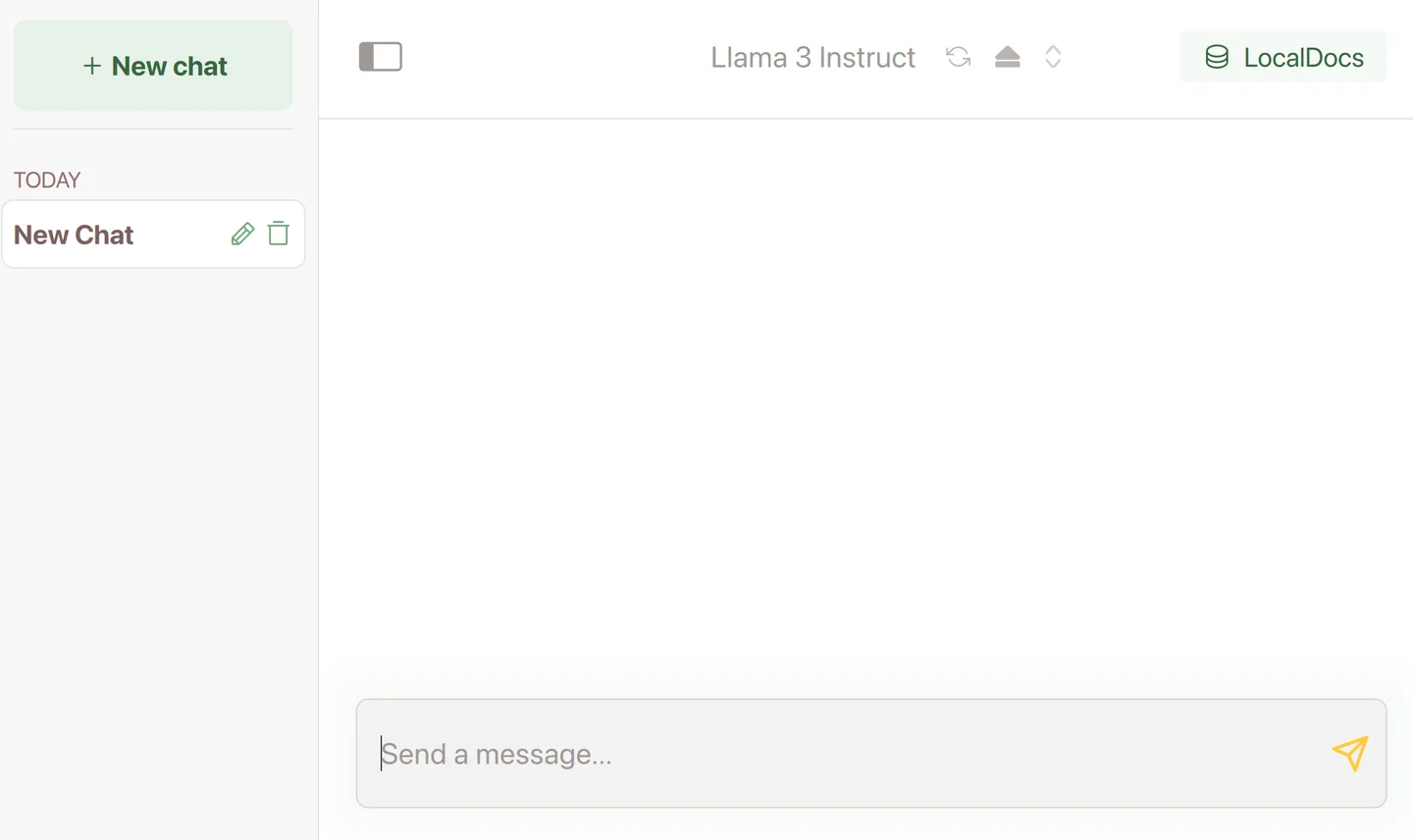
GPT4All is a desktop application for running large language models locally. Browse models, download one to your Mac and start a chat without using a hosted model API. LocalDocs can index a folder of documents and add relevant text snippets to your prompts; the Sources control shows which files a response referenced.
The linked download is the publisher's macOS disk image for version 3.10.0. Nomic lists macOS Monterey 12.6 as the minimum, with Apple Silicon recommended in the README; its detailed requirements specify an M1 and 16 GB of RAM for Apple systems. Model files are additional downloads, and their storage needs, memory requirements and licenses vary. The application's MIT license does not replace a model's own terms.
Local execution and remote model connections are different workflows. If you configure a remote provider, your prompts leave the computer for that provider. Use a downloaded local model when the purpose is on-device processing.
What it offers
- Browse and download language models for local desktop chats.
- Run local models without a hosted model API or a required discrete GPU.
- Create LocalDocs collections from folders and include relevant document snippets in chats.
- Open Sources below a LocalDocs response to see the referenced files.
- Optionally configure remote model providers instead of running a downloaded model.
Good to know
- Model files must be downloaded separately; available models have different disk, RAM and license requirements.
- The publisher's detailed Apple requirements specify macOS Monterey 12.6, an M1 and 16 GB of RAM; older Intel Mac compatibility is not established here.
- Remote model connections send prompts to the selected provider rather than keeping inference on the Mac.
Product images
Sources
References used for this listing. Retrieval dates do not indicate hands-on testing.
- Nomic GPT4All — official project README ↗Retrieved
- GPT4All — publisher system requirements ↗Retrieved
- Quickstart — GPT4All Desktop ↗Retrieved
- LocalDocs — GPT4All ↗Retrieved
- Models — GPT4All ↗Retrieved
- Nomic GPT4All — official v3.10.0 release metadata ↗Retrieved
- GPT4All MIT license — Nomic, Inc. ↗Retrieved
More in utilities
View category ↗
1.1.1.1 with WARP 2026.8.2115.0
Encrypt traffic from your Mac to Cloudflare’s network with WARP, or use DNS-only mode for encrypted DNS queries to the 1.1.1.1 resolver.
1.1.1.1 with WARP 2026.8.2115.0
Encrypt traffic between your Windows PC and Cloudflare, or use encrypted DNS only, with the free 1.1.1.1 with WARP app.

3uTools 9.12.005
Manage iPhone and iPad photos, music, apps and backups from Windows with 3uTools, a free utility that also includes device checks and firmware flashing tools.