
Utilities Windows
GPU-Z for Windows
Identify your graphics card, inspect GPU and memory specifications, and monitor live sensors with TechPowerUp GPU-Z for Windows.
- Operating system
- Windows 11, 10, 8, 7, Vista and XP, as listed by the publisher
- Architecture
- 32-bit and 64-bit Windows supported, according to the publisher
- Download package
- Standard Windows executable (EXE)
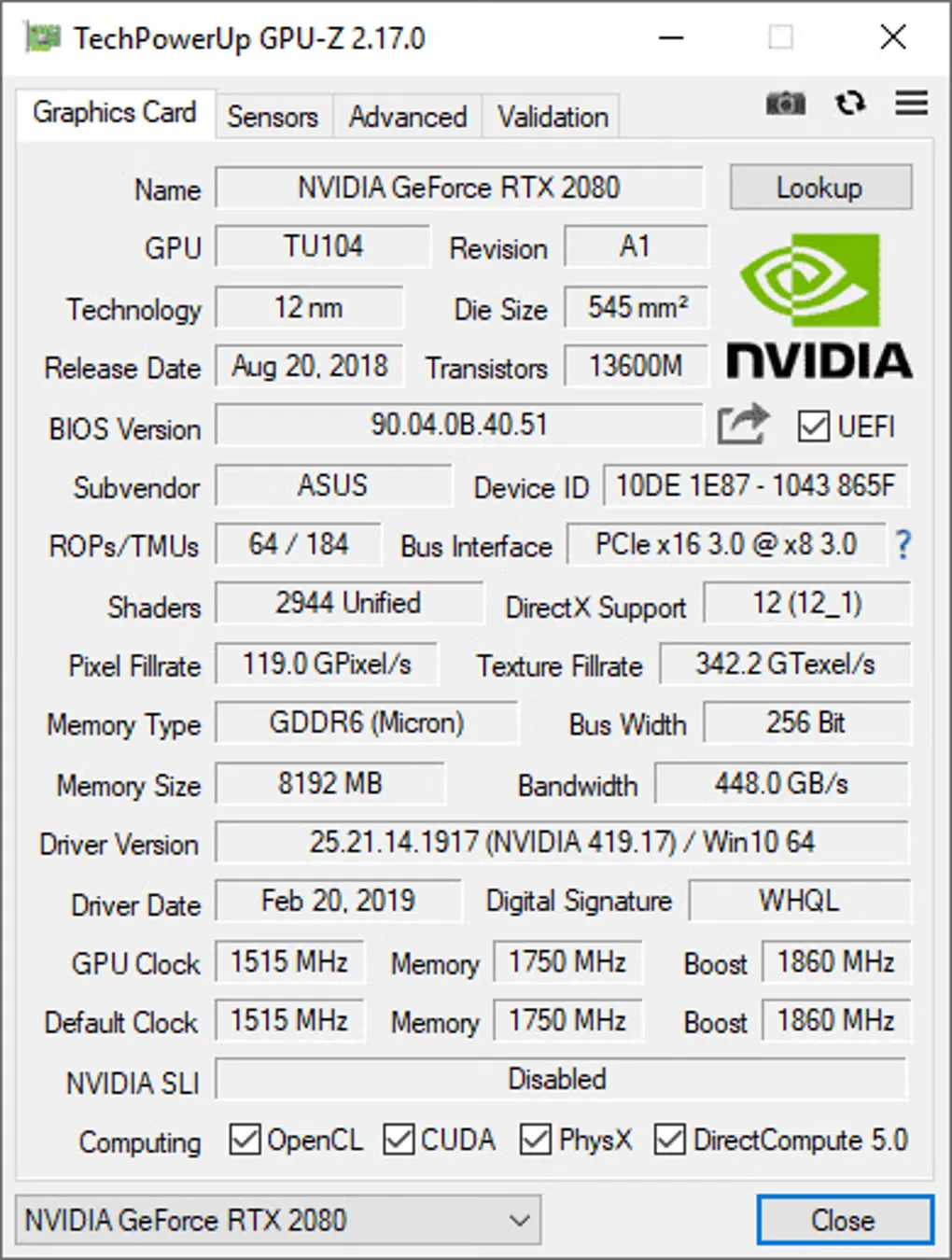
Runs without installation; an optional installer is available. Screenshot shows an older release.
Link checked · Download guidance
What is GPU-Z?
GPU-Z shows what graphics hardware is installed and how it is operating. It reports the adapter and GPU, graphics memory size and type, bus width, BIOS information and clock speeds. Its Sensors tab provides live readings for checking temperatures, load and other available measurements while troubleshooting a graphics card. TechPowerUp lists support for NVIDIA, AMD, ATI and Intel graphics devices.
The utility also includes a GPU load test for checking PCI-Express lane configuration, results validation and graphics BIOS backup. It can run without installation, with an optional installer available. GPU-Z reports clock information but does not provide built-in overclocking controls. The 3D render test requires additional Microsoft libraries and offers to download them if they are missing.
GPU-Z is free for personal and commercial use, but the publisher prohibits redistribution as part of a commercial package. The linked file is the publisher's standard Windows executable for version 2.71.0. The gallery screenshot illustrates the older 2.17.0 interface, not the linked release.
What it offers
- Inspect graphics adapter, GPU, BIOS and display information.
- View graphics memory size, type, speed and bus width alongside default and boost clocks where available.
- Monitor available GPU sensors, including temperature, load and clock changes.
- Check PCI-Express lane configuration with the included GPU load test.
- Validate results and create a backup of the graphics card BIOS.
Good to know
- There are no built-in overclocking controls; clock readouts are information, not tuning settings.
- The 3D render test needs additional Microsoft libraries; GPU-Z offers to download them if they are not installed.
- Free commercial use does not permit redistributing GPU-Z as part of a commercial package.
Product images
Sources
References used for this listing. Retrieval dates do not indicate hands-on testing.
- GPU-Z Graphics Card GPU Information Utility — retained publisher excerpts ↗Retrieved
- GPU-Z Graphics Card GPU Information Utility — current publisher read, evidence recorded after retrieval ↗Retrieved
- TechPowerUp GPU-Z v2.71.0 Download | TechPowerUp ↗Retrieved
- GPU-Z - Download — Windows product page and gallery ↗Retrieved
More in utilities
View category ↗
1.1.1.1 with WARP 2026.8.2115.0
Encrypt traffic from your Mac to Cloudflare’s network with WARP, or use DNS-only mode for encrypted DNS queries to the 1.1.1.1 resolver.
1.1.1.1 with WARP 2026.8.2115.0
Encrypt traffic between your Windows PC and Cloudflare, or use encrypted DNS only, with the free 1.1.1.1 with WARP app.

3uTools 9.12.005
Manage iPhone and iPad photos, music, apps and backups from Windows with 3uTools, a free utility that also includes device checks and firmware flashing tools.