
Utilities Windows
Greenshot for Windows
Capture a screen region, window or full desktop, then add arrows, text and highlights with Greenshot, a free open-source screenshot tool for Windows.
Version 1.3.328 · Direct publisher file
Link checked · Download guidance
What is Greenshot?
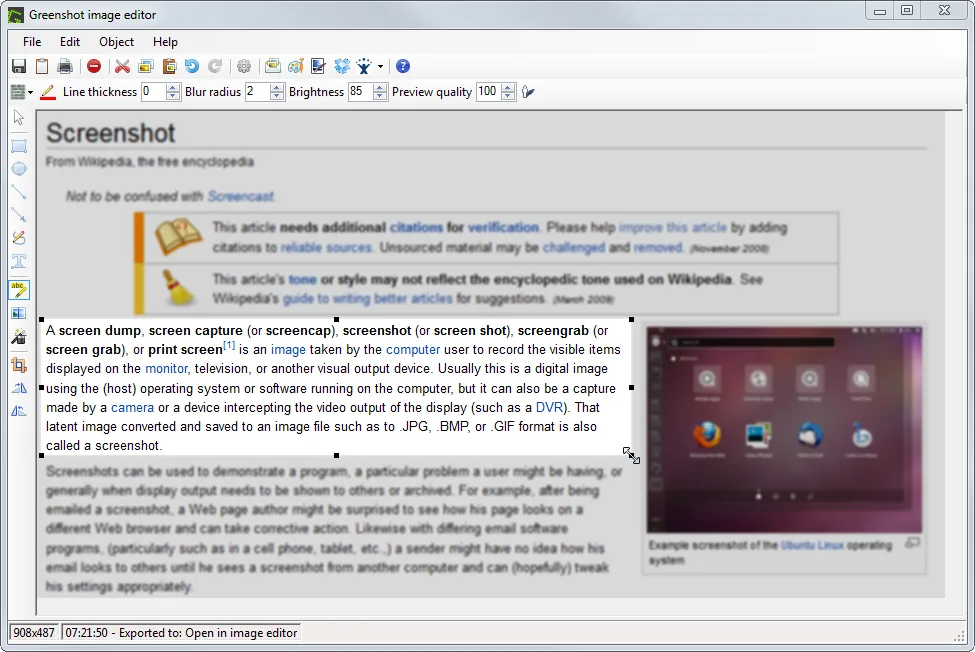
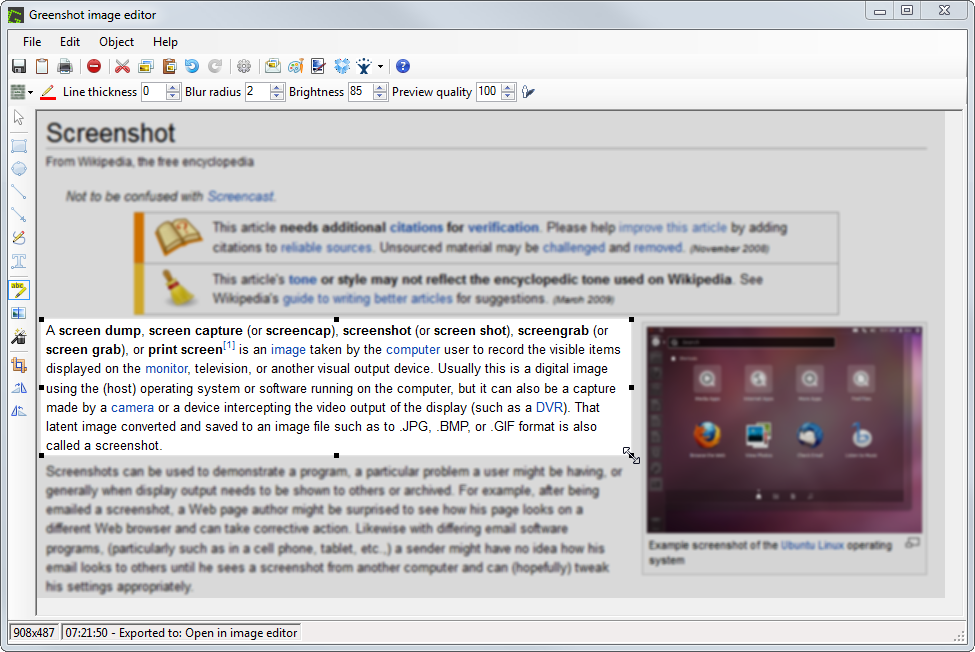
Greenshot turns a Windows screen capture into an annotated image for a bug report, instruction sheet or message. Capture a selected region, an active window or the full screen, then use the built-in editor to add text, arrows and shapes, highlight an area or obscure part of the image. You can also open an existing image from a file or the clipboard for editing.
After editing, save the image, copy it to the clipboard, print it or attach it to an email. Keyboard shortcuts and the notification-area menu provide access to capture options without keeping an editor window open.
The linked download is the publisher-listed Windows EXE installer for version 1.3.328. Greenshot 1.3 requires .NET Framework 4.7.2 or newer; the publisher says Windows 10 version 1803 and later and Windows 11 already include it. The gallery image is an older publisher demonstration of the editor, not proof of the exact appearance of version 1.3.328.
What it offers
- Capture a selected region, a window or the full screen, with an option to capture the previous region again.
- Add text, arrows, rectangles, ellipses and freehand lines in the built-in image editor.
- Highlight an area, blur or pixelize a selection, and crop the captured image.
- Save to a file, copy to the clipboard, print or attach an image to an email.
- Open an existing image from a file or the clipboard for annotation.
Good to know
- Greenshot 1.3 requires Microsoft .NET Framework 4.7.2 or newer; a machine without that prerequisite needs it installed before Greenshot can run.
Product images
Sources
References used for this listing. Retrieval dates do not indicate hands-on testing.
- Greenshot — official product overview ↗Retrieved
- Downloads — official Windows release and installer ↗Retrieved
- Greenshot Help — capture and image editor documentation ↗Retrieved
- Are there any dependencies to other software / frameworks? ↗Retrieved
- Do I have to pay for using Greenshot? ↗Retrieved
- Screenshots — official Greenshot gallery ↗Retrieved
- Greenshot - Download — observed Windows product page ↗Retrieved
More in utilities
View category ↗
1.1.1.1 with WARP 2026.8.2115.0
Encrypt traffic from your Mac to Cloudflare’s network with WARP, or use DNS-only mode for encrypted DNS queries to the 1.1.1.1 resolver.
1.1.1.1 with WARP 2026.8.2115.0
Encrypt traffic between your Windows PC and Cloudflare, or use encrypted DNS only, with the free 1.1.1.1 with WARP app.

3uTools 9.12.005
Manage iPhone and iPad photos, music, apps and backups from Windows with 3uTools, a free utility that also includes device checks and firmware flashing tools.