
Utilities Windows
HackDesk
Edit HackMD Markdown notes in a desktop window, use a command palette and browse personal or team notes. This download is the legacy v0.1.5 Windows x64 installer.
- Operating system
- Windows; minimum supported Windows version not specified in the cited publisher guide
- Architecture
- x64
- Download package
- EXE installer
Selected package is the legacy v0.1.5 Windows x64 installer. Publisher screenshots show macOS; Windows installation and runtime behavior were not tested.
Link checked · Download guidance
What is HackDesk?
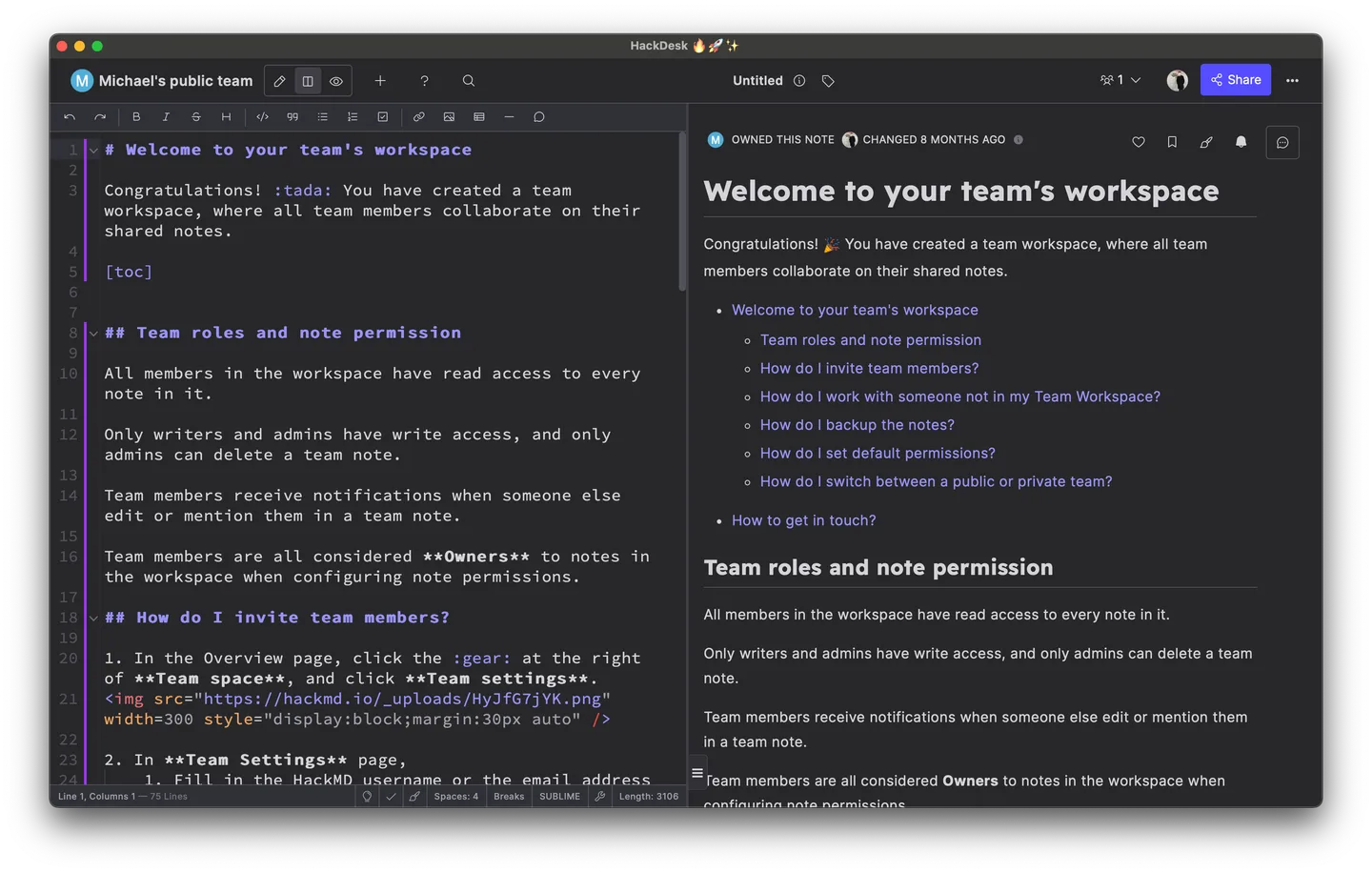
HackDesk brings HackMD into a desktop application. The legacy v0.1.5 edition wraps the HackMD website with Tauri and adds keyboard-driven commands, note management and a separate settings window. It fits people who already use HackMD for Markdown notes and shared documentation, rather than those looking for the newer v2 local-vault workflow.
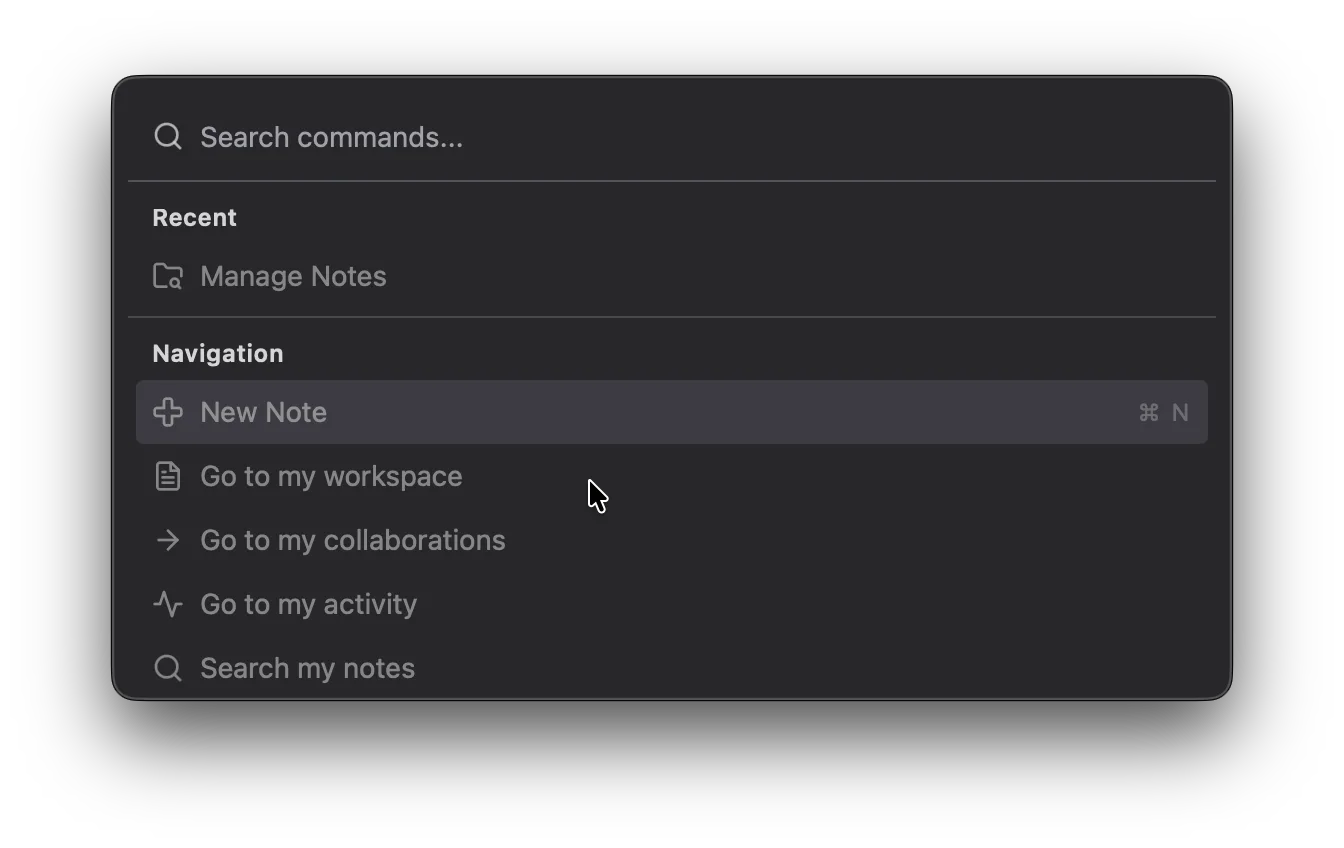
Press Ctrl+K on Windows to open the command palette for actions such as New Note, Reload and workspace navigation. With a HackMD personal access token configured, Manage Notes can search personal and team workspaces, open recent notes and create a note from its title. Ctrl+, opens settings for themes, shortcuts and local preferences. The publisher documents local storage of the API token in the HackDesk settings file.
The linked installer is v0.1.5, which the publisher lists in its legacy stable channel. It is not the separately offered v2 beta, and v0.1.x does not upgrade to v2 automatically. The versioned documentation warns of bugs and missing features; API-backed note management requires a configured token. Screenshots below are publisher examples from the v0.1.5 documentation, captured on macOS, not evidence of a Windows installation test.
What it offers
- Open HackMD Markdown notes in a Tauri desktop wrapper.
- Use Ctrl+K for the command palette, common actions and workspace navigation.
- Browse, search and create personal or team notes through Manage Notes after configuring a HackMD API token.
- Customize themes, keyboard shortcuts and local preferences in a dedicated settings window.
Good to know
- This is the legacy v0.1.5 stable-channel package, not the v2 beta; v0.1.x does not update to v2 automatically.
- Manage Notes and team navigation require a configured HackMD personal access token, stored locally in the settings file.
- The versioned publisher introduction warns that the project is under development and may contain bugs or missing features.
Product images
Sources
References used for this listing. Retrieval dates do not indicate hands-on testing.
More in utilities
View category ↗
1.1.1.1 with WARP 2026.8.2115.0
Encrypt traffic from your Mac to Cloudflare’s network with WARP, or use DNS-only mode for encrypted DNS queries to the 1.1.1.1 resolver.
1.1.1.1 with WARP 2026.8.2115.0
Encrypt traffic between your Windows PC and Cloudflare, or use encrypted DNS only, with the free 1.1.1.1 with WARP app.

3uTools 9.12.005
Manage iPhone and iPad photos, music, apps and backups from Windows with 3uTools, a free utility that also includes device checks and firmware flashing tools.