

Utilities Windows
Hard Disk Sentinel for Windows
Monitor HDD and SSD health, temperatures and S.M.A.R.T. changes with Hard Disk Sentinel for Windows. This entry links to the publisher's Standard edition setup ZIP.
- Operating system
- Windows; publisher requirements list Windows 10 and earlier releases
- Architecture
- 32-bit and 64-bit Windows, where applicable
- Download package
- Standard edition setup ZIP
Publisher screenshots also show Windows 11, but the formal requirements page read for this card stops at Windows 10. Hardware and controller compatibility varies; no local installation was performed.
Link checked · Download guidance
What is Hard Disk Sentinel?
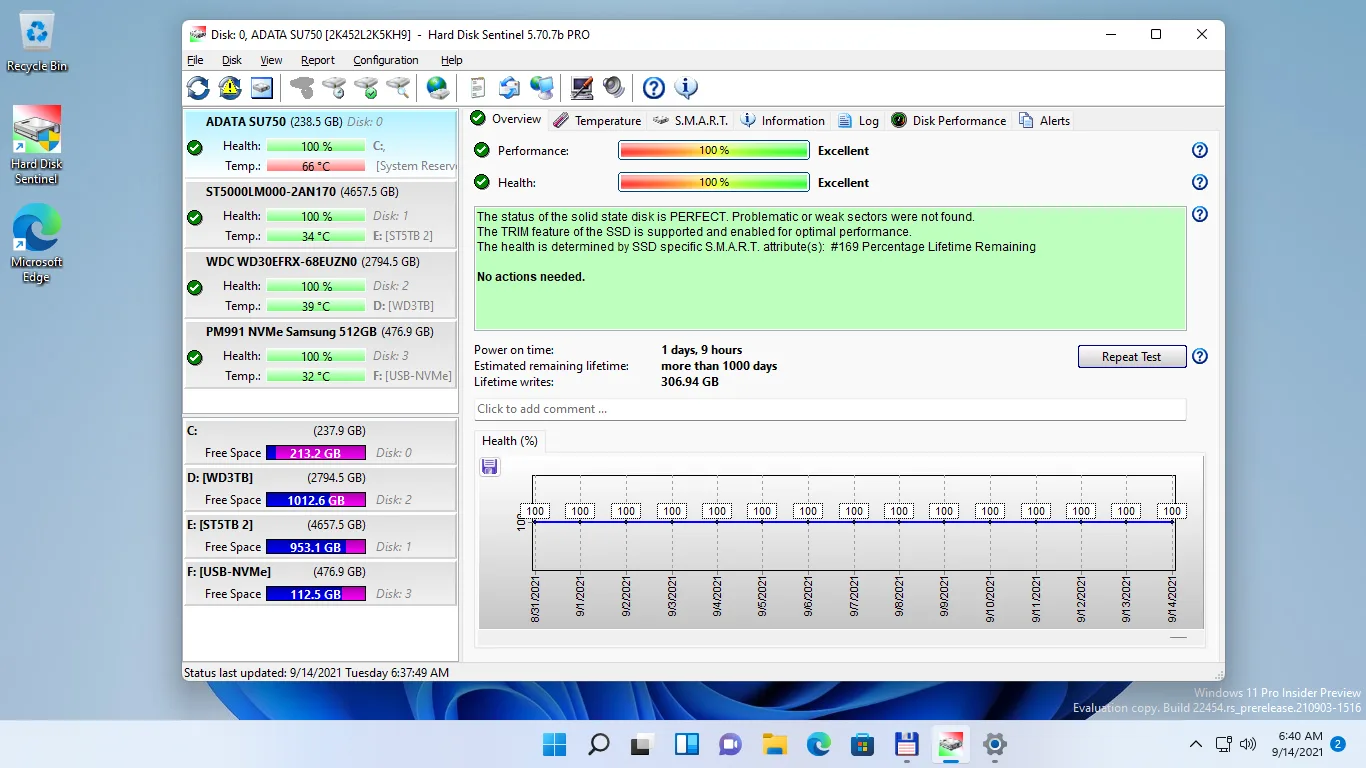
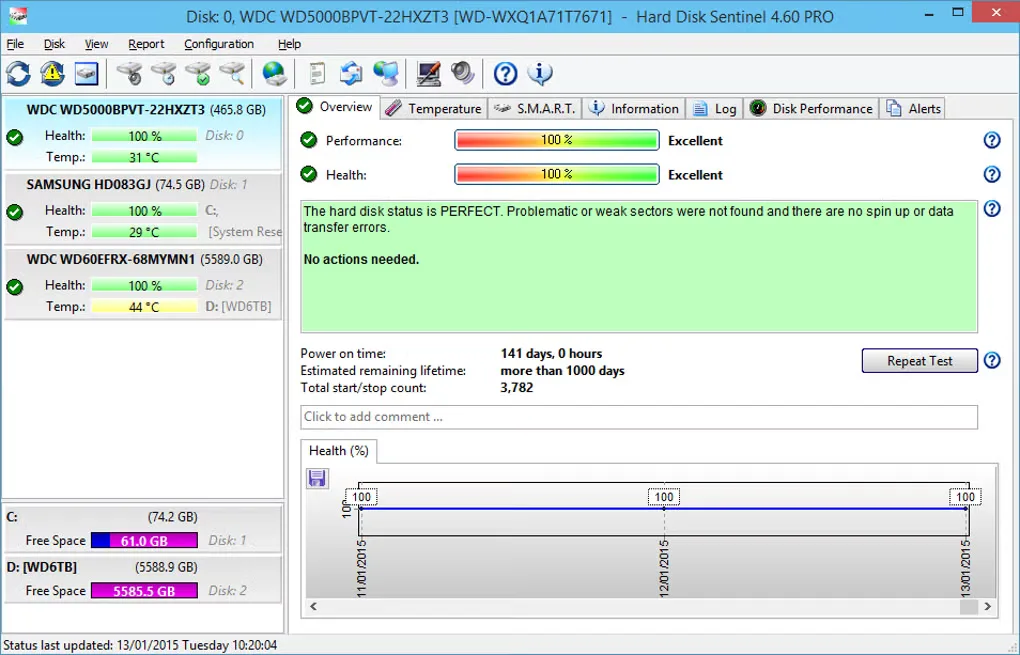
Hard Disk Sentinel helps you inspect the condition of hard drives and SSDs, follow temperature changes and investigate signs of declining performance. Its Windows interface brings together a drive list, textual health reports, S.M.A.R.T. attributes and historical graphs. Real-time transfer-speed monitoring adds another view of drive activity.
The linked download is the Standard edition 6.40 setup ZIP, not the Professional portable package or the separately listed beta. Standard includes hardware self-tests, reports and alerts when registered. The evaluation version has restricted functionality; this is commercial shareware, not a fully free Windows utility.
Edition and hardware support matter. Automatic backup projects and complete surface analysis, refresh and repair belong to Professional rather than Standard. Some external enclosures and controller drivers also limit the status information the program can retrieve. The screenshots are historical publisher/source illustrations of the monitoring interface, not captures of a locally installed 6.40 build.
What it offers
- View drive health, temperature and S.M.A.R.T. attributes for supported HDDs and SSDs.
- Follow health and temperature history alongside textual drive-status explanations.
- Monitor disk transfer speed in real time.
- Use hardware self-tests, text or HTML reports and alerts in the registered Standard edition.
Good to know
- Commercial shareware: evaluation functionality is restricted, and registration is required to unlock the Standard edition's full features.
- Standard does not include Professional's automatic backup projects or complete surface analysis, refresh and repair functions.
- Some enclosure firmware and controller drivers prevent complete drive-status information from being reported.
Product images
Sources
References used for this listing. Retrieval dates do not indicate hands-on testing.
- Hard Disk Sentinel (standard): HDD health and temperature monitoring ↗Retrieved
- Download Hard Disk Sentinel ↗Retrieved
- Hard Disk Sentinel store — product comparison ↗Retrieved
- System Requirements to use Hard Disk Sentinel ↗Retrieved
- Hard Disk Sentinel screenshots ↗Retrieved
- Hard Disk Sentinel - Download — browser-observed Windows gallery ↗Retrieved
- Hard Disk Sentinel End User License Agreement ↗Retrieved
More in utilities
View category ↗
1.1.1.1 with WARP 2026.8.2115.0
Encrypt traffic from your Mac to Cloudflare’s network with WARP, or use DNS-only mode for encrypted DNS queries to the 1.1.1.1 resolver.
1.1.1.1 with WARP 2026.8.2115.0
Encrypt traffic between your Windows PC and Cloudflare, or use encrypted DNS only, with the free 1.1.1.1 with WARP app.

3uTools 9.12.005
Manage iPhone and iPad photos, music, apps and backups from Windows with 3uTools, a free utility that also includes device checks and firmware flashing tools.