

Development Windows
Haskell Stack for Windows
Build Haskell projects on Windows with Stack, a command-line tool that manages GHC versions, project dependencies, tests and interactive development.
- Operating system
- 64-bit Windows
- Architecture
- x86_64 (x64)
- Download package
- EXE installer
Use a terminal and a separate code editor. Setup needs internet access and about 5 GB for one GHC version. Publisher documentation says GHC is not yet provided for Windows on Arm.
Link checked · Download guidance
What is Haskell Stack?
Stack brings Haskell project setup and builds into a command-line workflow. It can create a project from a template, obtain the compiler and packages it needs, build executables, run project tests and benchmarks, and open GHCi for interactive work. A project's stack.yaml configuration selects a snapshot that specifies a compiler and package versions, helping keep its build plan reproducible.
The linked EXE installer is for Windows x86_64. Stack is not a graphical code editor: use it in a terminal alongside an editor of your choice. Initial setup can fetch GHC, dependencies and, on Windows, MSYS2. The publisher advises at least about 5 GB of disk space for use with one GHC version, so the installer alone is not the complete development environment.
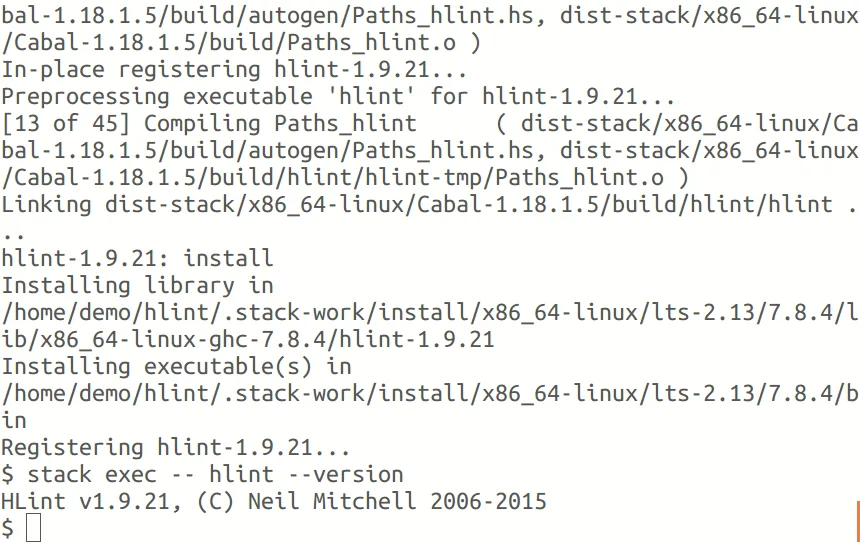
The screenshot is a historical terminal demonstration supplied in Stack's official documentation. It shows a Linux session building HLint and running it through stack exec; it illustrates the command-line workflow, not a Windows-specific interface or the current release.
What it offers
- Create Haskell projects from templates with stack new.
- Obtain GHC and project dependencies as needed.
- Build executables and run project tests and benchmarks.
- Open an interactive GHCi session with stack repl.
- Select compiler and package versions through project snapshot configuration.
Good to know
- Command-line tool, not a graphical editor; terminal software and a separate code editor are needed.
- Initial compiler and dependency setup requires internet access and at least about 5 GB for one GHC version.
- The publisher says GHC is not yet available for Windows on Arm; this entry links to the x86_64 installer.
Product images
Sources
References used for this listing. Retrieval dates do not indicate hands-on testing.
- Stack — official overview and Quick Start ↗Retrieved
- Setting up — Stack official documentation ↗Retrieved
- Release v3.11.1 — commercialhaskell/stack ↗Retrieved
- Stack — publisher LICENSE ↗Retrieved
More in development
View category ↗

010 Editor 17.0
Inspect and edit binary files on Mac with 010 Editor, a paid text and hex editor with Binary Templates, file comparison and a 30-day trial.
010 Editor 17.0
Inspect and edit binary files with 010 Editor for Windows, a text and hex editor with Binary Templates, file comparison and scripting. Includes a 30-day trial.
10x Editor
Edit and navigate C++ projects on Windows with a built-in parser, workspace search and Visual Studio project support. A paid license is required after the 30-day trial.