

Utilities Windows
Hasleo Disk Clone for Windows
Move Windows to another drive or copy a disk or partition with Hasleo Disk Clone. The free x86/x64 edition is for home use; cloning can erase destination data.
- Operating system
- Windows 11, 10, 8, 7 and Vista; Free excludes Education, Enterprise and Server editions
- Architecture
- x86 / x64
- Download package
- EXE installer (Free edition)
1 GB RAM (2 GB recommended), 500 MB free disk space. ARM64 uses a separate paid-edition trial, not this download.
Link checked · Download guidance
What is Hasleo Disk Clone?
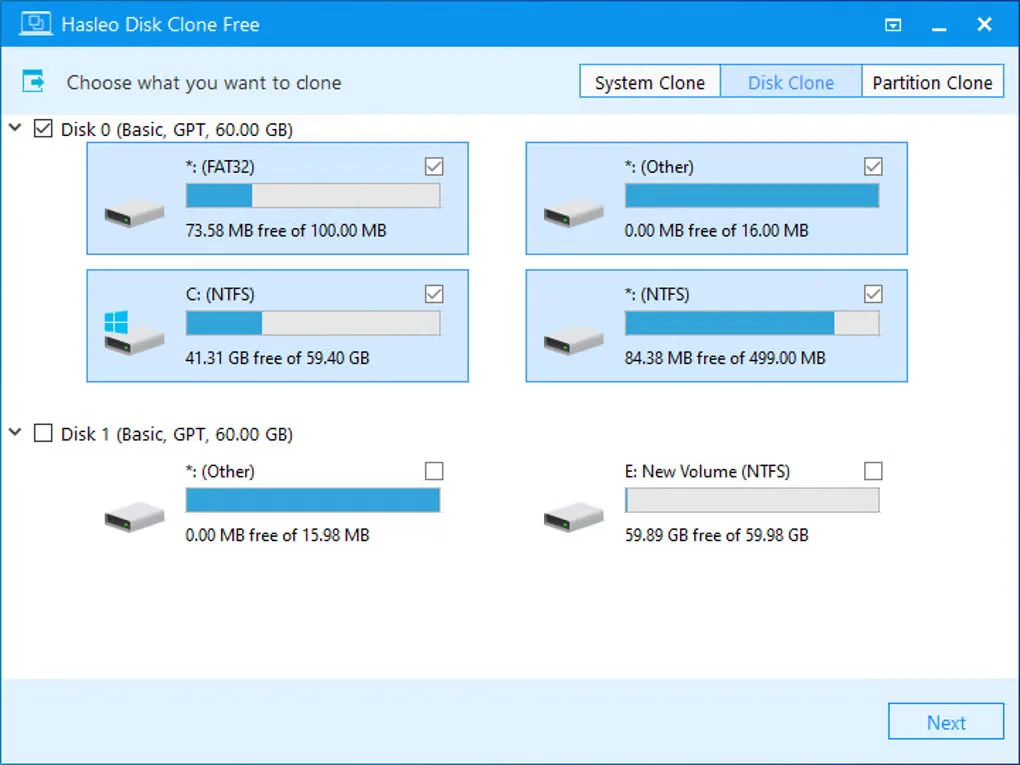
Hasleo Disk Clone copies an existing Windows setup to another drive, clones an entire disk, or copies a single partition. System Clone selects the partitions needed for Windows migration, while Disk Clone and Partition Clone let you choose the source yourself. You can adjust destination partition sizes and positions before starting, which helps when replacing a hard drive or moving to an SSD.
This download is the publisher’s Free edition for x86/x64 Windows home users. The broader product also has paid editions: business use, ARM64, Windows Education/Enterprise/Server, Delta Clone, ReFS support, emergency media creation and conversion between MBR and GPT during cloning are not included in Free.
Check the destination carefully and back up its contents before proceeding. The publisher’s system and disk clone guide warns that data on the selected destination drive will be deleted. For a sector-by-sector copy of an entire disk, the target must be at least as large as the source because unused sectors are copied too.
What it offers
- Migrate Windows with its user settings, drivers and installed applications using System Clone.
- Copy a whole disk with Disk Clone or an individual partition with Partition Clone.
- Adjust destination partition size and position before cloning.
- Choose sector-by-sector cloning when a complete sector copy is needed.
Good to know
- Cloning can delete data on the selected destination drive; back up important files before proceeding.
- Free is limited to home use on x86/x64 Windows. Business use, ARM64 and Windows Education/Enterprise/Server require a paid edition.
- Delta Clone, ReFS support, emergency disk creation, Windows-to-USB cloning and MBR/GPT conversion during cloning require a paid edition.
- Sector-by-sector whole-disk cloning requires a destination at least as large as the source.
Product images
Sources
References used for this listing. Retrieval dates do not indicate hands-on testing.
More in utilities
View category ↗
1.1.1.1 with WARP 2026.8.2115.0
Encrypt traffic from your Mac to Cloudflare’s network with WARP, or use DNS-only mode for encrypted DNS queries to the 1.1.1.1 resolver.
1.1.1.1 with WARP 2026.8.2115.0
Encrypt traffic between your Windows PC and Cloudflare, or use encrypted DNS only, with the free 1.1.1.1 with WARP app.

3uTools 9.12.005
Manage iPhone and iPad photos, music, apps and backups from Windows with 3uTools, a free utility that also includes device checks and firmware flashing tools.