

Utilities macOS
Hazel for macOS
Organize Mac files automatically with folder-watching rules that move, rename, tag and archive matching items. Hazel offers a 14-day evaluation before restricted demo mode.
- Operating system
- macOS 13 Ventura or later (Hazel 6.1.2)
- Architecture
- Apple Silicon supported; other CPU support not confirmed in consulted sources
- Download package
- DMG disk image
Use the version-specific 6.1.2 release notes rather than the older macOS 12 installation-manual requirement. Trash functions require Full Disk Access.
Link checked · Download guidance
What is Hazel?
Hazel watches folders on your Mac and processes files according to rules you create. It is useful for recurring filing work: sorting downloaded movies, moving bills into folders or keeping the desktop organized. Conditions can use a file’s name, date, type or originating website, while actions can move, rename, tag, archive or upload matching files.
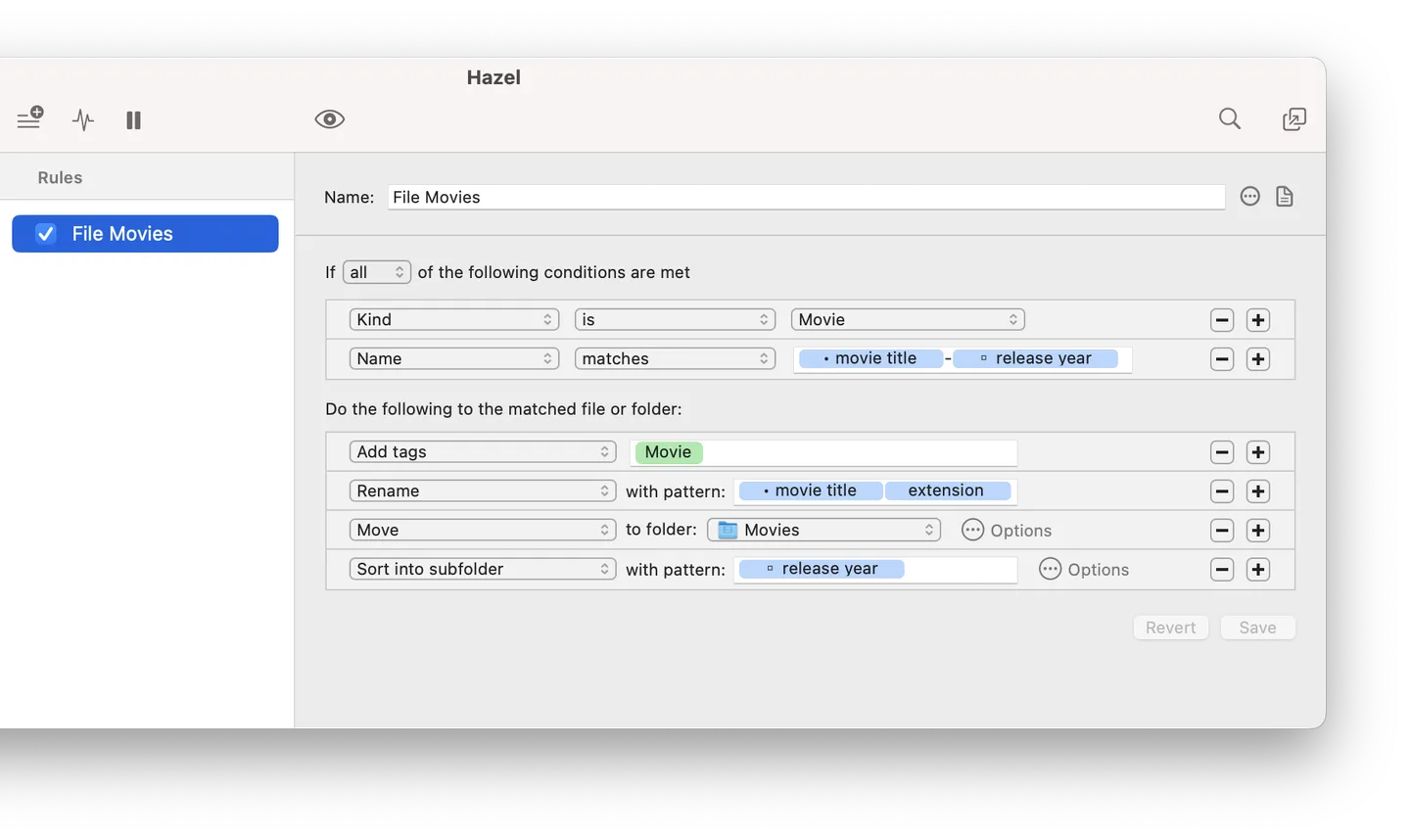
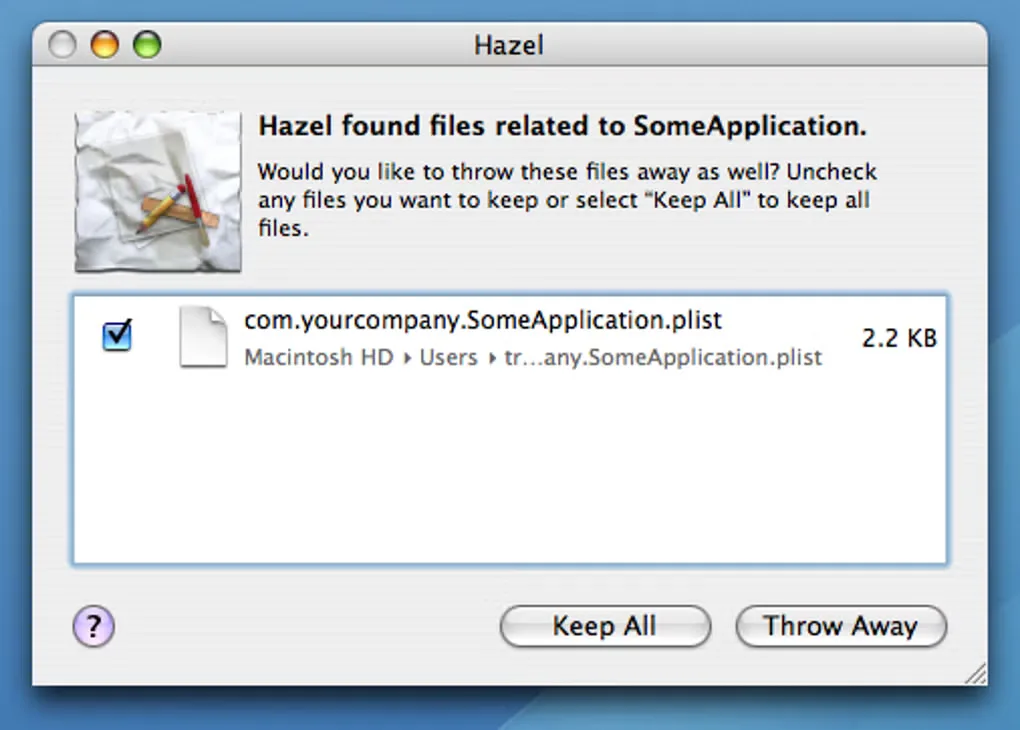
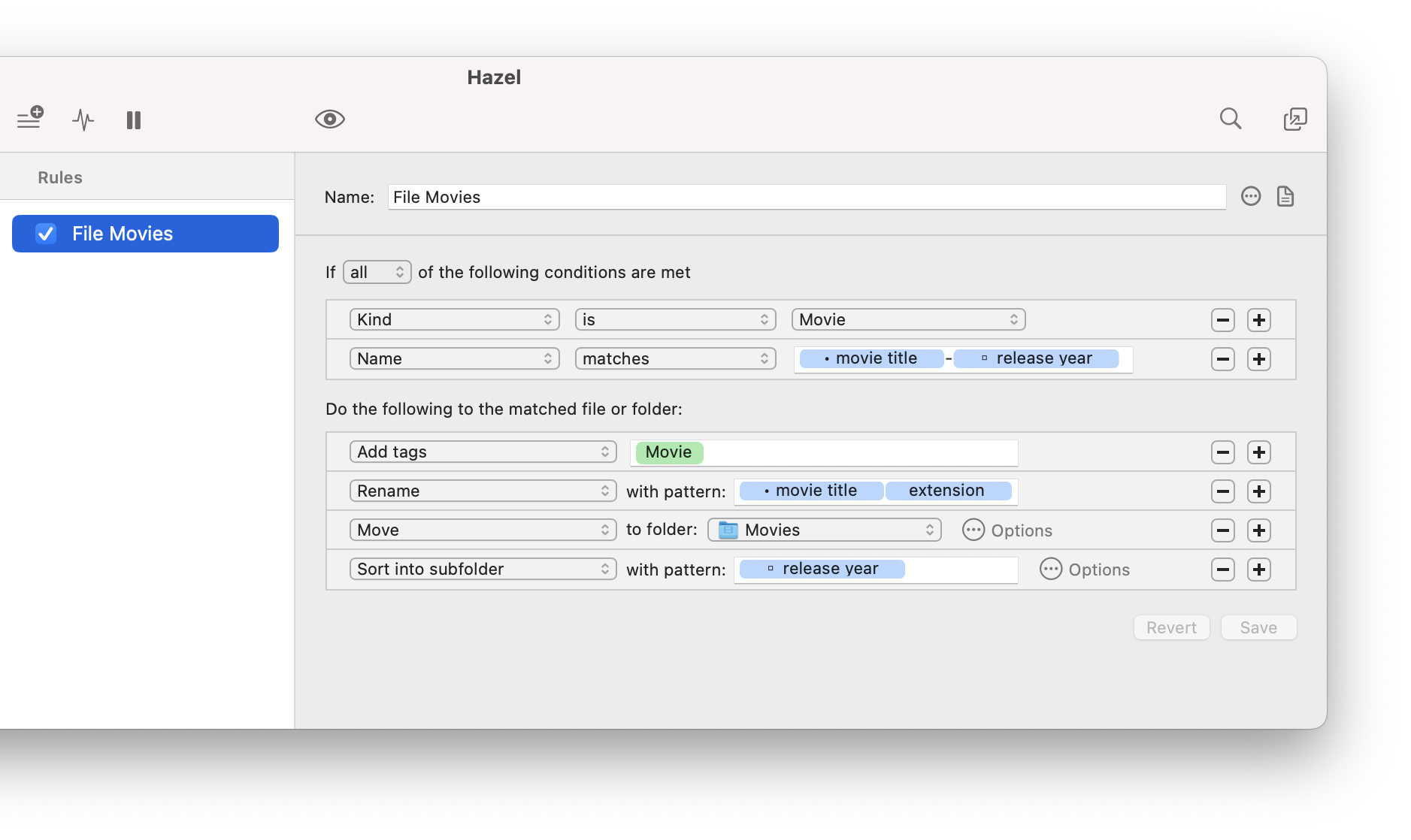
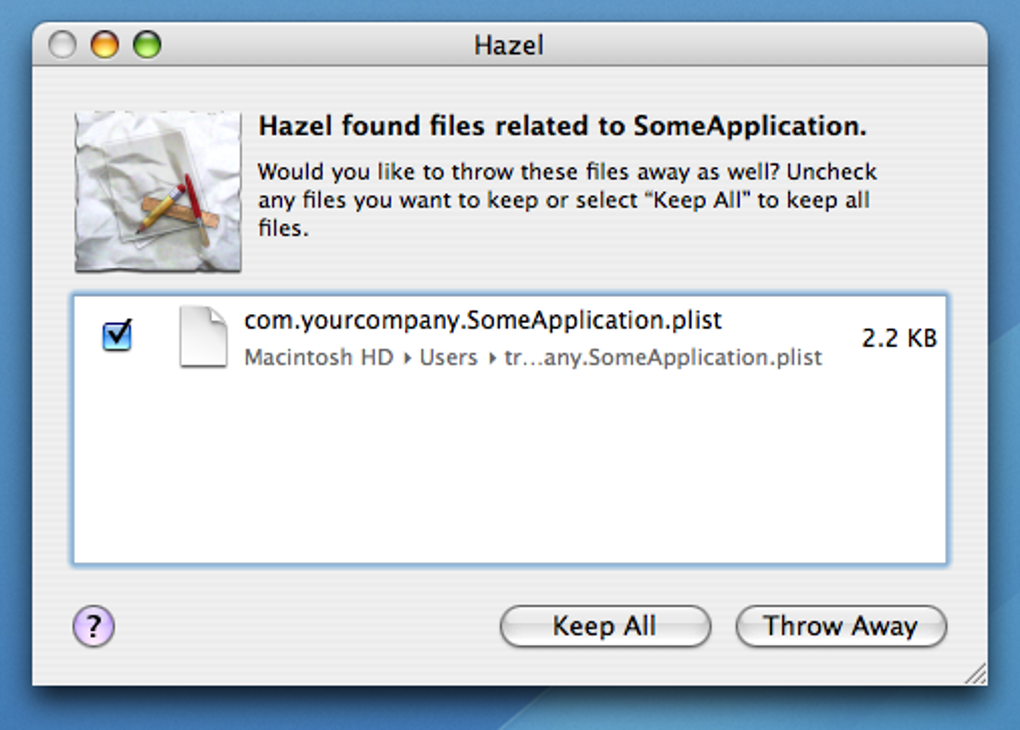
The rule editor combines conditions with a sequence of actions. For example, the publisher’s screenshot shows a movie rule that matches a filename pattern, adds a tag, renames the file and sorts it into a release-year subfolder. Hazel also integrates with macOS tools including Spotlight, Shortcuts, AppleScript and Automator. Its App Sweep feature can offer to remove support files when you move an application to the Trash.
This download resolves to Hazel 6.1.2, which requires macOS 13 Ventura or later. Evaluation lasts 14 days and excludes rule export; the subsequent demo is limited to one monitored folder and two active rules, with import and export disabled. A purchased license unlocks the full feature set. Trash features require Full Disk Access. Screenshots include the publisher’s rule editor and an explicitly older App Sweep interface; they are not evidence of a hands-on test of this release.
What it offers
- Watch selected folders and organize matching files using rules based on names, dates, types and originating websites.
- Move, rename, tag, archive and upload files, including sorting them into attribute-based subfolders.
- Use Spotlight, Shortcuts, AppleScript and Automator integration in file-processing workflows.
- Read text from image files and non-OCRed PDFs for rule matching using on-the-fly text recognition.
- Offer to remove an application’s leftover support files with App Sweep after the application is moved to Trash.
Good to know
- The 14-day evaluation excludes rule export; afterwards demo mode permits only one monitored folder and two active rules, with import and export disabled.
- Trash-related functions require Full Disk Access, and Hazel 6.1.2 requires macOS 13 Ventura or later.
- On-the-fly text recognition is for matching file contents; it does not save searchable OCR text into the original document.
Product images
Sources
References used for this listing. Retrieval dates do not indicate hands-on testing.
- Noodlesoft — Hazel automated organization for your Mac ↗Retrieved
- Noodlesoft: Hazel Release Notes ↗Retrieved
- Install Hazel — Noodlesoft ↗Retrieved
- Understand Evaluation and Demo Modes — Noodlesoft ↗Retrieved
- Hazel 6 FAQ — Noodlesoft ↗Retrieved
- Hazel for Mac - Download — browser gallery observation ↗Retrieved
- Noodlesoft official Hazel download — HEAD-only receipt ↗Retrieved
More in utilities
View category ↗
1.1.1.1 with WARP 2026.8.2115.0
Encrypt traffic from your Mac to Cloudflare’s network with WARP, or use DNS-only mode for encrypted DNS queries to the 1.1.1.1 resolver.
1.1.1.1 with WARP 2026.8.2115.0
Encrypt traffic between your Windows PC and Cloudflare, or use encrypted DNS only, with the free 1.1.1.1 with WARP app.

3uTools 9.12.005
Manage iPhone and iPad photos, music, apps and backups from Windows with 3uTools, a free utility that also includes device checks and firmware flashing tools.