
Utilities Windows
HDD Regenerator
Scan hard drives for bad sectors and view drive health information with HDD Regenerator. This download is the publisher-linked 2011 Windows trial, not the separately sold 2024 edition.
- Operating system
- Windows XP, Vista, 7, 8, 10 and 11, as listed by the publisher for 2011
- Architecture
- Not specified for the linked Windows installer
- Download package
- EXE installer
Publisher-listed compatibility, not runtime-tested. 2011 bootable media uses legacy BIOS; SSD support is partial. The separate 2024 edition has different requirements and capabilities.
Link checked · Download guidance
What is HDD Regenerator?
HDD Regenerator is a disk-surface utility for locating bad sectors and attempting the publisher’s regeneration process. The 2011 edition offers scanning and regeneration from Windows, S.M.A.R.T. information, and tools for creating bootable USB or CD/DVD media. It works at the physical-drive level rather than repairing a particular file system.
The download here is the 2011 edition still linked on the official site. The publisher lists Windows XP, Vista, 7, 8, 10 and 11 for its installation, but this is a compatibility claim, not a hands-on test. Its bootable mode uses legacy BIOS. UEFI boot support and full SSD support are advertised for the separate 2024 edition and should not be assumed for this package.
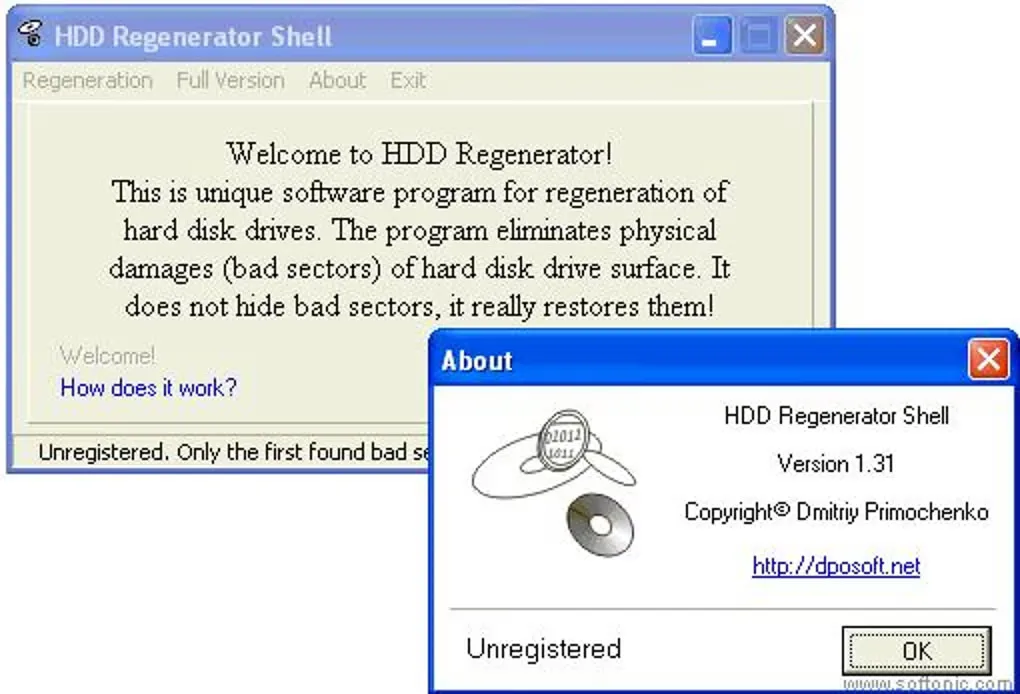
Treat regeneration as an attempt, not a guarantee that a failing drive or its files can be recovered. The publisher describes the unregistered demo as regenerating the first bad sector found; broader regeneration requires purchase. It also warns that persistent delays can indicate a failing drive and that file-system marks for bad sectors may remain after regeneration. The gallery image is a historical HDD Regenerator Shell 1.31 interface, not a verified screenshot of the linked 2011 installer.
What it offers
- Scan for bad sectors and attempt regeneration using the 2011 edition’s Windows modes.
- View S.M.A.R.T. drive information in Windows.
- Create bootable USB or CD/DVD media for operation outside Windows.
- Scan at the physical-drive level independently of FAT, NTFS or another file system.
- Use prescan, drive statistics and automatic process resume, with resume unavailable from CD/DVD.
Good to know
- The unregistered demo is described as regenerating the first bad sector found; full regeneration requires a paid license.
- The selected 2011 edition has legacy BIOS boot support and only partial SSD support; do not assume the 2024 edition’s UEFI, NVMe or full SSD capabilities.
- Successful repair and data recovery are not guaranteed. Publisher claims of physical repair or no data loss have not been independently verified here.
- Logical bad-sector marks may remain in the file system after regeneration.
- The screenshot shows an older Shell 1.31 interface and does not verify the selected 2011 package’s appearance.
Product images
Sources
References used for this listing. Retrieval dates do not indicate hands-on testing.
More in utilities
View category ↗
1.1.1.1 with WARP 2026.8.2115.0
Encrypt traffic from your Mac to Cloudflare’s network with WARP, or use DNS-only mode for encrypted DNS queries to the 1.1.1.1 resolver.
1.1.1.1 with WARP 2026.8.2115.0
Encrypt traffic between your Windows PC and Cloudflare, or use encrypted DNS only, with the free 1.1.1.1 with WARP app.

3uTools 9.12.005
Manage iPhone and iPad photos, music, apps and backups from Windows with 3uTools, a free utility that also includes device checks and firmware flashing tools.