
Utilities Windows
Helios Launcher
Launch configured modded Minecraft servers with account switching, automatic Java management and file validation. Helios Launcher is an open-source, server-oriented launcher with a Windows x64 installer.
- Operating system
- Windows; minimum version not established by the cited package listing
- Architecture
- x64
- Download package
- EXE installer
Publisher lists a Windows x64 installer. Java and mod requirements depend on the configured server; no installation or gameplay test was performed.
Link checked · Download guidance
What is Helios Launcher?
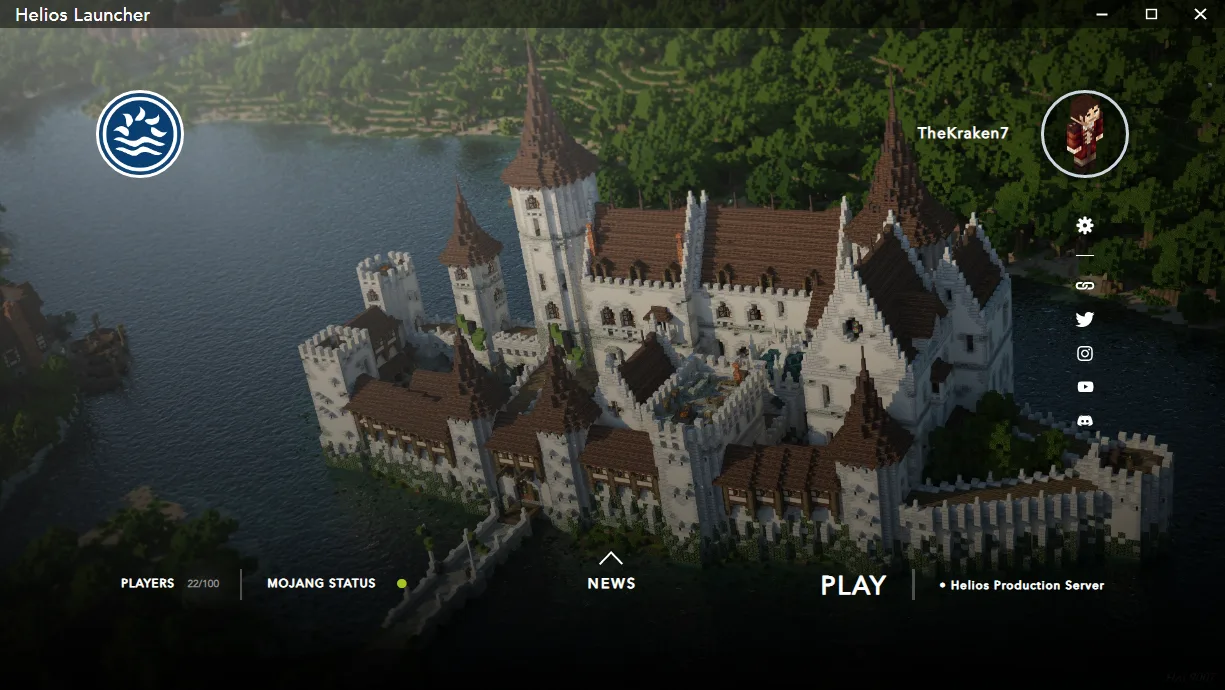
Helios Launcher is a custom launcher for modded Minecraft, developed by Daniel D. Scalzi and formerly called Electron Launcher. It brings server selection, account management, a news feed and Java settings into one desktop interface. For a configured server distribution, the publisher documents automatic handling of Java, Forge and required mods, plus validation of game files before launch.
Its focus is a server community's configured client rather than a claim that any modpack will work immediately. The project documents a JSON distribution index containing server addresses, Minecraft versions and required modules. If you are joining a particular community, check that its launcher configuration matches the server you intend to use. People creating their own distribution also need to follow the project's Microsoft authentication setup and approval process.
This entry links to the publisher's version 2.2.1 Windows x64 EXE, released on March 7, 2024. The download destination was checked with HEAD only; the installer was not downloaded or run. Current sign-in, server availability and mod compatibility have not been independently verified. The cited Windows package listing does not establish a minimum supported Windows release.
What it offers
- Manage multiple Minecraft accounts and switch between them in the launcher.
- Validate configured game files before launch and replace corrupt or incorrect files, as documented by the publisher.
- Check Java compatibility and obtain a suitable Java runtime for the configured game.
- Switch between configured servers and view the selected server's player count.
- Read server news and adjust settings, including Java options, within the launcher.
Good to know
- Server and mod support depend on the supplied distribution configuration; this is not a guarantee that arbitrary modpacks or servers work out of the box.
- Custom distributions require Microsoft application registration and approval for authentication, according to the project's setup documentation. Current sign-in was not tested.
- The selected package is Windows x64. A minimum Windows version and current server compatibility were not established by the cited sources.
Product images
Sources
References used for this listing. Retrieval dates do not indicate hands-on testing.
- Helios Launcher — official project README; retained publisher observation ↗Retrieved
- Helios Launcher — README at the selected v2.2.1 release ↗Retrieved
- Official GitHub release metadata — v2.2.1 ↗Retrieved
- Helios Launcher — MIT License ↗Retrieved
- Helios Launcher — Microsoft Authentication setup ↗Retrieved
- Helios Launcher — Distribution Index specification ↗Retrieved
More in utilities
View category ↗
1.1.1.1 with WARP 2026.8.2115.0
Encrypt traffic from your Mac to Cloudflare’s network with WARP, or use DNS-only mode for encrypted DNS queries to the 1.1.1.1 resolver.
1.1.1.1 with WARP 2026.8.2115.0
Encrypt traffic between your Windows PC and Cloudflare, or use encrypted DNS only, with the free 1.1.1.1 with WARP app.


3uTools 9.12.005
Manage iPhone and iPad photos, music, apps and backups from Windows with 3uTools, a free utility that also includes device checks and firmware flashing tools.