

Utilities Windows
Hot Alarm Clock for Windows
Schedule recurring alarms, run countdown timers and track tasks with Hot Alarm Clock for Windows, a paid desktop utility with a 30-day trial.
Version 6.4.4.1 · Direct publisher file
Link checked · Download guidance
What is Hot Alarm Clock?
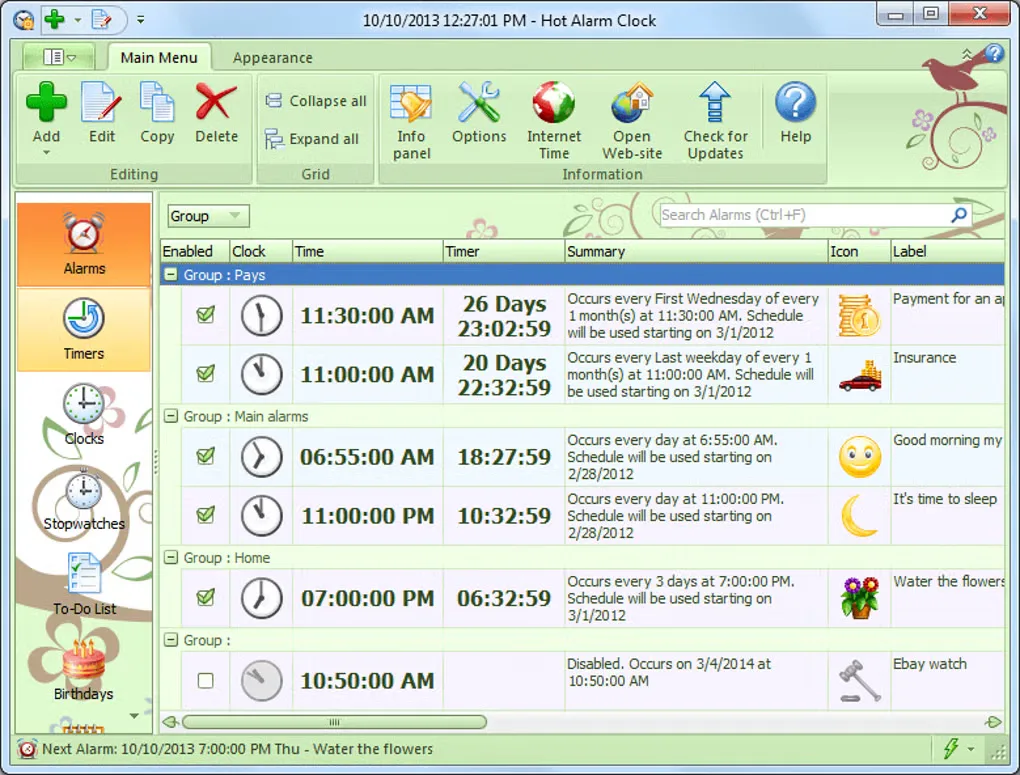
Hot Alarm Clock combines scheduled alarms, countdown timers, stopwatches, world clocks, birthday reminders and a to-do list in one Windows application. Use it for a daily wake-up alarm, a reminder that repeats on selected calendar dates or a countdown for an ongoing task. Alarms can play music or an online radio station, and their actions can launch applications or open websites.
The scheduling controls go beyond a single daily time: the publisher describes one-time alarms, recurring schedules and arbitrary sets of dates and times. Timers can be chained, while floating windows display clocks, stopwatches or countdowns separately from the main window. Appearance themes let you change their presentation.
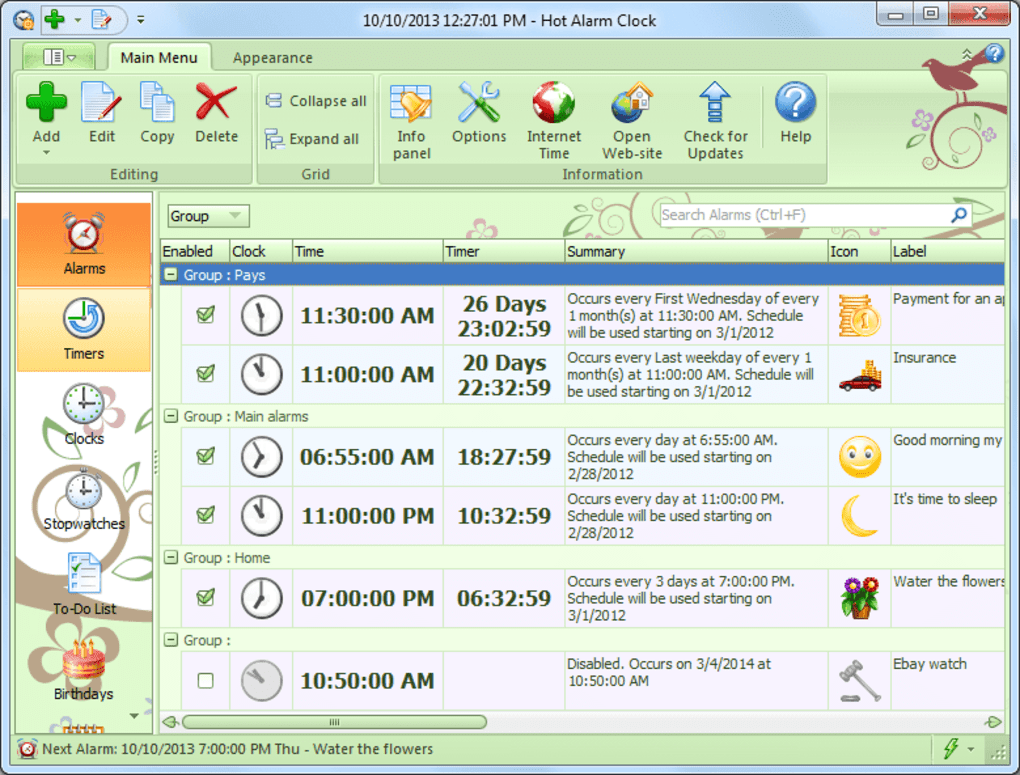
This is commercial software, not a permanently free alarm clock. The license allows a 30-day evaluation; continued use requires a purchased license. A license covers the purchased major version and its minor updates, rather than every future major release. The linked EXE is the publisher's trial installer. The gallery image shows an older Hot Alarm Clock interface from Softonic, not a verified screenshot of the currently listed publisher release.
What it offers
- Create one-time alarms, recurring schedules or alarms for selected dates and times.
- Play local music or an online radio station with fixed or gradually increasing alarm volume.
- Run countdown timers, chain timers and track events with multiple stopwatches.
- Keep world clocks, birthday reminders and a prioritized to-do list alongside alarms.
- Customize appearance themes and floating windows for clocks, timers and stopwatches.
Good to know
- The trial lasts 30 days; a paid license is required to continue using the software.
- A purchased license includes minor updates within its major version; later major versions may require a paid upgrade.
Product images
Sources
References used for this listing. Retrieval dates do not indicate hands-on testing.
More in utilities
View category ↗
1.1.1.1 with WARP 2026.8.2115.0
Encrypt traffic from your Mac to Cloudflare’s network with WARP, or use DNS-only mode for encrypted DNS queries to the 1.1.1.1 resolver.
1.1.1.1 with WARP 2026.8.2115.0
Encrypt traffic between your Windows PC and Cloudflare, or use encrypted DNS only, with the free 1.1.1.1 with WARP app.

3uTools 9.12.005
Manage iPhone and iPad photos, music, apps and backups from Windows with 3uTools, a free utility that also includes device checks and firmware flashing tools.