
Utilities Windows
Hot Virtual Keyboard
Type with a mouse or touchscreen using Hot Virtual Keyboard for Windows, with customizable layouts, programmable keys and word suggestions. A 30-day trial is available.
- Operating system
- Windows 7, 8, 8.1, 10 and 11
- Architecture
- Not specified on the inspected publisher pages
- Download package
- EXE installer
Publisher-listed Windows support; no installation or architecture testing performed.
Link checked · Download guidance
What is Hot Virtual Keyboard?
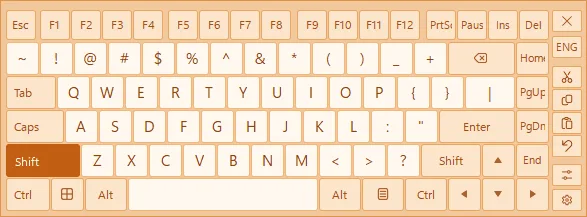
Hot Virtual Keyboard is an on-screen keyboard for Windows users who want more control over their typing layout. You can enter text with a mouse or touchscreen, choose from more than 70 supplied keyboards, or change the keys, background, colors and fonts to suit your setup. It supports the languages and keyboard layouts installed in Windows.
Programmable keys can paste prepared text, launch an application, open a website or run a keystroke macro. Word suggestions offer completions after a few characters, while touch gestures provide shortcuts for typing, moving and resizing the keyboard. These are useful distinctions if a standard keyboard layout does not fit the way you work.
The download is a 30-day evaluation, not an indefinitely free keyboard. Continued use requires a paid license. The publisher lists Windows 7, 8, 8.1, 10 and 11; the inspected pages do not specify the installer's processor architecture. This entry describes publisher-documented features, not results from running the software.
What it offers
- Type on screen with a mouse or touchscreen.
- Choose from more than 70 supplied keyboards or customize key shapes, colors, fonts and backgrounds.
- Use languages and keyboard layouts installed in Windows.
- Assign keys to prepared text, application launches, website links and keystroke macros.
- Use word suggestions and touch gestures for text entry and keyboard positioning.
Good to know
- The evaluation lasts 30 days; continued use requires a paid license.
- A version 10 license covers minor version 10 updates, but not all future major versions. The publisher includes major updates only within 30 days of purchase.
- The inspected publisher pages do not identify the processor architecture of the selected EXE installer.
Product images
Sources
References used for this listing. Retrieval dates do not indicate hands-on testing.
More in utilities
View category ↗
1.1.1.1 with WARP 2026.8.2115.0
Encrypt traffic from your Mac to Cloudflare’s network with WARP, or use DNS-only mode for encrypted DNS queries to the 1.1.1.1 resolver.
1.1.1.1 with WARP 2026.8.2115.0
Encrypt traffic between your Windows PC and Cloudflare, or use encrypted DNS only, with the free 1.1.1.1 with WARP app.


3uTools 9.12.005
Manage iPhone and iPad photos, music, apps and backups from Windows with 3uTools, a free utility that also includes device checks and firmware flashing tools.