
Utilities Windows
Hotkey Resolution Changer
Switch between screen resolutions with custom keyboard shortcuts using HRC for Windows. Define two to nine presets; separate multi-monitor layouts are not supported.
- Operating system
- Windows; legacy publisher documentation references Windows 7
- Architecture
- Not specified by the publisher
- Download package
- ZIP archive of the publisher-labeled v2.1 executable
Windows 10/11 compatibility is unverified. The publisher page shows a September 17, 2015 last-update date; in July 2026 the author said the code was last updated 11 years earlier.
Link checked · Download guidance
What is Hotkey Resolution Changer?
Hotkey Resolution Changer (HRC) assigns keyboard shortcuts to display resolutions, so you can switch between supported modes without reopening Windows display settings. It starts minimized in the system tray and lets you define two to nine shortcuts. The publisher also documents display rotation and command-line switches.
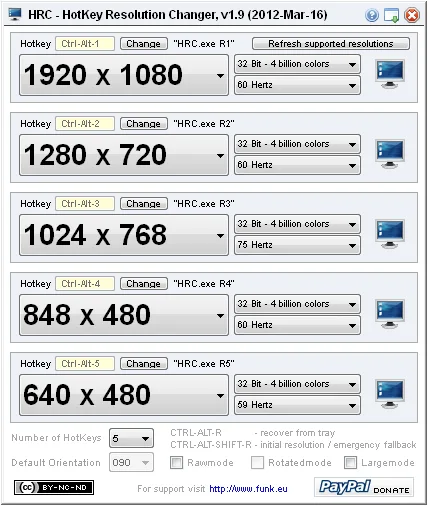
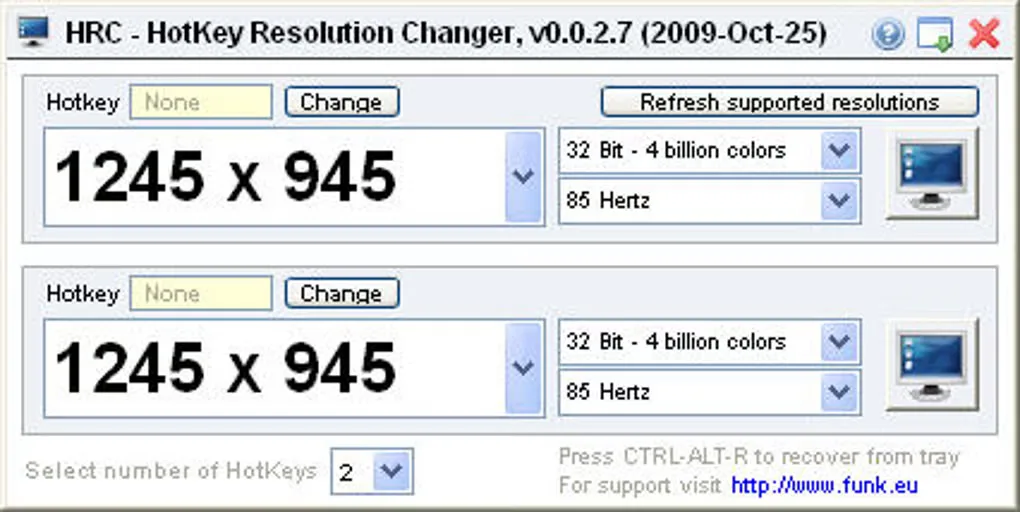
HRC is a legacy utility, not a full multi-monitor profile manager. The author says it cannot manage different resolutions across extended or mirrored displays, and it only offers resolutions reported as valid by the Windows API. The publisher page identifies version 2.1, while Softonic lists the older 0.0.2.7. The download here follows the publisher's v2.1 executable link to a ZIP archive; the screenshots show older interfaces, not a verified v2.1 session. Modern Windows compatibility has not been verified.
The publisher calls HRC freeware but specifies Creative Commons BY-NC-SA 3.0 terms, including attribution, noncommercial use and share-alike conditions. Free availability is not permission for commercial use.
What it offers
- Define two to nine custom hotkeys for different screen resolutions.
- Switch to a preset resolution with a keypress.
- Keep the utility in the system tray; add a startup shortcut if you want it to start with Windows.
- Use the publisher-documented display rotation support and command-line switches.
Good to know
- Cannot manage separate resolutions or extended/mirrored multi-display configurations; those settings must be changed manually.
- Only offers resolutions reported as valid by the Windows API; it cannot select a missing mode.
- Legacy software with no verified modern Windows compatibility; the screenshots depict older releases.
- The publisher's license restricts commercial use and requires attribution and share-alike conditions.
Product images
Sources
References used for this listing. Retrieval dates do not indicate hands-on testing.
More in utilities
View category ↗
1.1.1.1 with WARP 2026.8.2115.0
Encrypt traffic from your Mac to Cloudflare’s network with WARP, or use DNS-only mode for encrypted DNS queries to the 1.1.1.1 resolver.
1.1.1.1 with WARP 2026.8.2115.0
Encrypt traffic between your Windows PC and Cloudflare, or use encrypted DNS only, with the free 1.1.1.1 with WARP app.

3uTools 9.12.005
Manage iPhone and iPad photos, music, apps and backups from Windows with 3uTools, a free utility that also includes device checks and firmware flashing tools.