
Development Windows
HTMLPad
Edit HTML, CSS and JavaScript on Windows with code completion, browser preview, validation tools and FTP/SFTP publishing in HTMLPad.
- Operating system
- Windows 10 and 11
- Architecture
- Not specified on the publisher download page
- Download package
- EXE download (htmlpad2025.exe)
Publisher-listed version and systems; installer was not downloaded or run. Architecture and installation behavior were not independently verified.
Link checked · Download guidance
What is HTMLPad?
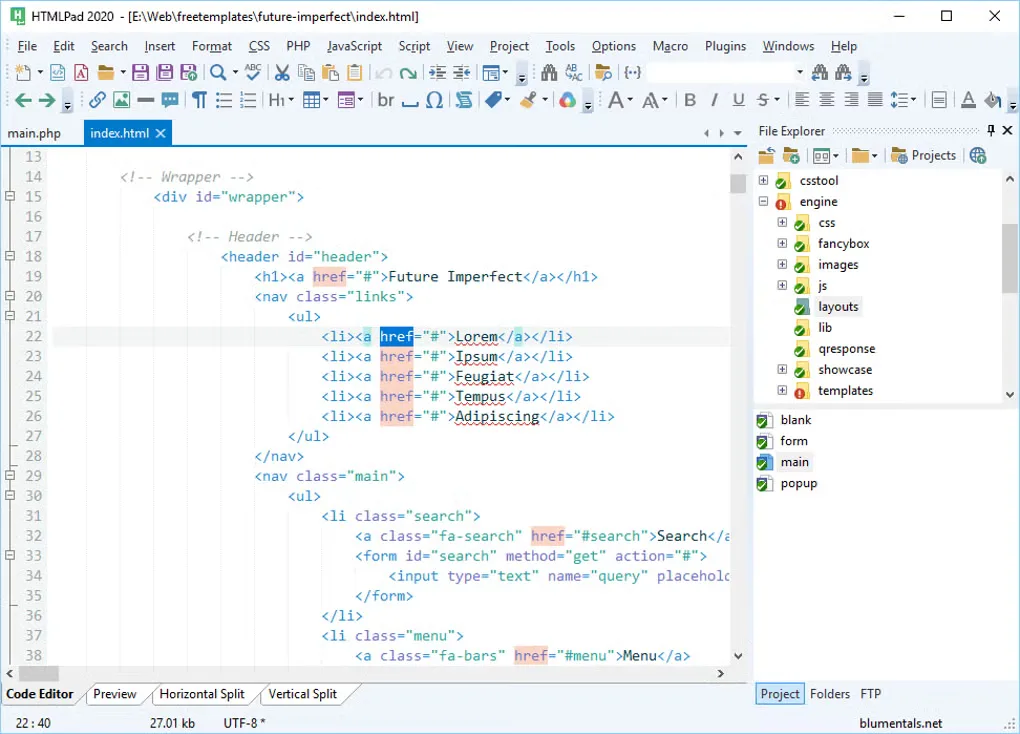
HTMLPad is a text-based web code editor for creating and maintaining HTML, CSS and JavaScript files. It brings syntax highlighting, code completion, reusable snippets and project navigation into one workspace. Its browser preview and split-screen mode help you compare source code with the rendered page without leaving the editor.
For existing sites, the built-in file explorer and FTP, SFTP and FTPS connections let you work with local projects or remote files. HTML and CSS tools include tag matching, formatting and validator integration; JavaScript tools include completion, formatting and minification.
This is a code editor rather than a visual drag-and-drop page builder. The publisher offers a free trial and a paid license, so the download should not be mistaken for permanently free software. The publisher currently lists version 18.9 for Windows 10 and 11. The gallery screenshot shows an older HTMLPad 2020 workspace and is illustrative, not confirmation of the current release's appearance.
What it offers
- Edit HTML, CSS and JavaScript with syntax highlighting, code completion and code navigation.
- Reuse code through snippets, templates and Emmet support.
- View pages in a built-in browser preview with split-screen and screen-size testing modes.
- Use HTML/CSS formatting, tag matching and validation integrations alongside JavaScript formatting and minification.
- Manage projects and edit or publish files through built-in FTP, SFTP and FTPS connections.
Good to know
- The free download is a trial; continued licensed use requires purchase.
- HTMLPad is text-based rather than a visual page builder; you work with source code.
- The supplied gallery screenshot is labeled HTMLPad 2020 and may differ from version 18.9.
Product images
Sources
References used for this listing. Retrieval dates do not indicate hands-on testing.
More in development
View category ↗
010 Editor 17.0
Inspect and edit binary files on Mac with 010 Editor, a paid text and hex editor with Binary Templates, file comparison and a 30-day trial.
010 Editor 17.0
Inspect and edit binary files with 010 Editor for Windows, a text and hex editor with Binary Templates, file comparison and scripting. Includes a 30-day trial.
10x Editor
Edit and navigate C++ projects on Windows with a built-in parser, workspace search and Visual Studio project support. A paid license is required after the 30-day trial.