
Utilities Windows
HTTrack WebSite Copier
Save websites for offline browsing with WinHTTrack, the free Windows interface for HTTrack. Set capture rules, resume interrupted mirrors and update local copies.
- Operating system
- Windows 7 SP1 and later
- Architecture
- x64 (64-bit)
- Download package
- EXE installer
Selected download is x64; x86 and ARM64 are separate. ARM64 requires Windows 10 or later. The optional browser-based login feature requires Edge WebView2 and is unavailable on Windows 7.
Link checked · Download guidance
What is HTTrack WebSite Copier?
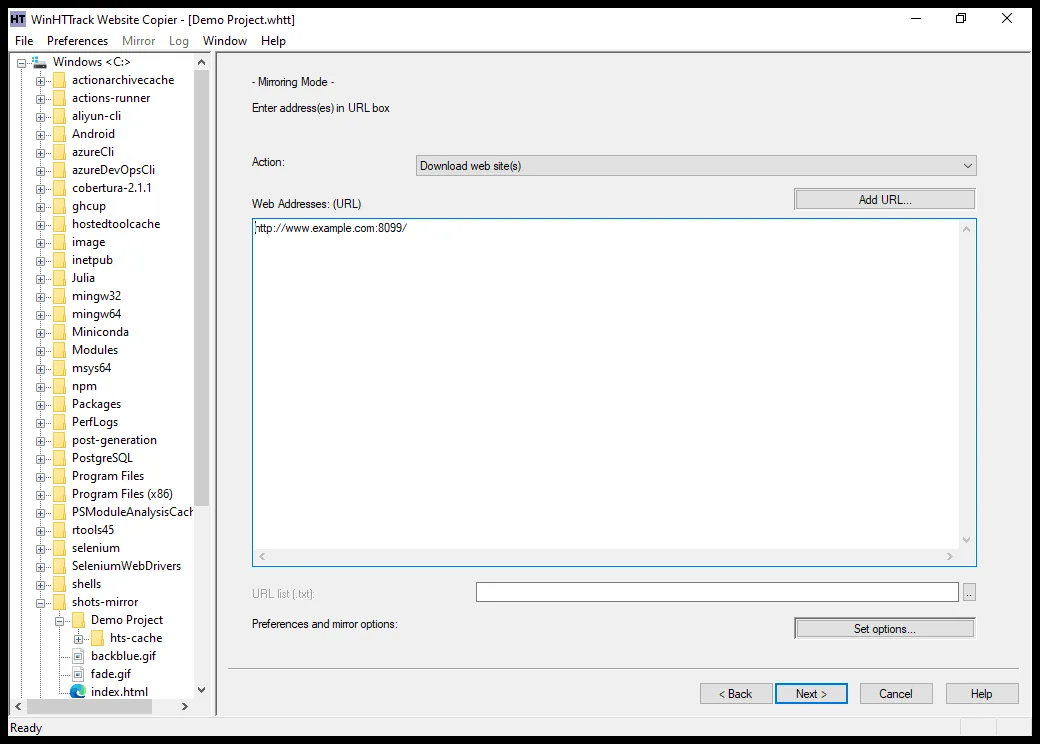
HTTrack WebSite Copier saves website pages, images and linked files into a local folder so you can browse a mirrored site without an Internet connection. WinHTTrack is its native Windows interface: create a project, enter one or more web addresses and use the options to define what the mirror should include. It preserves relative links for navigating the downloaded pages and can resume an interrupted mirror or update an existing copy.
It is useful for keeping an offline reference copy of a site you are authorized to mirror, but it is not a guarantee that every online feature will work locally. The publisher warns that JavaScript-heavy sites can produce incomplete results; capture rules and site restrictions can also leave files out. The linked download is the 64-bit Windows installer, not the separate x86, ARM64 or non-installer package. The optional browser-based login workflow needs Edge WebView2 and is not available on Windows 7.
What it offers
- Save website HTML, images and other linked files into a local directory for offline browsing.
- Preserve relative links between mirrored pages.
- Update an existing mirror or resume an interrupted download.
- Use the Windows project interface and Scan Rules options to include or exclude selected links.
- Use the command-line version included with the Windows installer.
Good to know
- JavaScript-heavy websites may be incomplete offline; a local mirror does not reproduce every online feature.
- Capture scope, filters and website access restrictions can leave pages or files out.
- The optional browser-based login workflow requires Edge WebView2, which is unavailable on Windows 7.
- The program's GPL license does not grant permission to copy or redistribute a website's copyrighted material.
Product images
Sources
References used for this listing. Retrieval dates do not indicate hands-on testing.
More in utilities
View category ↗
1.1.1.1 with WARP 2026.8.2115.0
Encrypt traffic from your Mac to Cloudflare’s network with WARP, or use DNS-only mode for encrypted DNS queries to the 1.1.1.1 resolver.
1.1.1.1 with WARP 2026.8.2115.0
Encrypt traffic between your Windows PC and Cloudflare, or use encrypted DNS only, with the free 1.1.1.1 with WARP app.

3uTools 9.12.005
Manage iPhone and iPad photos, music, apps and backups from Windows with 3uTools, a free utility that also includes device checks and firmware flashing tools.