

Utilities Windows
HWMonitor for Windows
Read CPU and GPU temperatures, voltages, fan speeds and other hardware sensors with CPUID HWMonitor, a free Windows monitoring utility.
- Operating system
- Windows
- Architecture
- x86 / x64
- Download package
- English EXE setup
Setup selects 32-bit or 64-bit binaries for Windows. A portable ZIP is separate; Windows ARM64 uses a separate publisher page.
Link checked · Download guidance
What is HWMonitor?
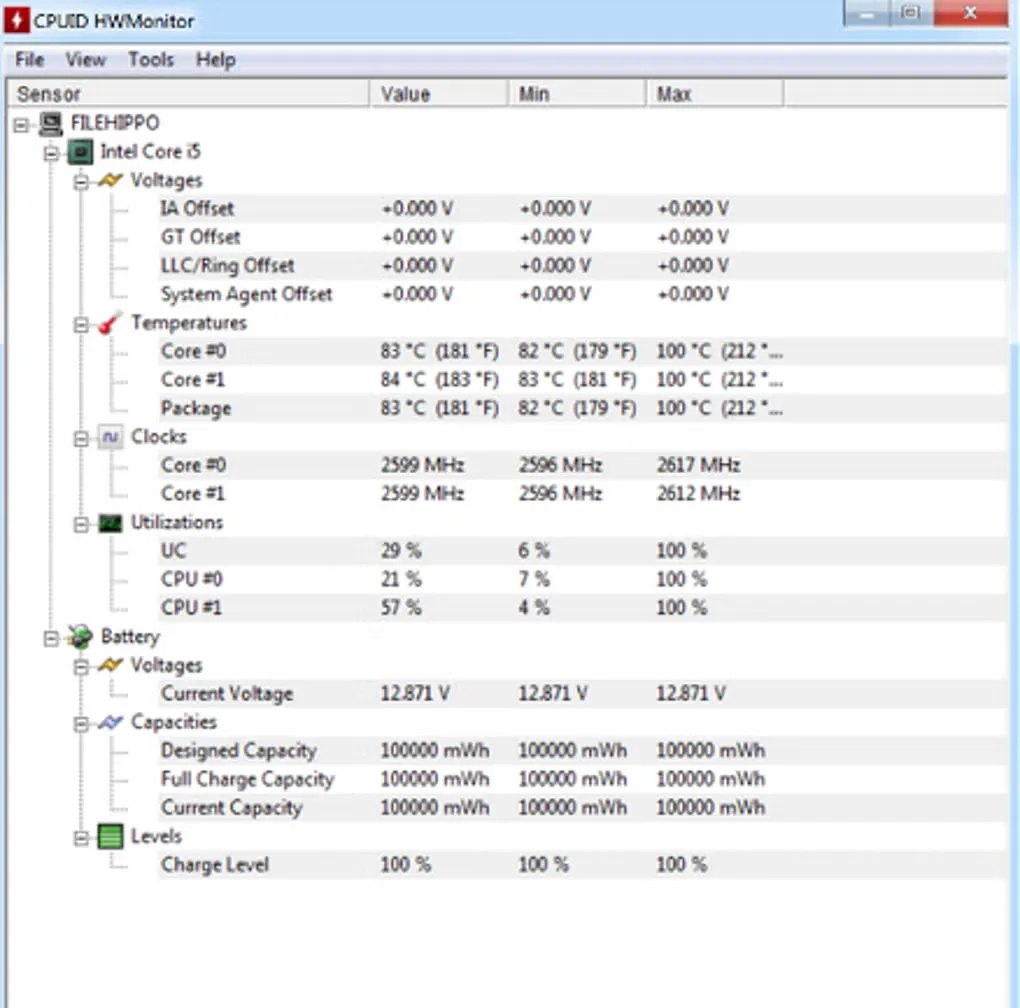
HWMonitor brings hardware sensor readings into one Windows application. It reads temperatures, voltages, power, currents, fan speeds, utilization and clock speeds from supported components. CPU and GPU monitoring sits alongside support for selected motherboard monitoring chips, memory modules with thermal sensors, SSDs and hard disks through S.M.A.R.T., and batteries. The sensor tree makes it useful for checking what a component reports while you observe your PC's workload.
The standard edition includes CSV data logging, triggered with F5, and real-time graphs for selected sensors. CPUID's usage guide describes adding a sensor to a graph from its right-click menu; a graph can contain up to eight curves. These functions let you follow readings over time rather than rely on one instant.
This entry links to CPUID's English EXE setup for Windows x86/x64. The publisher says setup selects the 32-bit or 64-bit binaries to match Windows; a separate ZIP package is available for portable use. Windows ARM64 has a separate publisher download page. Remote monitoring, sensors as tray icons and more advanced logging belong to HWMonitor PRO, not this free standard edition. The gallery image illustrates an older Windows interface; its precise application version is not identified by the source.
What it offers
- Read temperatures, voltages, power, currents, fan speeds, utilization and clock speeds from supported hardware sensors.
- Monitor CPUs, GPUs, supported motherboard monitoring chips, thermally equipped memory modules, S.M.A.R.T. drives and batteries.
- Log sensor data to CSV using the F5 shortcut.
- Plot selected sensors in real-time graphs, with up to eight curves per graph.
Good to know
- Remote monitoring, sensors as tray icons and more advanced logging are HWMonitor PRO features; they are not included in this standard edition.
Product images
Sources
References used for this listing. Retrieval dates do not indicate hands-on testing.
- HWMONITOR | Softwares | CPUID ↗Retrieved
- CPUID HWMonitor Usage Guidelines, version 1.01, June 2026 ↗Retrieved
- DOWNLOADING HWMONITOR_1.68.EXE | CPUID ↗Retrieved
- HWMonitor - Download ↗Retrieved
More in utilities
View category ↗
1.1.1.1 with WARP 2026.8.2115.0
Encrypt traffic from your Mac to Cloudflare’s network with WARP, or use DNS-only mode for encrypted DNS queries to the 1.1.1.1 resolver.
1.1.1.1 with WARP 2026.8.2115.0
Encrypt traffic between your Windows PC and Cloudflare, or use encrypted DNS only, with the free 1.1.1.1 with WARP app.

3uTools 9.12.005
Manage iPhone and iPad photos, music, apps and backups from Windows with 3uTools, a free utility that also includes device checks and firmware flashing tools.