
Utilities Windows
HyperTerminal Private Edition
Connect to serial COM devices, dial-up systems and Telnet or SSH hosts with HyperTerminal Private Edition, Hilgraeve’s commercial Windows terminal emulator.
- Operating system
- Windows XP, Vista, 7, 8, 10 and 11; Windows Server 2003, 2008, 2012 and 2016
- Architecture
- Publisher confirms 64-bit Windows compatibility; installer architecture not specified
- Download package
- EXE installer
64-bit Windows compatibility is not a claim of native x64 or ARM64 code. No exact Windows build numbers are supplied by the cited publisher pages.
Link checked · Download guidance
What is HyperTerminal Private Edition?
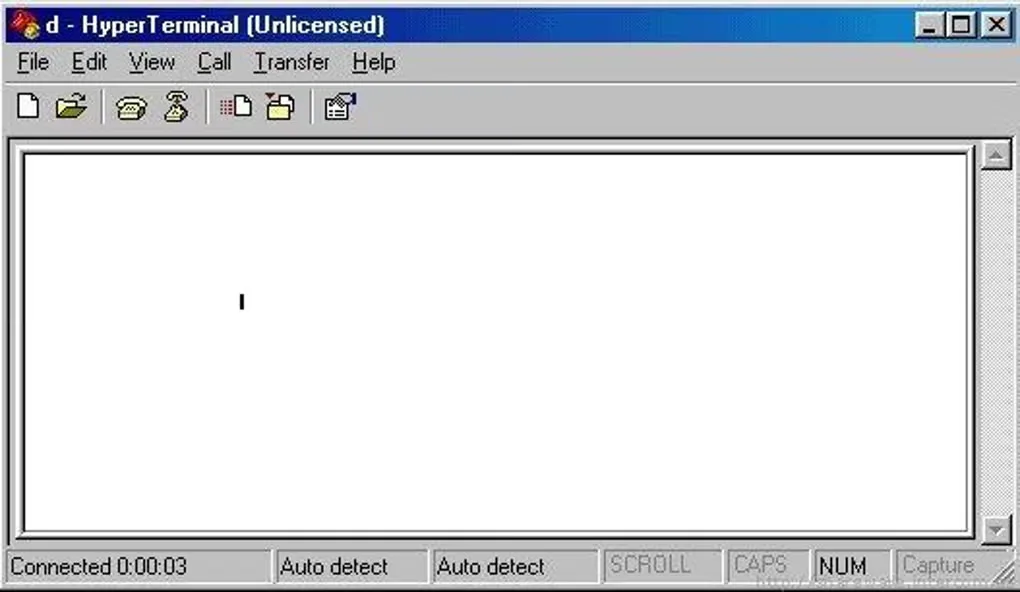
HyperTerminal Private Edition (HTPE) brings serial, modem and network terminal connections into one Windows application. It suits accessing a device console over an RS232 COM port, connecting to a modem-based system or opening a Telnet or SSH session. Hilgraeve lists version 7.1 and compatibility with Windows 11 and 10 as well as several older Windows releases.
Terminal emulation includes ANSI, VT100, VT220 and VT320 among other modes. Xmodem, Ymodem, Zmodem and Kermit handle file transfers to systems that support those protocols, while captured device output can be written to a text file. Connection settings still need to match the target device or host: a terminal emulator does not determine the correct COM settings for you.
This is commercial software with a trial, not a free replacement bundled with Windows. HTPE does not support scripting; Hilgraeve points users needing scripted communication sessions to HyperACCESS. Telnet is unencrypted, so use an appropriate SSH connection rather than Telnet when sensitive data would cross an unsecured network.
What it offers
- Connect directly to devices through RS232 serial COM ports.
- Open Telnet or SSH connections over TCP/IP networks.
- Connect to modem-based systems through a dial-up modem.
- Choose terminal emulation modes including ANSI, VT100, VT220 and VT320.
- Transfer files using Xmodem, Ymodem, Zmodem or Kermit, and capture device output to a text file.
Good to know
- Commercial license required beyond the trial; Hilgraeve lists a US$69.99 purchase price at the time of source retrieval.
- HTPE does not support scripting; the publisher directs scripting and automation users to HyperACCESS.
- Telnet traffic is not encrypted. Serial connections require port settings that match the connected device.
Start with the device’s COM settings
Hilgraeve’s serial tutorial starts by naming a connection and selecting the COM port under “connect using.” Open Configure and enter the settings required by the device before connecting. If the display contains garbled characters, check those settings first. A port already held by another application may fail to open.
Use the right network connection type
For a network session, name the connection, choose Winsock or SSH, and enter the host IP address and port. Save the working configuration through File > Save. The publisher warns that Telnet is unencrypted; its presence in the connection options is not a security recommendation.
Product images
Sources
References used for this listing. Retrieval dates do not indicate hands-on testing.
- HyperTerminal Windows 7, 8, 10, 11 Terminal Emulator - Hilgraeve ↗Retrieved
- How to install HyperTerminal Private Edition - Hilgraeve ↗Retrieved
- Will this work with 64-Bit Windows? - Hilgraeve ↗Retrieved
- Hilgraeve Products - Hilgraeve ↗Retrieved
- No Automation or Scripting Support in HyperTerminal or HTPE - Hilgraeve ↗Retrieved
- HyperTerminal Serial Port - Hilgraeve ↗Retrieved
- HyperTerminal Telnet or SSH how to - Hilgraeve ↗Retrieved
- HyperTerminal Private Edition (HTPE) - Download ↗Retrieved
More in utilities
View category ↗
1.1.1.1 with WARP 2026.8.2115.0
Encrypt traffic from your Mac to Cloudflare’s network with WARP, or use DNS-only mode for encrypted DNS queries to the 1.1.1.1 resolver.
1.1.1.1 with WARP 2026.8.2115.0
Encrypt traffic between your Windows PC and Cloudflare, or use encrypted DNS only, with the free 1.1.1.1 with WARP app.

3uTools 9.12.005
Manage iPhone and iPad photos, music, apps and backups from Windows with 3uTools, a free utility that also includes device checks and firmware flashing tools.