
Utilities Windows
IconsExtract for Windows
Extract icons and cursors from Windows EXE, DLL, OCX and CPL files with IconsExtract, a freeware utility that saves ICO and CUR files.
- Operating system
- Publisher lists Windows 95/98/ME, NT, 2000, XP, 2003 Server, Vista, 7, 2008, 8.x and 10
- Architecture
- Package CPU architecture not specified by the publisher
- Download package
- ZIP archive containing a standalone executable
No Windows 11 claim. Extraction support for 32-bit executable resources is distinct from the package CPU architecture; no software runtime test was performed.
Link checked · Download guidance
What is IconsExtract?
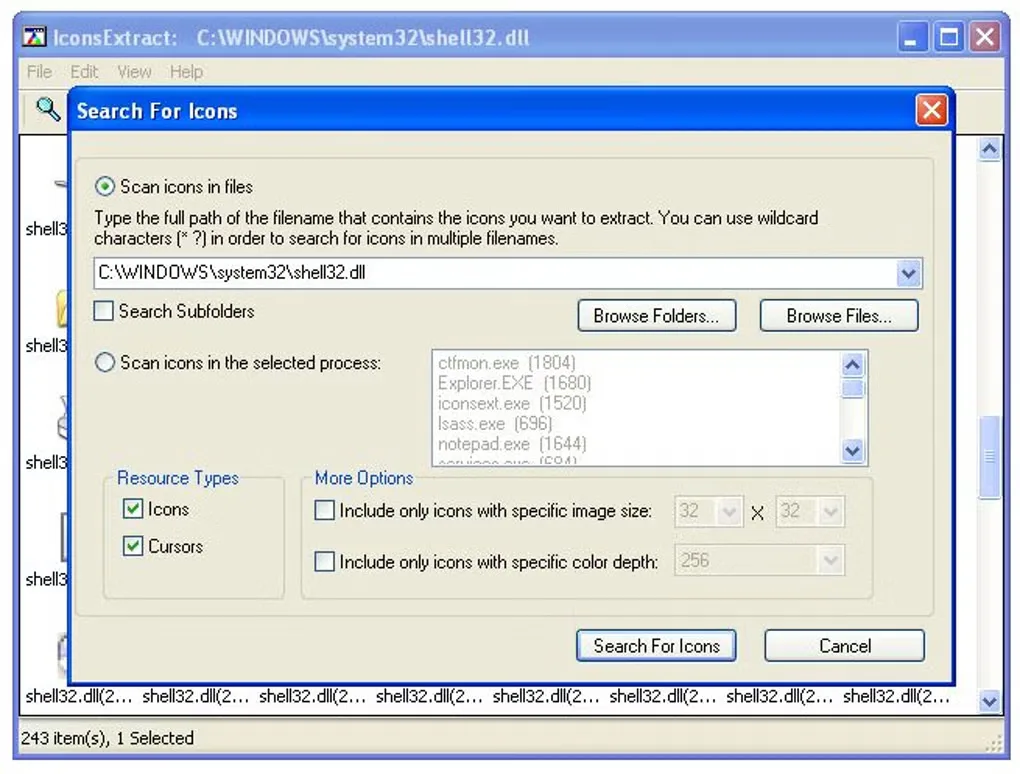
IconsExtract scans files or folders for embedded icons and cursors, then lets you save selected resources as ICO or CUR files. It is useful when you need an icon from an existing Windows executable or library rather than a tool for drawing a new one. You can also copy a single icon image to the clipboard for use in another application.
Choose a single file, use a wildcard to scan several files, or include subfolders. Search filters narrow results by image size and color depth. The publisher also documents a /save command-line option for extraction and -scanpath for opening the interface with a chosen folder or wildcard. The ZIP download contains a standalone utility that does not require installation.
This is a legacy release: the publisher dates version 1.47 to September 26, 2010, and lists Windows versions through Windows 10, not Windows 11. Its stated extraction support is limited to 32-bit executable files; 16-bit files are unsupported. Do not assume it can extract resources from every modern executable. Scanning an entire drive can take minutes and consume substantial system resources.
What it offers
- Extract embedded icons and cursors from EXE, DLL, OCX, CPL and other supported file types.
- Save selected icons as ICO files and cursors as CUR files, or copy an individual image to the clipboard.
- Scan single files or wildcard matches, with optional subfolder search and size or color-depth filters.
- Use a standalone executable from the ZIP package, with /save and -scanpath command-line options.
Good to know
- The publisher limits extraction to 32-bit executable files and explicitly excludes 16-bit files.
- Version 1.47 is dated September 26, 2010; the publisher lists Windows support through Windows 10 and does not list Windows 11.
- Whole-drive scans can take several minutes and consume considerable system resources.
Product images
Sources
References used for this listing. Retrieval dates do not indicate hands-on testing.
More in utilities
View category ↗
1.1.1.1 with WARP 2026.8.2115.0
Encrypt traffic from your Mac to Cloudflare’s network with WARP, or use DNS-only mode for encrypted DNS queries to the 1.1.1.1 resolver.
1.1.1.1 with WARP 2026.8.2115.0
Encrypt traffic between your Windows PC and Cloudflare, or use encrypted DNS only, with the free 1.1.1.1 with WARP app.

3uTools 9.12.005
Manage iPhone and iPad photos, music, apps and backups from Windows with 3uTools, a free utility that also includes device checks and firmware flashing tools.