
Utilities Windows
IDrive
Back up Windows files to an IDrive cloud account or a local drive, schedule backup jobs, and restore saved files from multiple computers.
- Operating system
- Windows 7, 8, 8.1, 10 and 11; Windows Server versions also listed by publisher
- Architecture
- Not specified for this EXE in the inspected publisher metadata
- Download package
- EXE installer (Windows Full Client)
Publisher lists .NET Framework 4.5 or later, 512 MB RAM and 100 MB free disk space; 20 MB or more is recommended for local caching.
Link checked · Download guidance
What is IDrive?
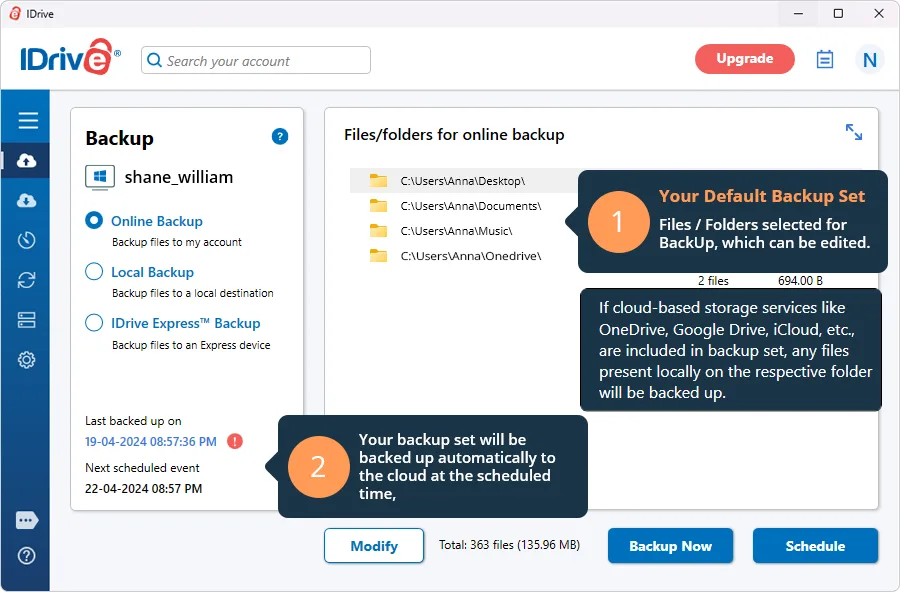
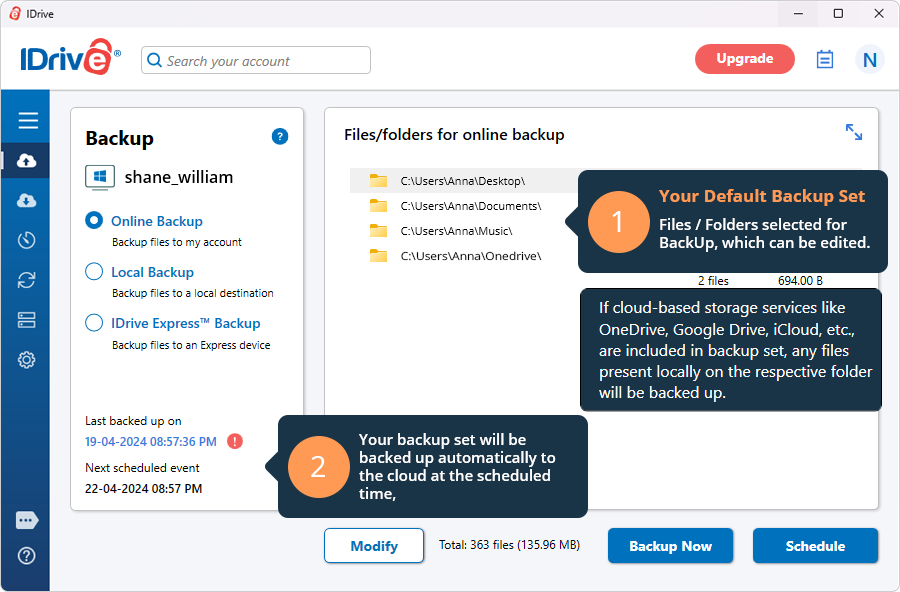
IDrive for Windows backs up selected files and folders to an online account, a local drive, or an IDrive Express device. The desktop client lets you edit a backup set, run an immediate backup, schedule later jobs, and restore saved data. Multiple computers can use the same account, with separate device folders to keep their backups apart. External and mapped drives can be included when their files are accessible.
Cloud backup requires an IDrive account. The free Basic plan includes 10 GB; larger storage allocations require a paid plan. Local and online backups can each be scheduled, but the Windows client cannot combine them into a single scheduled job. Cloud Drive synchronization is a separate service that requires activation, rather than another name for the backup set.
What it offers
- Choose files and folders for online, local, or IDrive Express backup.
- Schedule backup jobs or start an immediate backup from the desktop client.
- Back up multiple computers to one account with a separate folder for each device.
- Include accessible files on external, USB, and mapped drives in a backup set.
- Restore selected files from saved backups and access cloud backups through a web browser.
Good to know
- An IDrive account is required for cloud backup; the free Basic plan has 10 GB of storage.
- Local and online backups require separate scheduled jobs; they cannot be combined in one job.
- Cloud Drive sync requires separate activation and is distinct from cloud backup.
Product images
Sources
References used for this listing. Retrieval dates do not indicate hands-on testing.
- IDrive features multiple device backup and more ↗Retrieved
- One IDrive account backup multiple PC, Mac, iOS & Android ↗Retrieved
- FAQs on online backup via IDrive Windows application ↗Retrieved
- IDrive pricing plans ↗Retrieved
- IDrive - System Requirements ↗Retrieved
- Download IDrive for PC, Mac, Linux, Servers, iOS, Android ↗Retrieved
- Publisher catalog version metadata loader (read as text, not executed) ↗Retrieved
- Publisher Windows version and installer metadata (read as text, not executed) ↗Retrieved
More in utilities
View category ↗
1.1.1.1 with WARP 2026.8.2115.0
Encrypt traffic from your Mac to Cloudflare’s network with WARP, or use DNS-only mode for encrypted DNS queries to the 1.1.1.1 resolver.
1.1.1.1 with WARP 2026.8.2115.0
Encrypt traffic between your Windows PC and Cloudflare, or use encrypted DNS only, with the free 1.1.1.1 with WARP app.

3uTools 9.12.005
Manage iPhone and iPad photos, music, apps and backups from Windows with 3uTools, a free utility that also includes device checks and firmware flashing tools.