
Utilities Windows
Image Comparer
Find duplicate and visually similar photos on Windows with Image Comparer. Review image pairs across different formats; deleting, moving or copying results requires a paid license.
- Operating system
- Windows 7, 8, 10 and 11
- Architecture
- Not specified on the consulted publisher pages
- Download package
- EXE installer
Publisher-listed systems; installation and runtime compatibility were not tested. The publisher screenshot depicts version 4.0.
Link checked · Download guidance
What is Image Comparer?
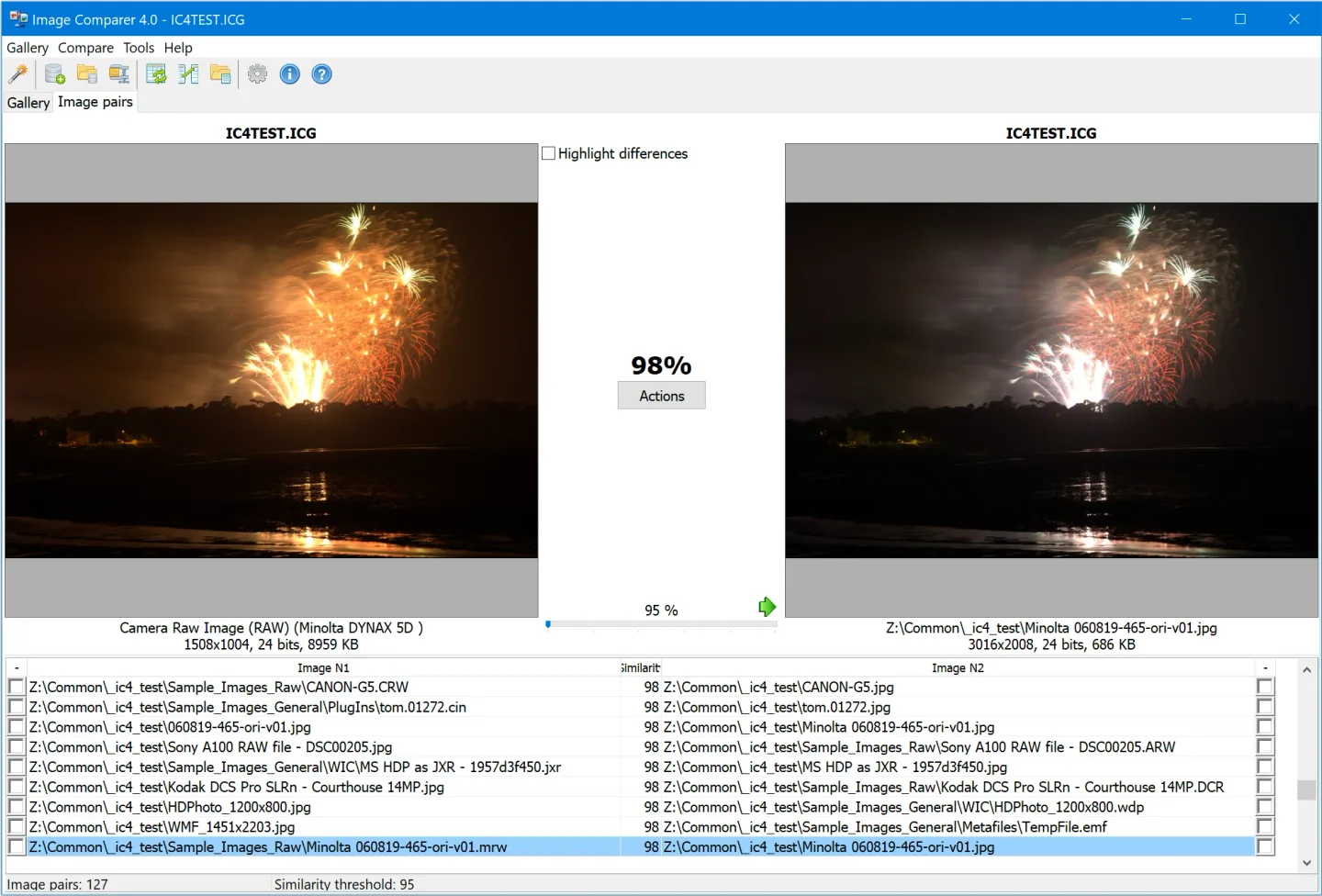
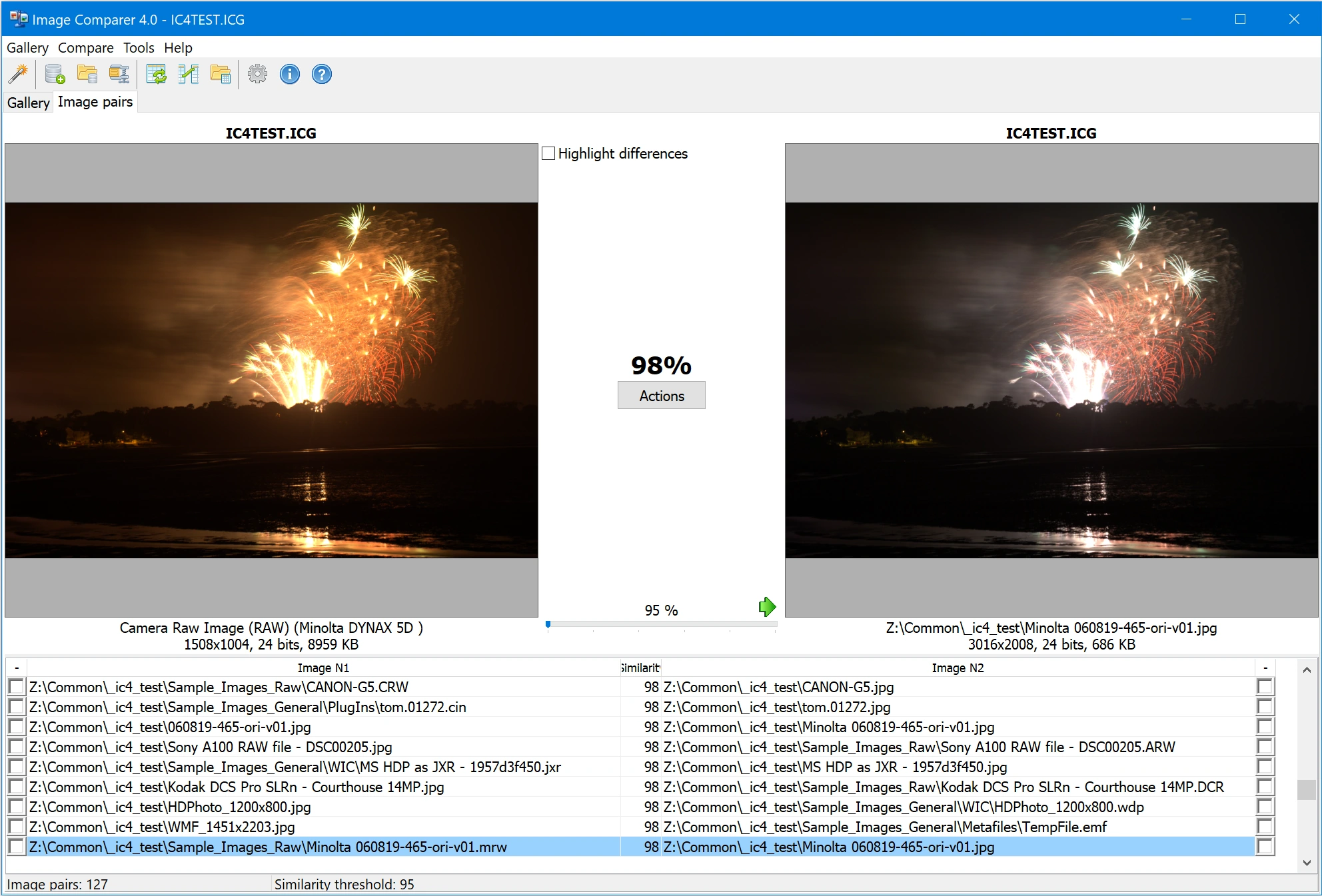
Image Comparer searches a photo collection by visual content rather than only looking for identical files. It is intended for finding repeated shots and alternate copies of an image, including resized, rotated or flipped versions. You can set a similarity threshold and review matching pictures in pairs before choosing which files to keep.
The publisher lists RAW, JPEG, J2K, BMP, GIF, PNG, TIFF, WebP and HEIC among the supported formats. The comparison interface includes an option to highlight image differences, while the publisher's gallery also shows tree-style results, a comparison wizard and thumbnail browsing. The screenshot here is the publisher's Image Comparer 4.0 interface demonstration, not a capture of the listed 4.2 build.
This is commercial software with a 30-day evaluation, not a free duplicate-removal utility. The trial finds matching photos but cannot delete, move or copy them from the results; those actions require registration. The linked EXE is the installation file provided by Bolide Software for Windows 7, 8, 10 and 11. Its endpoint was checked with HEAD only; the installer was not downloaded, installed or tested.
What it offers
- Find duplicate and similar images by visual content, including resized, rotated and flipped copies.
- Adjust the visual-similarity threshold and inspect matching images side by side.
- Highlight image differences and review results through image-pair or tree views.
- Compare supported image formats including RAW, JPEG, PNG, TIFF, WebP and HEIC.
- Delete, move or copy selected results with a registered license; these actions are disabled in the trial.
Good to know
- The evaluation period is 30 days; continued use requires purchase.
- The trial finds duplicates but does not allow deleting, moving or copying them from its results.
Product images
Sources
References used for this listing. Retrieval dates do not indicate hands-on testing.
- Image Comparer download page ↗Retrieved
- Duplicate Photo Finder and Remover - Image Comparer ↗Retrieved
- Image Comparer license agreement ↗Retrieved
- Image Comparer screenshots - interface demo ↗Retrieved
- Bolide Software - Terms of Use ↗Retrieved
More in utilities
View category ↗
1.1.1.1 with WARP 2026.8.2115.0
Encrypt traffic from your Mac to Cloudflare’s network with WARP, or use DNS-only mode for encrypted DNS queries to the 1.1.1.1 resolver.
1.1.1.1 with WARP 2026.8.2115.0
Encrypt traffic between your Windows PC and Cloudflare, or use encrypted DNS only, with the free 1.1.1.1 with WARP app.

3uTools 9.12.005
Manage iPhone and iPad photos, music, apps and backups from Windows with 3uTools, a free utility that also includes device checks and firmware flashing tools.