
Utilities Windows
ImageUSB
Create USB drive images or write one image to several USB flash drives at once with PassMark's free Windows utility. Writing and zeroing erase target-drive contents.
- Operating system
- Windows 7, Windows 8, Windows 10 and Windows 11
- Architecture
- Publisher labels this release WIN32; no separate architecture packages identified
- Download package
- ZIP archive containing ImageUSB.exe
Extract before launching. Publisher lists 256 MB RAM and 4 MB free disk space, plus storage for image files. No software execution or Windows compatibility testing performed.
Link checked · Download guidance
What is ImageUSB?
ImageUSB is a Windows utility for making exact bit-level images of USB flash drives and writing an image to multiple drives concurrently. It is useful when duplicating the same USB setup rather than copying individual files: the publisher says its imaging process preserves unused and slack space as well as the Master Boot Record, including when duplicating bootable USB drives.
The application also offers whole-drive zeroing, clearing MBR or GPT entries, and reformatting to reclaim drive space. These are destructive operations, not file-management shortcuts. Back up anything needed from the target drives and check the selected devices before writing, zeroing or reformatting them.
Capacity and image format matter. PassMark warns that writing a 2 GB image to an 8 GB drive can leave only 2 GB usable until the drive is reformatted. Directly writing a CD ISO byte by byte does not guarantee a usable USB drive in every operating system; version 1.5 also supports extracting ISO contents to a USB drive. Do not assume every ISO becomes a bootable USB simply because it can be written.
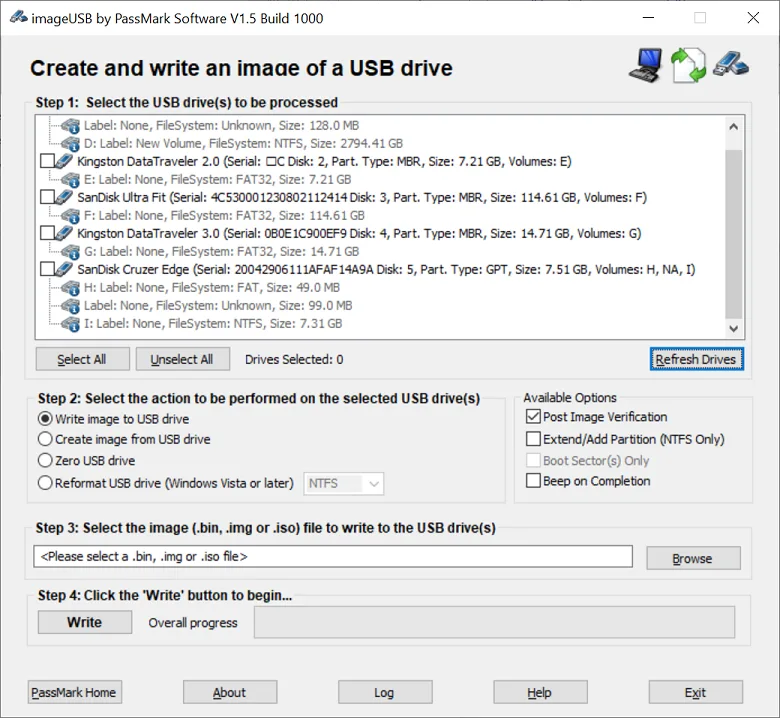
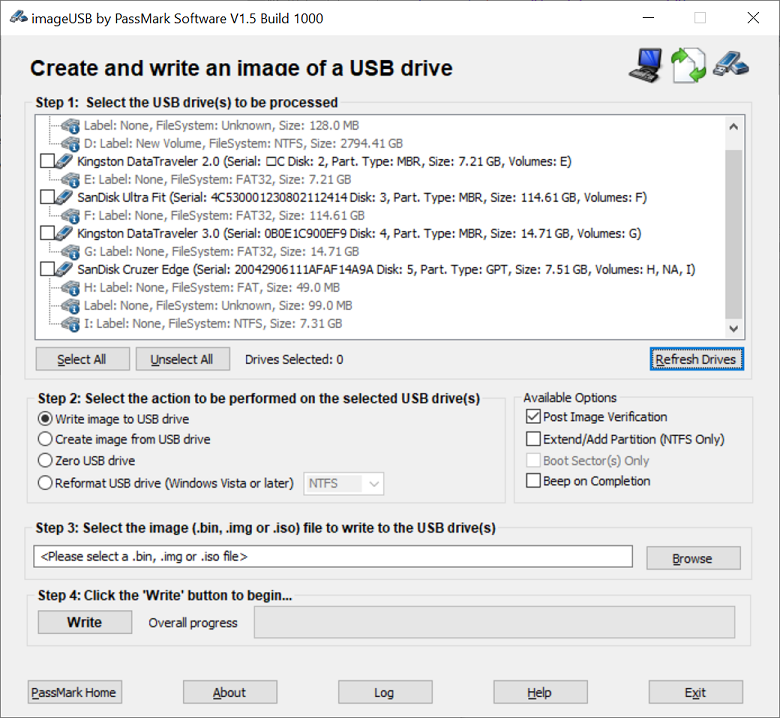
The publisher distributes version 1.5.1007 as a ZIP archive: extract it to a directory and launch ImageUSB.exe. Windows 7, 8, 10 and 11 are listed as supported. The screenshot is the publisher's older version 1.5 Build 1000 interface, not a test or capture of build 1007.
What it offers
- Create an image of a USB flash drive and write an image to several USB drives concurrently.
- Preserve bit-level image contents, including unused space, slack space and the Master Boot Record.
- Duplicate bootable USB flash-drive images.
- Zero an entire USB drive or clear its MBR and GPT entries; reformat drives to reclaim space.
- Write ISO files byte by byte or use the ISO-content extraction supported since version 1.5.
Good to know
- Writing images, zeroing or reformatting destroys existing target-drive contents. Back up needed data and verify the selected drives first.
- A smaller image written to a larger USB drive can limit usable capacity until reformatting; choose drives with a size similar to the image.
- Direct CD ISO imaging may not produce a USB drive usable in every operating system; writing an ISO is not a universal bootability guarantee.
Product images
Sources
References used for this listing. Retrieval dates do not indicate hands-on testing.
More in utilities
View category ↗
1.1.1.1 with WARP 2026.8.2115.0
Encrypt traffic from your Mac to Cloudflare’s network with WARP, or use DNS-only mode for encrypted DNS queries to the 1.1.1.1 resolver.
1.1.1.1 with WARP 2026.8.2115.0
Encrypt traffic between your Windows PC and Cloudflare, or use encrypted DNS only, with the free 1.1.1.1 with WARP app.

3uTools 9.12.005
Manage iPhone and iPad photos, music, apps and backups from Windows with 3uTools, a free utility that also includes device checks and firmware flashing tools.