
Utilities macOS
Imposition Studio
Arrange PDF pages for books, booklets and production sheets on Mac, with reusable imposition layouts, print marks and a seven-day full-feature trial.
- Operating system
- macOS 11 Big Sur or newer; publisher lists through macOS 26 Tahoe and newer
- Architecture
- macOS Universal
- Download package
- ZIP archive
Requires a display of at least 1200 × 800. A separate PDF viewer is listed for viewing output PDFs. Windows has a separate package.
Link checked · Download guidance
What is Imposition Studio?
Imposition Studio prepares PDF pages for digital and offset print production. It is designed for arranging pages on a sheet for folding, binding or cutting, rather than simply reading a PDF. Book and booklet layouts support saddle stitching, perfect binding and section sewing; step-and-repeat, gang-run and cut-and-stack modes cover other sheet-based jobs.
Reusable templates, automatic or manual pagination, creep control and print marks help define repeatable layouts. Hot-folder automation supports recurring production work. The application also includes preflight reports, PDF optimization, color tools and utilities for combining, splitting, rotating or extracting PDF pages.
Choose an edition by output requirements: Digital is limited to layouts up to 50 × 50 cm and does not include CTP output. Offset removes that size limit and adds CTP support. The publisher offers a seven-day full-feature trial, not an indefinitely free full edition. This entry links to the publisher's macOS ZIP package; the requirements page lists macOS 11 or newer and a Universal build.
What it offers
- Create book and booklet impositions for saddle stitching, perfect binding and section sewing.
- Arrange sheets with N-up, step-and-repeat, gang-run and cut-and-stack modes.
- Reuse layout templates with automatic or manual pagination and hot-folder automation.
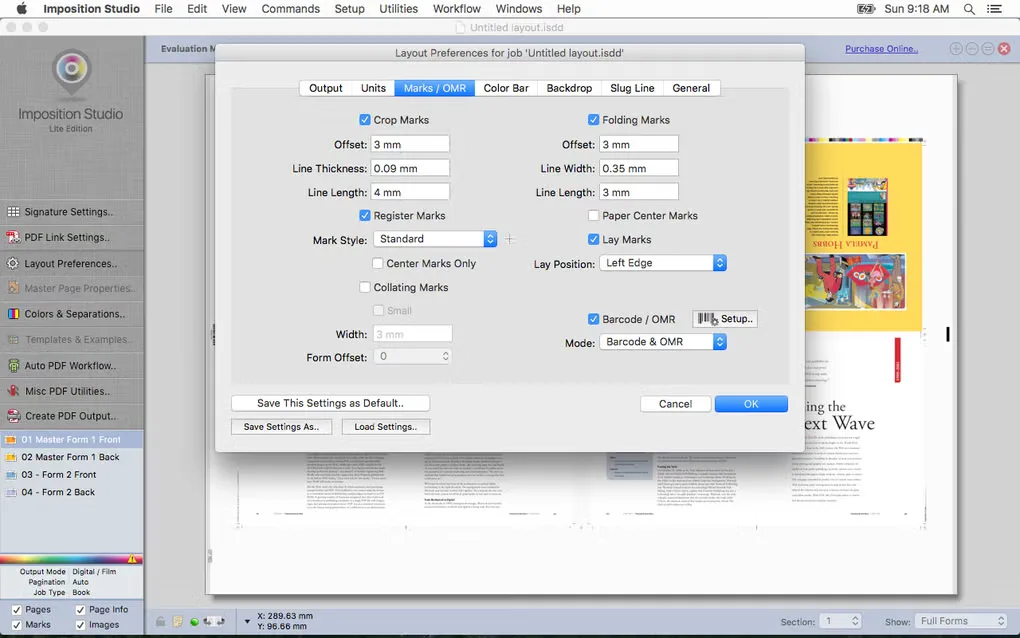
- Apply automatic creep control, production marks, OMR marks and dynamic barcodes.
- Preflight and optimize PDFs, manage spot colors, and combine, split, rotate or extract PDF pages.
Good to know
- The full-feature trial lasts seven days; continued licensed use requires purchase.
- Digital Edition is limited to 50 × 50 cm layouts and lacks CTP output; those requirements call for Offset Edition.
- The publisher does not officially support macOS versions below 11 and specifies a display resolution of at least 1200 × 800.
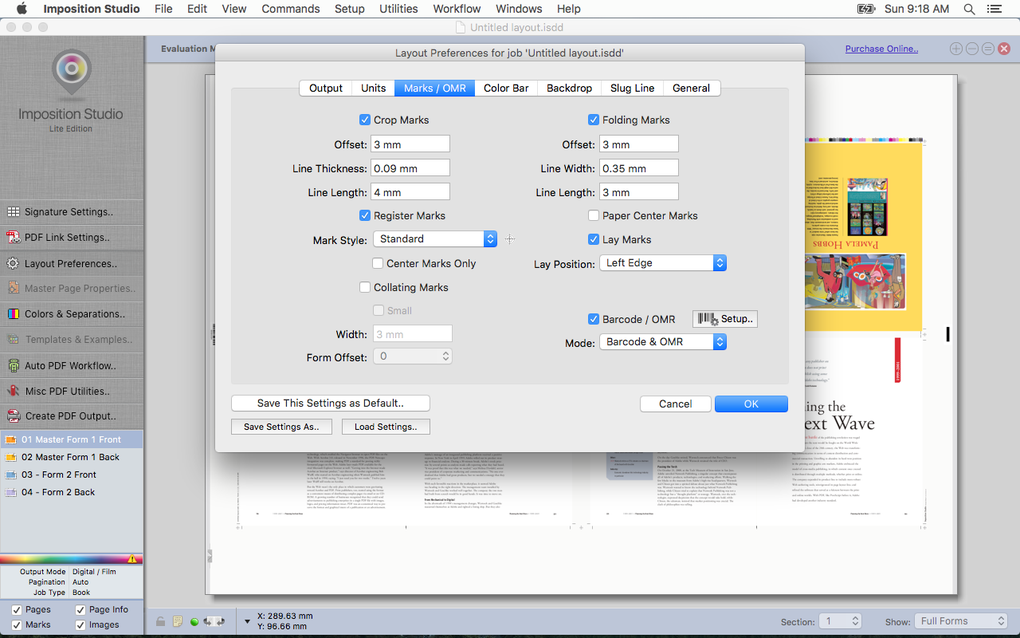
- The retained Mac screenshot shows an older Lite Edition interface, not a verified capture of version 10.4.1.
Product images
Sources
References used for this listing. Retrieval dates do not indicate hands-on testing.
More in utilities
View category ↗
1.1.1.1 with WARP 2026.8.2115.0
Encrypt traffic from your Mac to Cloudflare’s network with WARP, or use DNS-only mode for encrypted DNS queries to the 1.1.1.1 resolver.
1.1.1.1 with WARP 2026.8.2115.0
Encrypt traffic between your Windows PC and Cloudflare, or use encrypted DNS only, with the free 1.1.1.1 with WARP app.

3uTools 9.12.005
Manage iPhone and iPad photos, music, apps and backups from Windows with 3uTools, a free utility that also includes device checks and firmware flashing tools.