
Utilities Windows
iMyFone MirrorTo
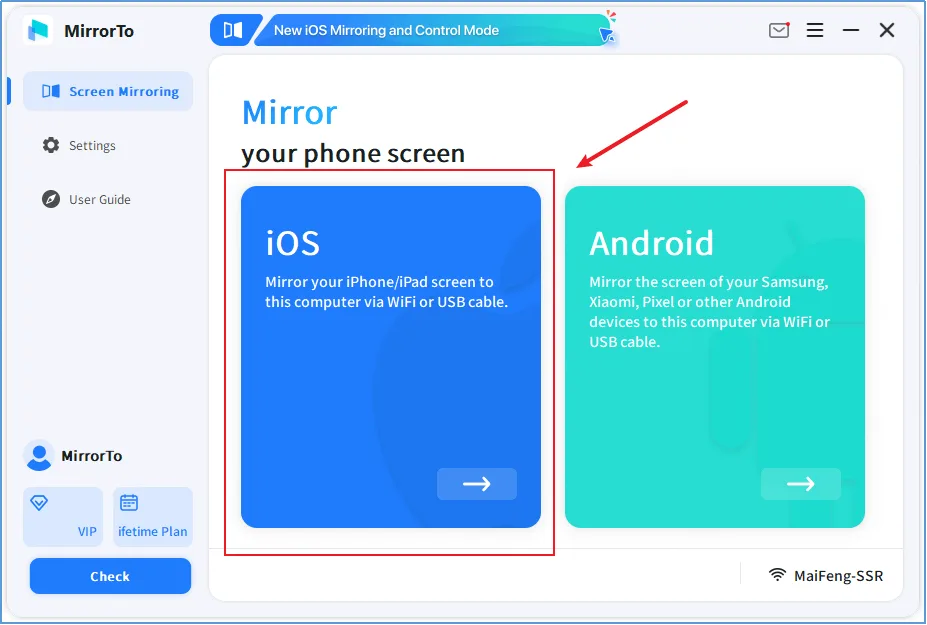
Mirror an iPhone, iPad or Android screen on a Windows PC with iMyFone MirrorTo. Control supported devices, record the mirrored screen and connect over USB or Wi-Fi.
- Operating system
- Windows 11, 10, 8.1, 8 and 7, as listed by the publisher
- Architecture
- Not specified for this setup download
- Download package
- EXE setup
Requires a compatible iOS or Android device. Setup and permissions vary by connection method; the unversioned installer has not been run.
Link checked · Download guidance
What is iMyFone MirrorTo?
iMyFone MirrorTo brings a connected phone or tablet screen onto a Windows computer. It is useful for showing a mobile app during a presentation, handling phone input with a keyboard and mouse, or recording a mobile demonstration. The publisher documents USB and Wi-Fi connection methods, screen capture, recording and customizable keyboard mapping. It mirrors a connected device rather than replacing that device with an Android emulator.
Connection requirements depend on the phone and mode. Android USB setup requires authorizing USB debugging, while Android Wi-Fi mirroring needs the MirrorTo mobile app and a shared Wi-Fi network. For iOS control through Bluetooth, the guide requires pairing with the PC; iOS 17 and later also require AssistiveTouch.
The free download is a trial, not evidence that every advertised feature is free. The publisher's plan comparison lists trial screen quality at 480p and 30 FPS, compared with 1080p and 60 FPS for the paid Individual Plan. These are advertised plan limits, not performance measurements. The linked Windows EXE is the publisher's unversioned setup endpoint; its version and processor architecture have not been independently established.
What it offers
- Mirror an iPhone, iPad or Android screen to a Windows computer over supported USB or Wi-Fi connections.
- Use mouse control and keyboard input on supported connected devices after the required setup.
- Customize keyboard mappings for mobile games.
- Capture screenshots and record the mirrored phone screen with audio.
- Annotate the mirrored screen with the publisher's whiteboard feature.
Good to know
- The publisher lists trial screen quality as 480p at 30 FPS; the paid Individual Plan lists 1080p at 60 FPS.
- Android USB mirroring requires USB debugging authorization. Android Wi-Fi mirroring needs the MirrorTo app and the same Wi-Fi network as the PC.
- Bluetooth-based iOS control requires pairing; iOS 17 or later also requires AssistiveTouch. Connection and control requirements differ by mode.
Product images
Sources
References used for this listing. Retrieval dates do not indicate hands-on testing.
More in utilities
View category ↗
1.1.1.1 with WARP 2026.8.2115.0
Encrypt traffic from your Mac to Cloudflare’s network with WARP, or use DNS-only mode for encrypted DNS queries to the 1.1.1.1 resolver.
1.1.1.1 with WARP 2026.8.2115.0
Encrypt traffic between your Windows PC and Cloudflare, or use encrypted DNS only, with the free 1.1.1.1 with WARP app.

3uTools 9.12.005
Manage iPhone and iPad photos, music, apps and backups from Windows with 3uTools, a free utility that also includes device checks and firmware flashing tools.