
Utilities Windows
innoextract
Extract files from supported Inno Setup installers without running their setup executable, using innoextract's command-line tool for Windows.
- Operating system
- Windows XP or newer, according to the publisher
- Architecture
- Exact Windows package architecture not established by the inspected page
- Download package
- ZIP archive of Windows binaries
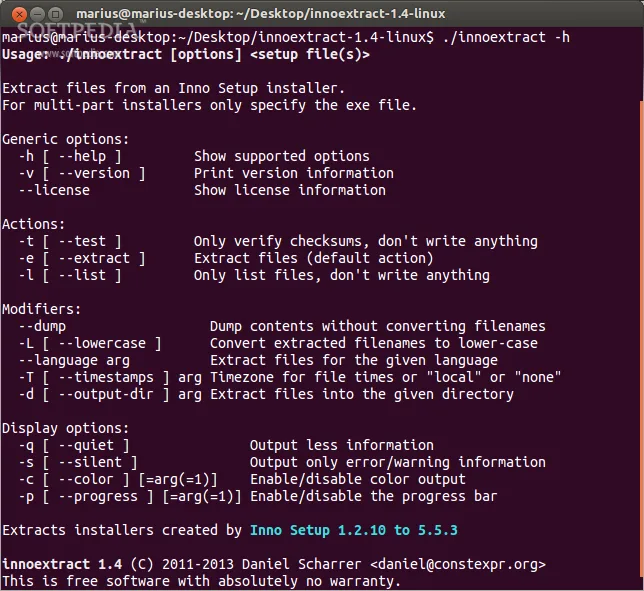
Publisher compatibility statement, not a local installation test. The historical screenshot shows Linux, not Windows.
Link checked · Download guidance
What is innoextract?
innoextract unpacks files stored in installers made with Inno Setup. It is useful when you need an installer's contents rather than its setup workflow: extraction does not execute the included installation scripts or checks. Daniel Scharrer's tool is open source under the zlib/libpng license.
The official Windows download is a ZIP of version 1.9 binaries, released on August 9, 2020. The publisher says the Windows binaries should work on Windows XP or newer. The documented basic command is innoextract followed by the setup filename; files are extracted into the current directory. Use innoextract --help for available options.
This is not a general-purpose extractor for every Windows installer. Inno Setup format changes can make newer installers incompatible, and unpacking files does not perform the installation steps needed by an application. The screenshot is a historical innoextract 1.4 help display in a Linux terminal, illustrating the command-line interface rather than the Windows 1.9 build.
What it offers
- Extract supported Inno Setup installers without running the setup executable.
- Work from the command line, with extraction into the current directory and built-in help.
- Handle supported modified Inno Setup variants, including some GOG.com game installers.
- Reassemble supported GOG Galaxy-format file parts during extraction.
Good to know
- Forward compatibility is not guaranteed when the Inno Setup data format changes; do not assume every newer installer is supported.
- Included scripts and checks are not executed, so extraction is not equivalent to installing the application.
- Individual-component extraction is unsupported, filename filtering is limited, and multi-file installers need standard slice-file names.
Product images
Sources
References used for this listing. Retrieval dates do not indicate hands-on testing.
More in utilities
View category ↗
1.1.1.1 with WARP 2026.8.2115.0
Encrypt traffic from your Mac to Cloudflare’s network with WARP, or use DNS-only mode for encrypted DNS queries to the 1.1.1.1 resolver.
1.1.1.1 with WARP 2026.8.2115.0
Encrypt traffic between your Windows PC and Cloudflare, or use encrypted DNS only, with the free 1.1.1.1 with WARP app.


3uTools 9.12.005
Manage iPhone and iPad photos, music, apps and backups from Windows with 3uTools, a free utility that also includes device checks and firmware flashing tools.