
Utilities Windows
Instant Eyedropper
Pick a color from your screen and copy its HTML, Hex or RGB code with Instant Eyedropper Classic, a free Windows tray utility.
Version 2.0.1 · Direct publisher file
Link checked · Download guidance
What is Instant Eyedropper?
Instant Eyedropper Classic turns an on-screen color into a code you can paste into a design tool or source file. Drag its system-tray icon over the color you want; the selection window displays the code and releasing the mouse copies it to the clipboard. It is a focused tool for matching a screen color without manually transcribing its value.
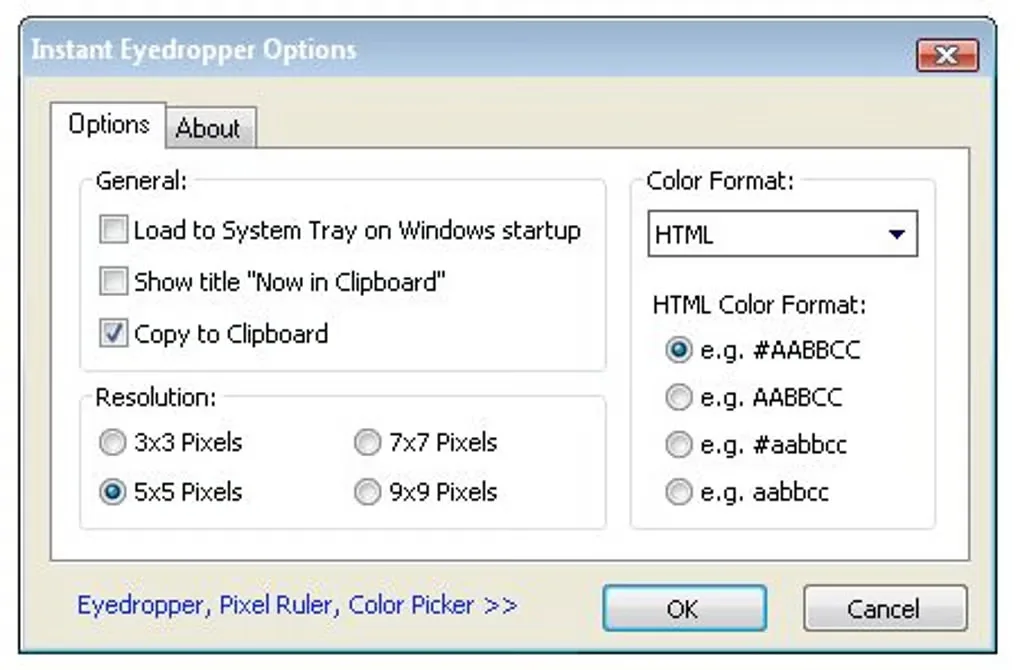
The Classic listing describes HTML, Hex, Delphi Hex, VB Hex, RGB and HSB output. Select the format your destination expects before copying. Softonic reports that Classic does not save a collection of selected colors as a palette, so keep any values you need later in your own document.
This entry links to the publisher’s Classic 2.0.1 EXE, not Instant Eyedropper Reborn. The publisher offers both branches, but its current homepage’s stash deck, HiDPI claims and Reborn licensing should not be read as Classic specifications. Softonic lists Windows 11; the installer has not been run here and the historical gallery image is not a Windows 11 compatibility demonstration.
What it offers
- Select an on-screen color by dragging the system-tray icon onto it.
- Copy the selected color code to the clipboard when the mouse button is released.
- Choose HTML, Hex, Delphi Hex, VB Hex, RGB or HSB output, as listed by Softonic.
- Obtain the Classic 2.0.1 EXE directly from the publisher; a separate portable ZIP is also linked there.
Good to know
- Softonic reports that Classic cannot save selected colors as a palette; retain useful codes elsewhere.
- Classic and Reborn are separate branches. Reborn’s current features and license are not established Classic capabilities or terms.
Product images
Sources
References used for this listing. Retrieval dates do not indicate hands-on testing.
- Instant Eyedropper - Download ↗Retrieved
- Instant Eyedropper — Color Picker ↗Retrieved
More in utilities
View category ↗
1.1.1.1 with WARP 2026.8.2115.0
Encrypt traffic from your Mac to Cloudflare’s network with WARP, or use DNS-only mode for encrypted DNS queries to the 1.1.1.1 resolver.
1.1.1.1 with WARP 2026.8.2115.0
Encrypt traffic between your Windows PC and Cloudflare, or use encrypted DNS only, with the free 1.1.1.1 with WARP app.

3uTools 9.12.005
Manage iPhone and iPad photos, music, apps and backups from Windows with 3uTools, a free utility that also includes device checks and firmware flashing tools.