

Development Windows
IntelliJ IDEA for Windows
Write, navigate and debug Java and Kotlin projects with IntelliJ IDEA for Windows. Core tools are free; advanced tooling requires an Ultimate subscription after the trial.
- Operating system
- Windows 10 and 11
- Architecture
- x64
- Download package
- EXE installer
Separate ARM64 installer available. Publisher requirements: four-core CPU, 8 GB total RAM with 3 GB available to IDE processes, and 10 GB disk space. Java development requires a standalone JDK.
Link checked · Download guidance
What is IntelliJ IDEA?
IntelliJ IDEA brings Java and Kotlin editing, project navigation and debugging into one development environment. Context-aware completion suggests code as you type, inspections identify potential problems, and refactorings update references when you rename or reorganize code. Built-in Maven and Gradle integration, version control and a terminal keep common project work inside the IDE.
Since version 2025.3, JetBrains has combined Community Edition and Ultimate into a single IntelliJ IDEA distribution. Essential functionality remains free, with a 30-day Ultimate trial for advanced tooling. After the trial, you can subscribe or continue with the free core; downloading the unified installer does not make every feature permanently free.
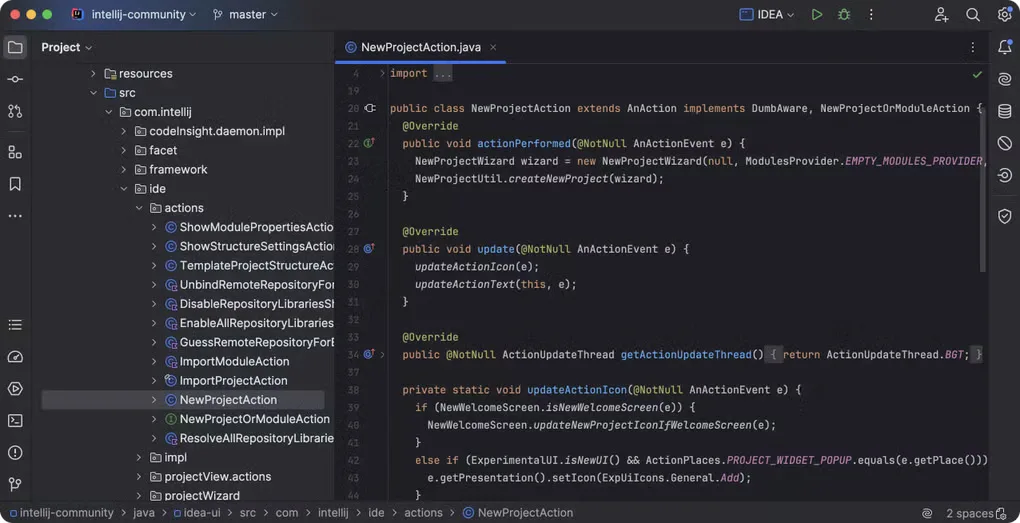
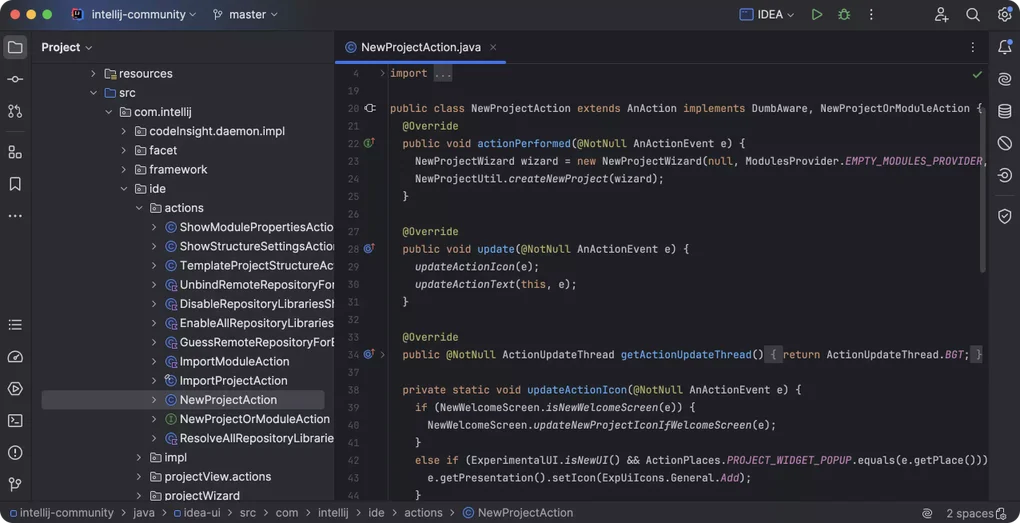
This entry links to the Windows x64 EXE installer. JetBrains also provides a separate ARM64 installer. The IDE includes its own runtime, but developing Java applications still requires a standalone JDK. The gallery image illustrates IntelliJ IDEA's editor and project tree from the source listing; its macOS window controls are not a depiction of the Windows installer or proof of this release's exact appearance.
What it offers
- Edit Java and Kotlin with context-aware completion and static code inspections.
- Navigate project files, classes and symbols, and apply automated code refactorings.
- Debug JVM applications with breakpoints, variable inspection and step-by-step execution.
- Manage Maven or Gradle projects, use version control and open a terminal inside the IDE.
Good to know
- Advanced tooling requires an Ultimate subscription after the 30-day trial; only the core functionality remains free.
- The bundled runtime runs the IDE, but a standalone JDK is required to develop Java applications.
Product images
Sources
References used for this listing. Retrieval dates do not indicate hands-on testing.
- IntelliJ IDEA Community Edition - Download ↗Retrieved
- Download IntelliJ IDEA — Windows ↗Retrieved
- JetBrains release metadata used by the official download page ↗Retrieved
- Install IntelliJ IDEA ↗Retrieved
- IntelliJ IDEA overview ↗Retrieved
More in development
View category ↗
010 Editor 17.0
Inspect and edit binary files on Mac with 010 Editor, a paid text and hex editor with Binary Templates, file comparison and a 30-day trial.
010 Editor 17.0
Inspect and edit binary files with 010 Editor for Windows, a text and hex editor with Binary Templates, file comparison and scripting. Includes a 30-day trial.
10x Editor
Edit and navigate C++ projects on Windows with a built-in parser, workspace search and Visual Studio project support. A paid license is required after the 30-day trial.