
Utilities Windows
IsMyHdOK for Windows
Benchmark SSDs, hard drives, SD cards and USB sticks with IsMyHdOK, a free Windows utility with selectable test durations and read/write results.
- Operating system
- Windows 11, 10, 8.1 and 7; Windows Server also listed by publisher
- Architecture
- x64 (64-bit)
- Download package
- ZIP archive; no installation required
Selected download is the publisher-listed x64 package. Publisher also lists x86 support separately. Compatibility is publisher-declared, not independently tested.
Link checked · Download guidance
What is IsMyHdOK?
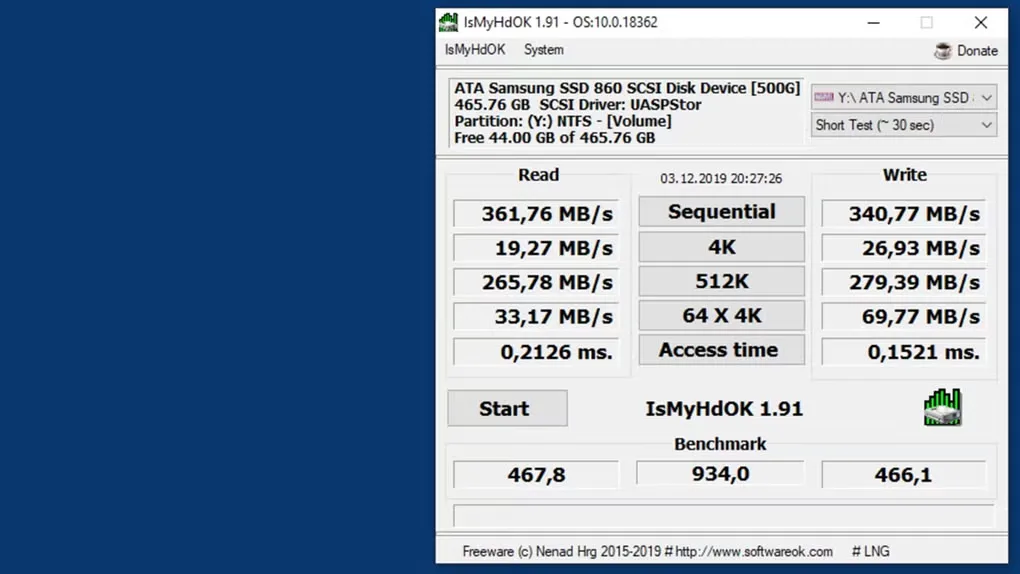
IsMyHdOK measures the performance of a selected Windows drive or partition. It suits checking storage transfer speeds across an SSD, hard drive, SD card or USB stick. The interface separates read and write measurements, including sequential transfers, random access and access time, with benchmark scores for comparing results.
Choose a drive and one of four test durations: approximately 15 seconds, 30 seconds, 60 seconds or four minutes. The publisher also provides a screenshot function for recording benchmark results. The program runs without installation; for portable settings, the publisher instructs users to create IsMyHdOK.ini in its working directory. This entry links to the publisher’s Windows x64 ZIP package.
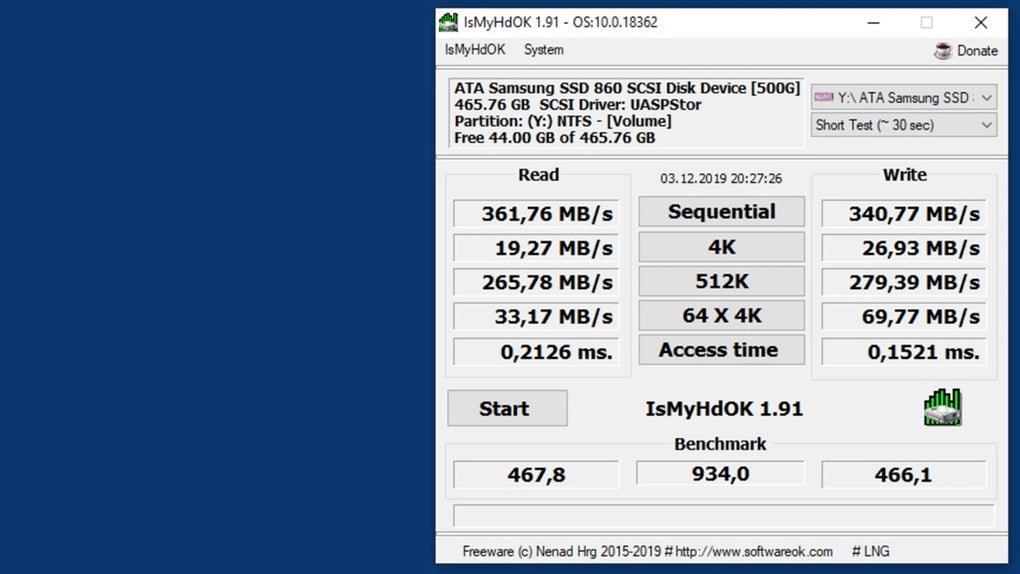
Results depend on the operating system, drivers, background activity and data on the drive, so they can differ from advertised maximum transfer rates. The publisher cautions against excessive repeated testing, especially on flash-based storage. The gallery image shows the older IsMyHdOK 1.91 interface and example results, not a benchmark performed by SoftGalaxy or a capture of version 4.55.
What it offers
- Measure read/write performance for SSDs, hard drives, SD cards and USB storage.
- View sequential and random-transfer measurements, access times and benchmark scores.
- Choose approximate test durations of 15 seconds, 30 seconds, 60 seconds or four minutes.
- Record benchmark results with the built-in screenshot function.
- Run without installation and keep portable settings through an IsMyHdOK.ini file.
Good to know
- Benchmark results vary with drivers, operating system, background activity and drive contents; they may differ substantially from the drive manufacturer’s maximum speeds.
- The publisher warns that excessive repeated tests may reduce drive lifetime, especially on SSDs, SD cards and other flash storage.
Product images
Sources
References used for this listing. Retrieval dates do not indicate hands-on testing.
- IsMyHdOK 4.55 SSD, HDD, SD card, USB sticks Quick test ↗Retrieved
- IsMyHdOK - License Agreement ↗Retrieved
- Official IsMyHdOK PAD manifest ↗Retrieved
- How to calculate the IsMyHdOK, SSDs or HDDs benchmark points? ↗Retrieved
- For what four different duration of Benschmarks? ↗Retrieved
- IsMyHdOK - Download ↗Retrieved
More in utilities
View category ↗
1.1.1.1 with WARP 2026.8.2115.0
Encrypt traffic from your Mac to Cloudflare’s network with WARP, or use DNS-only mode for encrypted DNS queries to the 1.1.1.1 resolver.
1.1.1.1 with WARP 2026.8.2115.0
Encrypt traffic between your Windows PC and Cloudflare, or use encrypted DNS only, with the free 1.1.1.1 with WARP app.

3uTools 9.12.005
Manage iPhone and iPad photos, music, apps and backups from Windows with 3uTools, a free utility that also includes device checks and firmware flashing tools.