
Utilities Windows
IsMyLcdOK for Windows
Check an LCD monitor for dead or stuck pixels with IsMyLcdOK, a free portable Windows utility with solid-color, gradient and line tests.
- Operating system
- Windows 11, 10, 8.1 and 7; Windows Server versions also listed by publisher
- Architecture
- x64
- Download package
- ZIP archive; portable application
This link selects the publisher's x64 archive. Separate standard and Windows 98 packages appear in publisher metadata. No installation is required according to the publisher.
Link checked · Download guidance
What is IsMyLcdOK?
IsMyLcdOK displays test patterns so you can inspect a monitor for pixels that stay dark or show the wrong color. Use it to check a new screen or investigate a visible defect on an existing display. It runs without installation and can be carried on a USB drive.
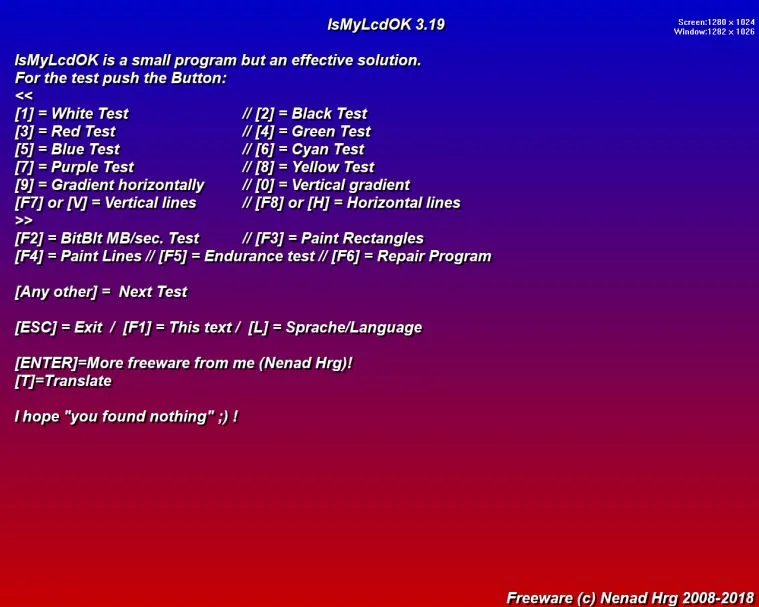
The keyboard-driven test screen offers white, black and six other solid colors, horizontal and vertical gradients, and line patterns. Additional modes include BitBlt throughput, rectangle and line drawing, and an endurance test. Press F1 to return to the instructions or Esc to exit.
You must inspect the screen yourself: the publisher says the software does not automatically identify defective pixels. Its separate flashing-color repair mode may help stuck pixels, but success is not guaranteed and it does not repair dead pixels. The linked package is the publisher's x64 ZIP archive; the screenshot shows the publisher's older 3.19 instruction screen rather than the current release.
What it offers
- Inspect pixels against white, black, red, green, blue, cyan, purple and yellow backgrounds.
- Switch to horizontal or vertical gradients and line patterns.
- Run BitBlt throughput, paint and endurance test modes.
- Use F1 for instructions and Esc to exit; run without installation from local or removable storage.
Good to know
- Pixel defects must be identified visually; the software does not automatically locate them.
- The flashing-color repair mode is intended for stuck pixels, is not guaranteed to work and cannot repair dead pixels.
Product images
Sources
References used for this listing. Retrieval dates do not indicate hands-on testing.
- IsMyLcdOK - Download ↗Retrieved
- IsMyLcdOK 6.21 Check for dead/paralysed/stuck pixels on LCD ↗Retrieved
- IsMyLcdOK publisher PAD metadata ↗Retrieved
- How does resurrecting, repair, fix pixels work with Is-My-LCD-OK? ↗Retrieved
- IsMyLcdOK - License Agreement ↗Retrieved
- Test your Lcd if it is Okay or not Okay! ↗Retrieved
More in utilities
View category ↗
1.1.1.1 with WARP 2026.8.2115.0
Encrypt traffic from your Mac to Cloudflare’s network with WARP, or use DNS-only mode for encrypted DNS queries to the 1.1.1.1 resolver.
1.1.1.1 with WARP 2026.8.2115.0
Encrypt traffic between your Windows PC and Cloudflare, or use encrypted DNS only, with the free 1.1.1.1 with WARP app.

3uTools 9.12.005
Manage iPhone and iPad photos, music, apps and backups from Windows with 3uTools, a free utility that also includes device checks and firmware flashing tools.