
Development Windows
Ispirer SQLWays Toolkit
Convert database schemas, SQL objects and data between database systems with Ispirer SQLWays Toolkit for Windows. Configure mappings, review generated SQL and import results into the target database.
- Operating system
- Windows 11; Windows 10 version 1607; Windows Server 2022 and 2019, as listed by the publisher
- Architecture
- x64 (64-bit)
- Download package
- EXE setup bootstrapper
Publisher lists at least 8 GB free memory, 500 MB installation space and administrator rights. Additional space is needed for export files. Match toolkit and source ODBC driver architecture; a separate 32-bit package exists.
Link checked · Download guidance
What is Ispirer SQLWays Toolkit?
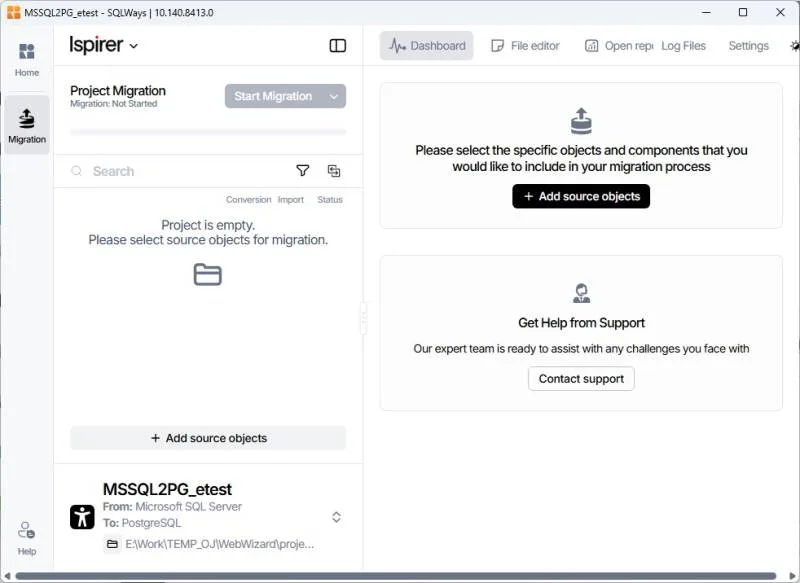
Ispirer SQLWays Toolkit helps database teams move schemas and data between different database systems. Its SQLWays component connects to a source database through ODBC, converts selected objects and saves the generated SQL locally. A separate import stage loads converted objects and data into the target database. The workspace brings object selection, conversion settings, file editing and migration logs together in a project.
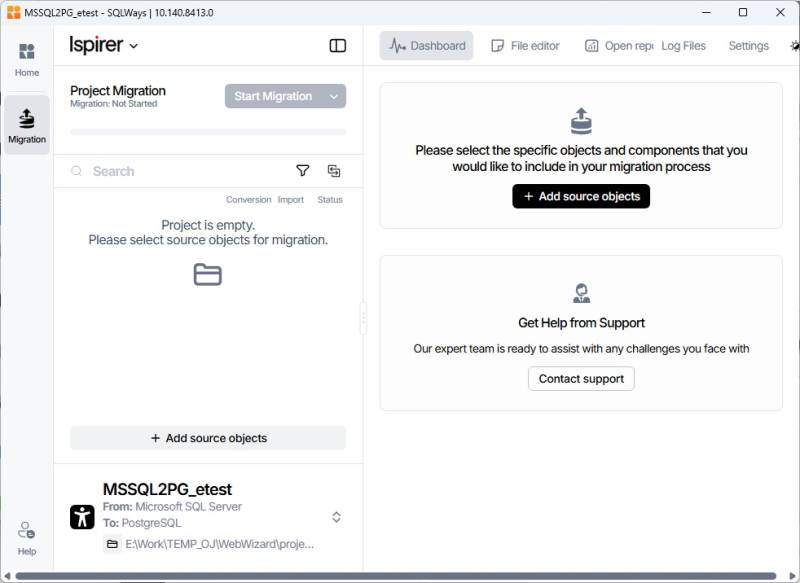
Use it when a migration needs more than copying table rows: SQLWays handles tables, views, stored procedures, functions and triggers, with controls for data types, schema names and object names. You can review and edit conversion results before importing them. The screenshot shows the publisher's SQLWays project workspace; it is not an installation or execution test of the linked download.
Plan for database setup and licensing. The publisher requires database client software and a source ODBC driver, and some targets need their native command-line utilities. Match the toolkit's architecture to the source ODBC driver: a 32-bit driver requires the separate 32-bit toolkit, even on 64-bit Windows. The linked file is the documented 64-bit Windows bootstrapper. SQLWays is commercially licensed with a limited trial; the publisher lists a trial allowance of up to 1,500 lines of code or 2 GB of data. Conversion can still require manual refinement and validation, so generated output is not a guarantee of a complete migration.
What it offers
- Convert database schemas and data, including tables, views, stored procedures, functions and triggers.
- Select source objects within migration projects and run conversion and import as separate stages.
- Configure global or local data type mappings, schema mappings and object-name mappings.
- Review generated SQL files, edit conversion results and inspect migration logs in the workspace.
Good to know
- Requires database client software and a source ODBC driver; some target imports also require native command-line utilities.
- The 64-bit download is not appropriate for a 32-bit source ODBC driver; use the separate 32-bit toolkit in that case.
- Commercial licensing applies. The publisher lists a limited trial of up to 1,500 lines of code or 2 GB of data.
- Automated conversion may need manual refinement and validation before the migration is complete.
Product images
Sources
References used for this listing. Retrieval dates do not indicate hands-on testing.
- Ispirer SQLWays Toolkit - Download ↗Retrieved
- Installation - Ispirer Knowledge Base ↗Retrieved
- System Requirements - Ispirer Knowledge Base ↗Retrieved
- SQLWays Database Migration Tool | Database Schema Conversion ↗Retrieved
- SQLWays - Ispirer Knowledge Base ↗Retrieved
- Ispirer SQLWays - Ispirer Knowledge Base ↗Retrieved
- Database Migration Guide - Ispirer Knowledge Base ↗Retrieved
More in development
View category ↗
010 Editor 17.0
Inspect and edit binary files on Mac with 010 Editor, a paid text and hex editor with Binary Templates, file comparison and a 30-day trial.
010 Editor 17.0
Inspect and edit binary files with 010 Editor for Windows, a text and hex editor with Binary Templates, file comparison and scripting. Includes a 30-day trial.
10x Editor
Edit and navigate C++ projects on Windows with a built-in parser, workspace search and Visual Studio project support. A paid license is required after the 30-day trial.