

Utilities Windows
JabRef for Windows
Collect and organize research references with JabRef, a free Windows reference manager with native BibTeX and BibLaTeX support, document attachments and citation tools.
Version 5.15 · Direct publisher file
Link checked · Download guidance
What is JabRef?
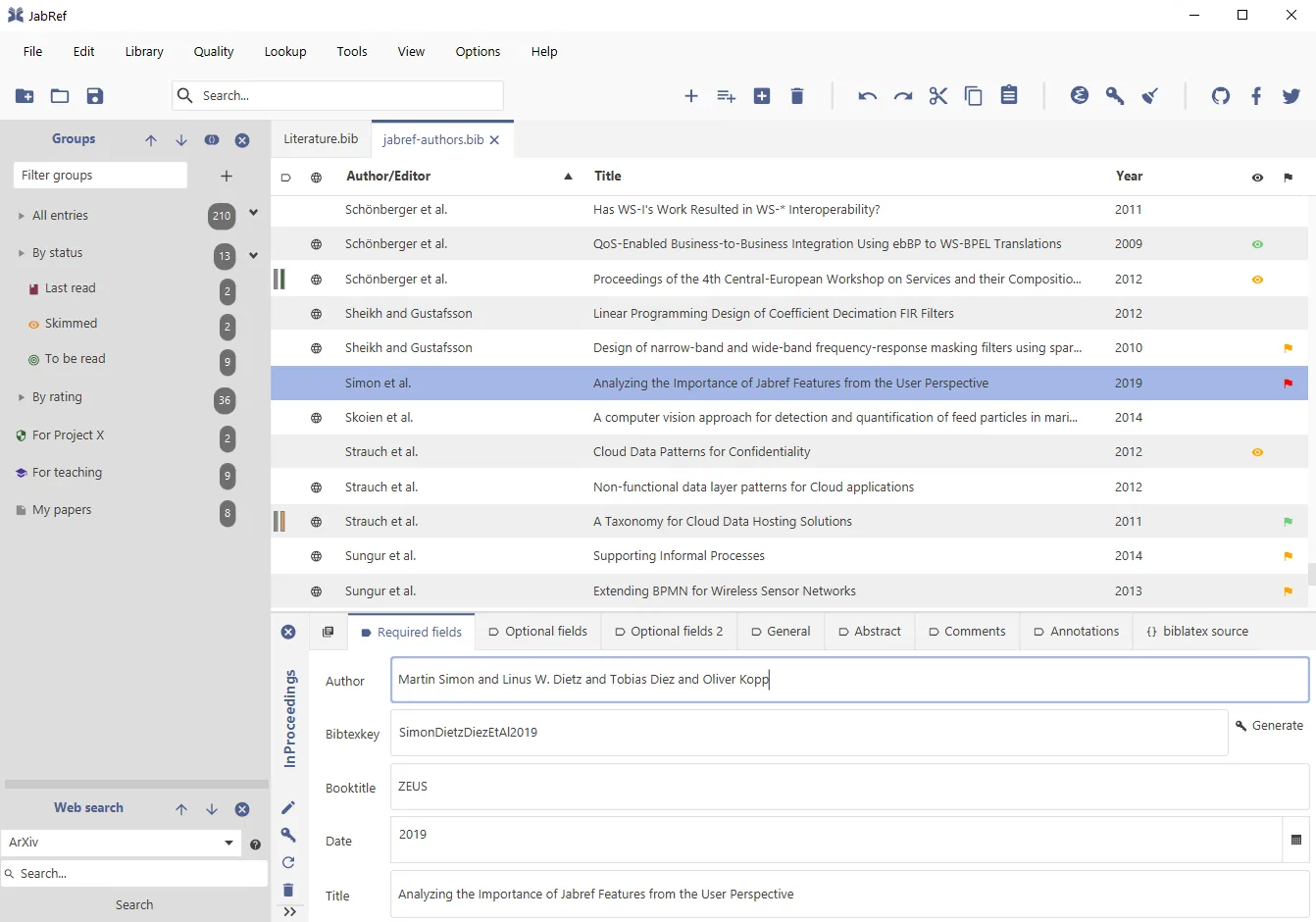
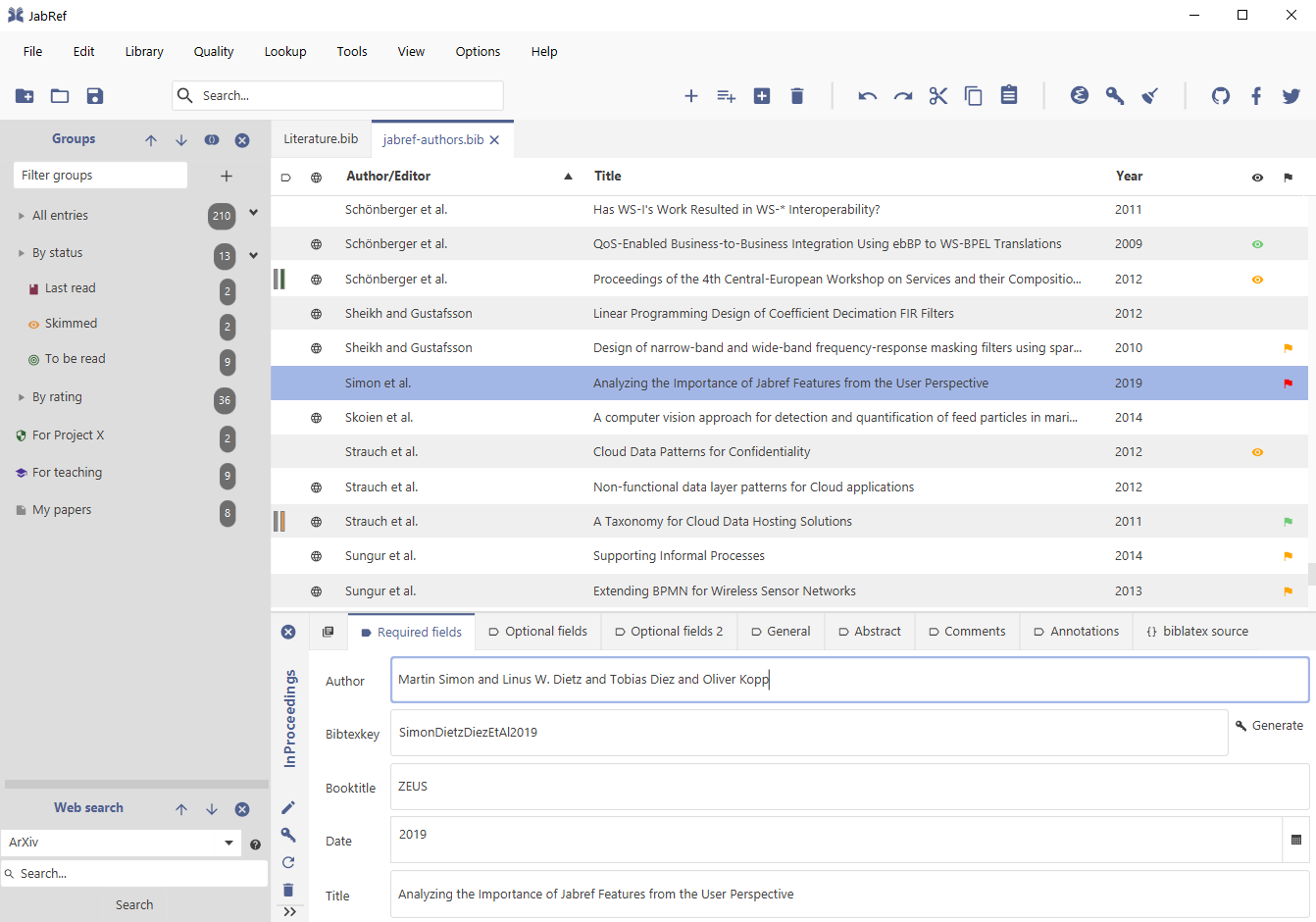
JabRef manages bibliographic references for research papers, theses and other academic writing. Its native BibTeX and BibLaTeX support makes it useful for maintaining a literature library alongside a LaTeX workflow. You can import references, retrieve bibliographic details using identifiers such as DOI or ISBN, attach related documents and organize entries into groups.
Search and filtering help locate a source inside a growing library. Custom metadata fields, citation-key generation and duplicate merging provide ways to maintain the records rather than just store them. Libraries are saved as text files, making them suitable for sharing and version control.
For Microsoft Word, the documented workflow exports selected entries in MS Office 2007 XML format for import through Word's source manager. This is a separate export/import step; the documentation also warns that a company author can be exported as an ordinary author rather than into the company field. The download linked here is the publisher's Windows MSI endpoint, which resolved to JabRef 5.15 when checked.
What it offers
- Manage BibTeX and BibLaTeX references in a desktop library.
- Retrieve bibliographic details from identifiers including DOI and ISBN, or import existing references.
- Organize entries with hierarchical groups, keywords, search and filters.
- Attach related documents, customize metadata fields and find and merge duplicate references.
- Generate citation keys and export references for use in other writing applications.
Good to know
- The documented Microsoft Word workflow requires exporting references from JabRef and importing the XML file into Word; company authors may be exported into the ordinary author field instead of the company field.
Product images
Sources
References used for this listing. Retrieval dates do not indicate hands-on testing.
More in utilities
View category ↗
1.1.1.1 with WARP 2026.8.2115.0
Encrypt traffic from your Mac to Cloudflare’s network with WARP, or use DNS-only mode for encrypted DNS queries to the 1.1.1.1 resolver.
1.1.1.1 with WARP 2026.8.2115.0
Encrypt traffic between your Windows PC and Cloudflare, or use encrypted DNS only, with the free 1.1.1.1 with WARP app.

3uTools 9.12.005
Manage iPhone and iPad photos, music, apps and backups from Windows with 3uTools, a free utility that also includes device checks and firmware flashing tools.