

Utilities Windows
Jarfix for Windows
Restore the Windows .jar file association with Java using Jarfix, a free utility for executable JAR files that no longer open on double-click.
Version 3.0.0 · Direct publisher file
Link checked · Download guidance
What is Jarfix?
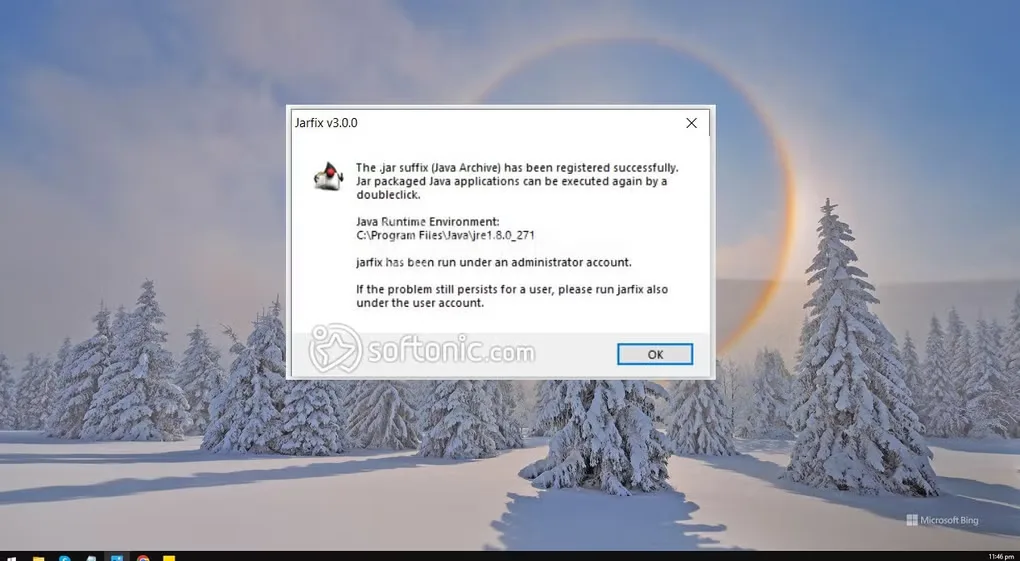
Jarfix repairs the Windows file association that tells the system how to open .jar files. It is intended for cases where another application, such as an archive manager, has taken over that extension and double-clicking an executable JAR no longer launches it with Java. The utility restores the association with javaw.exe rather than asking you to edit the Windows Registry manually.
Java must already be available to run the Java application: Jarfix is not a Java runtime. Its optional switches include /u for a current-user repair, /64 to select a 64-bit Java installation and /s for operation without dialogs. A matching .ini configuration file can customize the launch action, including setups using an OpenJDK bundle without an installer.
An association repair cannot make every JAR executable. The publisher distinguishes association problems from invalid JAR files and missing Main-Class manifest attributes; those errors require attention to the file or application itself, not another association repair.
What it offers
- Restore the .jar association with javaw.exe when another Windows program has taken it over.
- Use /u to restore the association for the current user account only.
- Use /64 to search for a 64-bit JRE or JDK, or /k to search for a JDK only.
- Customize the launch action through a matching .ini file, or suppress dialogs with /s.
Good to know
- Requires a Java installation to run Java applications; Jarfix does not supply a JRE or JDK.
- Does not repair invalid JAR contents or add a missing Main-Class manifest attribute to a non-executable JAR.
Product images
Sources
References used for this listing. Retrieval dates do not indicate hands-on testing.
More in utilities
View category ↗
1.1.1.1 with WARP 2026.8.2115.0
Encrypt traffic from your Mac to Cloudflare’s network with WARP, or use DNS-only mode for encrypted DNS queries to the 1.1.1.1 resolver.
1.1.1.1 with WARP 2026.8.2115.0
Encrypt traffic between your Windows PC and Cloudflare, or use encrypted DNS only, with the free 1.1.1.1 with WARP app.

3uTools 9.12.005
Manage iPhone and iPad photos, music, apps and backups from Windows with 3uTools, a free utility that also includes device checks and firmware flashing tools.