
Utilities Windows
JDiskReport
See which files and folders occupy disk space with JDiskReport, a free Java-based analyzer for Windows. This download is the 1.4.1 32-bit installer.
- Operating system
- Windows; exact supported builds not specified by the cited publisher pages
- Architecture
- 32-bit Windows installer
- Download package
- EXE installer
Java must be installed first. JGoodies lists Java 7/8 for 1.4.1; its separate version 2 beta has different requirements.
Link checked · Download guidance
What is JDiskReport?
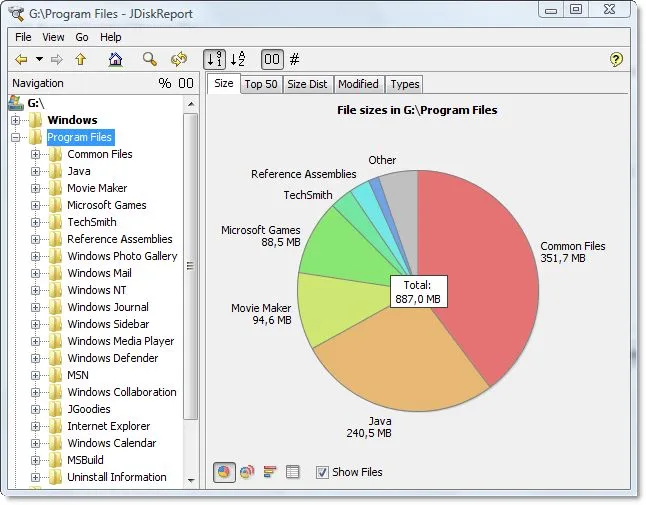
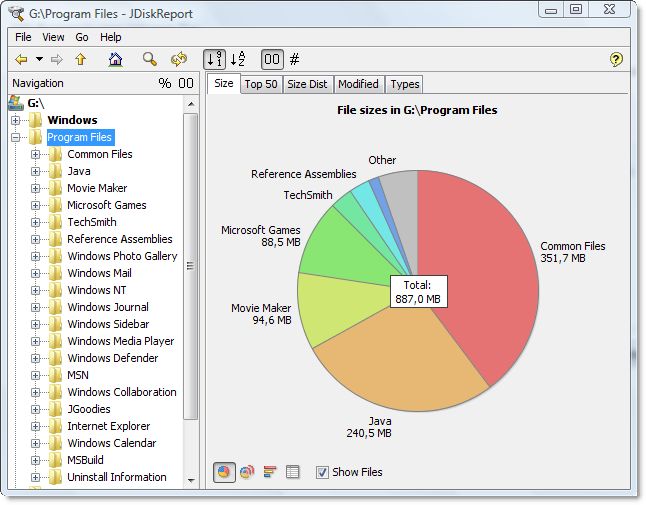
JDiskReport turns disk-usage statistics into charts and detailed tables so you can see where storage is being used. It is useful when you need to understand which directories occupy space and identify files or folders worth reviewing. The publisher describes it as ad-free, no-charge software that does not expire.
The linked Windows package is JDiskReport 1.4.1, listed by JGoodies as a 32-bit installer for Java 7/8. Install Java before installing JDiskReport. The publisher also offers a separate JDiskReport 2 beta; that beta's Java requirements and features should not be assumed to apply to this package. Exact Windows build support is not specified on the cited pages, and this entry does not claim installation testing on Windows 10 or 11.
What it offers
- Analyze how much space files and directories consume on disk drives.
- View disk-usage statistics as overview charts and detailed tables.
- Use storage information to identify obsolete files and folders for review.
- Use the application without advertising, a purchase charge or an expiry period, according to JGoodies.
Good to know
- Requires Java installed separately; the publisher lists Java 7/8 for the selected 1.4.1 release.
- The selected Windows installer is 32-bit; exact supported Windows builds are not stated on the cited publisher pages.
Product images
Sources
References used for this listing. Retrieval dates do not indicate hands-on testing.
- JDiskReport – JGoodies ↗Retrieved
- JDiskReport Downloads – JGoodies ↗Retrieved
More in utilities
View category ↗
1.1.1.1 with WARP 2026.8.2115.0
Encrypt traffic from your Mac to Cloudflare’s network with WARP, or use DNS-only mode for encrypted DNS queries to the 1.1.1.1 resolver.
1.1.1.1 with WARP 2026.8.2115.0
Encrypt traffic between your Windows PC and Cloudflare, or use encrypted DNS only, with the free 1.1.1.1 with WARP app.

3uTools 9.12.005
Manage iPhone and iPad photos, music, apps and backups from Windows with 3uTools, a free utility that also includes device checks and firmware flashing tools.