
Utilities Windows
Jitbit Macro Recorder
Record and replay keyboard and mouse actions on Windows with Jitbit Macro Recorder. Edit the sequence, add loops and conditions, or trigger saved macros with hotkeys. A trial is available; paid editions have different features.
Version 5.9.0 · Direct publisher file
Link checked · Download guidance
What is Jitbit Macro Recorder?
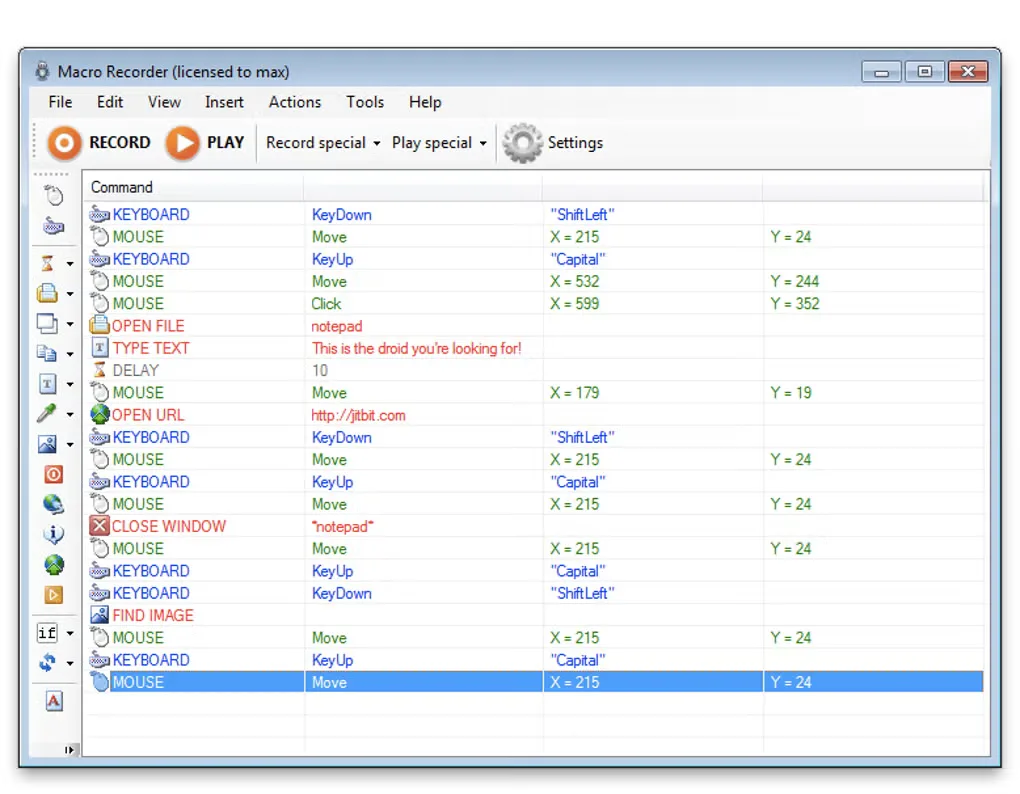
Jitbit Macro Recorder turns repeated keyboard and mouse actions into editable Windows macros. Record a sequence, remove unwanted steps in the built-in editor and replay it when the same task comes up again. It can also build sequences from commands such as opening a file, launching a website or waiting for a window, with loops and IF statements for conditional steps. Saved macros can be assigned to hotkeys.
Choose an edition around the job rather than assuming every advertised capability is included. The publisher lists macro-to-EXE compilation, scheduling and business use under Pro and Premium; C# snippets and debugging are listed under Premium. The software is commercially licensed with a trial, not an unrestricted free automation tool.
Recorded mouse coordinates can become unreliable when buttons or windows move. The publisher recommends SmartRec window-relative coordinates or keyboard navigation where possible. Macros therefore need adjustment when the target interface changes; recording a sequence does not make it independent of that interface.
What it offers
- Record and replay keyboard input, mouse movements and clicks; recording settings can include keyboard or mouse independently.
- Edit saved macros and add commands to open files, launch websites or wait for windows.
- Use IF statements and repeat commands to add conditions and loops to a sequence.
- Assign saved macros to hotkeys and adjust playback speed or recording filters.
- Pro and Premium include macro-to-EXE compilation and scheduling; Premium adds C# snippets and debugging features.
Good to know
- Paid editions have different entitlements: the pricing page lists EXE compilation, scheduling and business use for Pro and Premium, while C# snippets and debugging are listed for Premium.
- Mouse-based macros can miss targets when interface elements move. SmartRec or keyboard navigation can help, but changing interfaces may still require edits.
Product images
Sources
References used for this listing. Retrieval dates do not indicate hands-on testing.
More in utilities
View category ↗
1.1.1.1 with WARP 2026.8.2115.0
Encrypt traffic from your Mac to Cloudflare’s network with WARP, or use DNS-only mode for encrypted DNS queries to the 1.1.1.1 resolver.
1.1.1.1 with WARP 2026.8.2115.0
Encrypt traffic between your Windows PC and Cloudflare, or use encrypted DNS only, with the free 1.1.1.1 with WARP app.

3uTools 9.12.005
Manage iPhone and iPad photos, music, apps and backups from Windows with 3uTools, a free utility that also includes device checks and firmware flashing tools.