
Development Windows
Json2Table
Turn JSON files into readable terminal tables with Json2Table, an open-source command-line tool with selectable columns and reusable formatting specifications.
- Operating system
- Windows; exact minimum release/build not stated by the publisher
- Architecture
- x64 (x86_64)
- Download package
- ZIP archive containing the Windows command-line binary
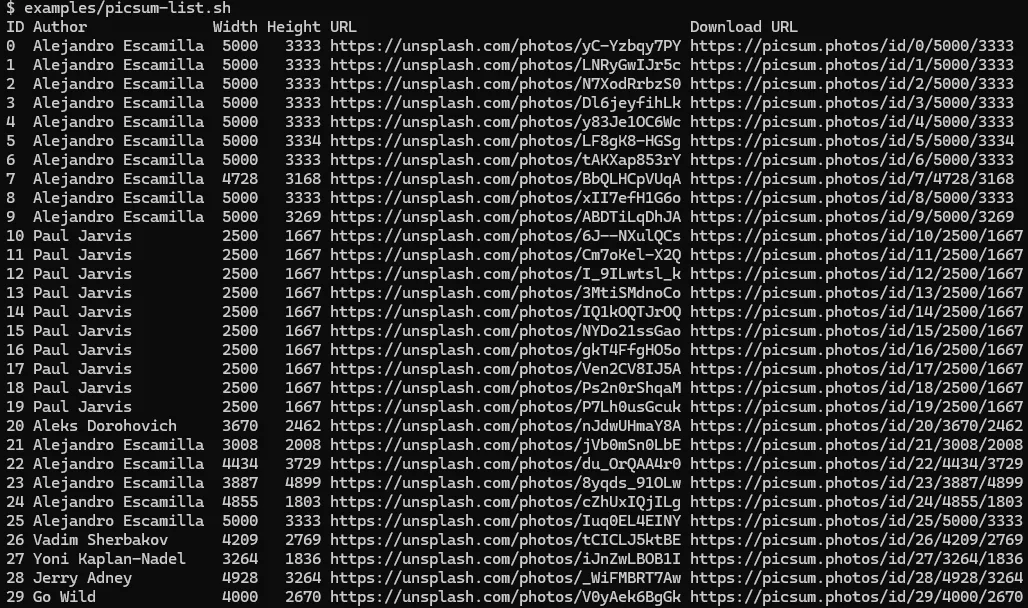
This link selects x64; separate ARM64 and i386 Windows archives are listed. Extract and add the binary directory to PATH. Publisher example screenshot is terminal output, not a verified Windows session.
Link checked · Download guidance
What is Json2Table?
Json2Table prints JSON data as a table in your terminal. It suits developers inspecting records from a JSON file or feeding structured data through a command-line workflow. The publisher documents column selection, nested field paths and reusable JSON specifications rather than a graphical editor or HTML-report workflow.
For a short field list, use the --columns option: the publisher example selects id, desc, url and display.name. For more control, a specification can select an array with dataPath, assign column headings, align values and constrain column widths. Specifications can also be supplied through the documented environment variables.
The linked download is the Windows x64 ZIP for version 1.2.0, not an installer. Extract the matching binary and place it on PATH as described by the publisher; Scoop and winget are documented alternatives. This is a command-line workflow, and explicit --columns settings override the specification. The publisher does not state an exact minimum Windows build for this package.
What it offers
- Read a JSON data file and print its records in tabular form in a terminal.
- Select columns with --columns, including nested paths such as display.name.
- Reuse a JSON specification to choose an array, name columns, set alignment and constrain widths.
- Apply documented text colors, conditional styling and terminal links through the specification.
Good to know
- Requires a command-line workflow; the publisher documents terminal-table output, not the Java-based HTML converter described on Softonic.
- The --columns option overrides --spec and the JSON2TABLE_SPEC/JSON2TABLE_SPEC_FILE environment settings.
- The publisher documentation consulted does not specify the exact minimum supported Windows release or build.
Product images
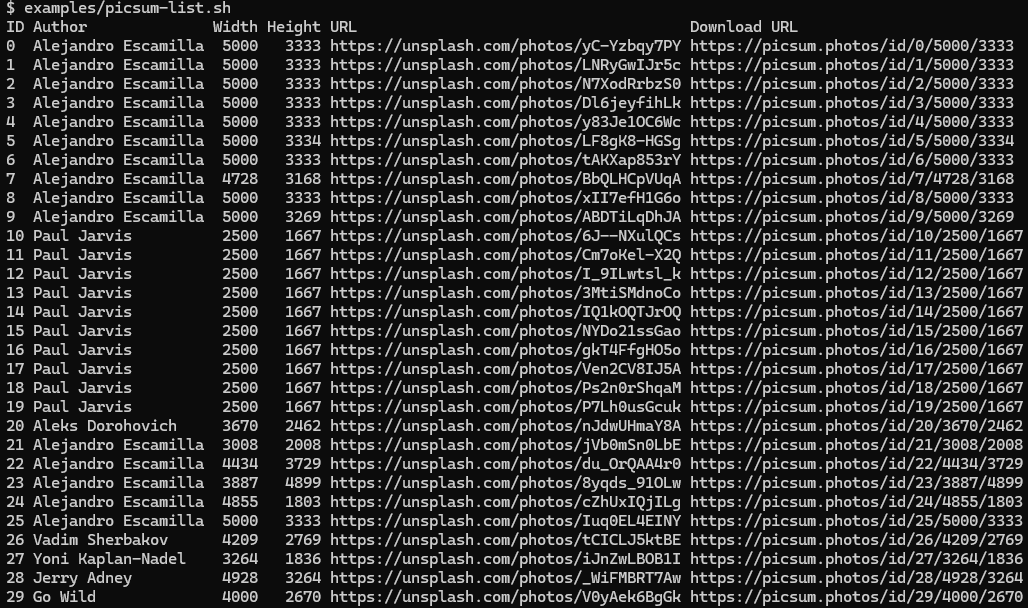
Sources
References used for this listing. Retrieval dates do not indicate hands-on testing.
- Json2Table for Windows — discovery only; conflicting output/runtime claims excluded ↗Retrieved
- json2table v1.2.0 — publisher command-line usage ↗Retrieved
- json2table v1.2.0 — specification reference ↗Retrieved
- json2table — publisher installation instructions ↗Retrieved
- json2table v1.2.0 — official release and Windows asset metadata ↗Retrieved
- json2table — MIT License ↗Retrieved
- json2table — publisher Picsum list example and screenshot ↗Retrieved
More in development
View category ↗
010 Editor 17.0
Inspect and edit binary files on Mac with 010 Editor, a paid text and hex editor with Binary Templates, file comparison and a 30-day trial.
010 Editor 17.0
Inspect and edit binary files with 010 Editor for Windows, a text and hex editor with Binary Templates, file comparison and scripting. Includes a 30-day trial.
10x Editor
Edit and navigate C++ projects on Windows with a built-in parser, workspace search and Visual Studio project support. A paid license is required after the 30-day trial.