
Utilities Windows
Junior Icon Editor
Create and edit Windows icons with Junior Icon Editor, a free editor with drawing tools, transparency support and ICO and PNG import and export.
- Operating system
- Windows PC; publisher names Windows XP, Vista, 7, 8 and 10
- Architecture
- Not specified by the publisher page
- Download package
- EXE installer
Architecture and Windows 11 compatibility are not established. Other platforms mentioned by the publisher are destinations for PNG icon images.
Link checked · Download guidance
What is Junior Icon Editor?
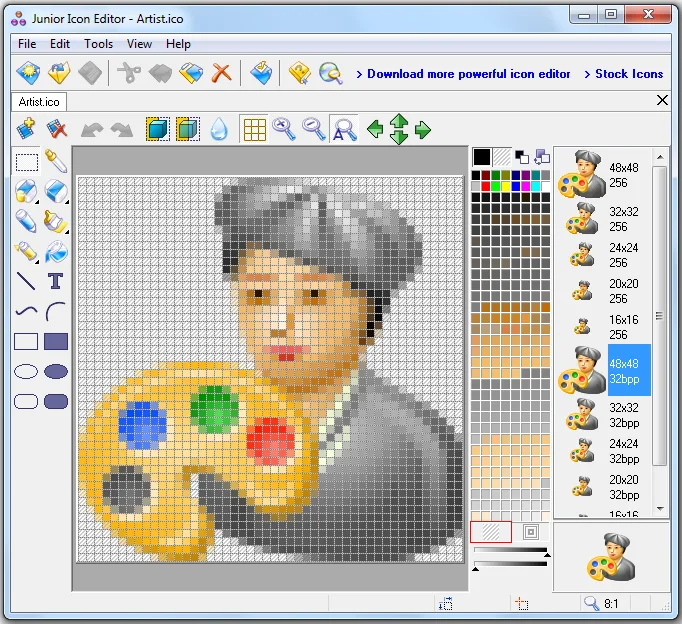
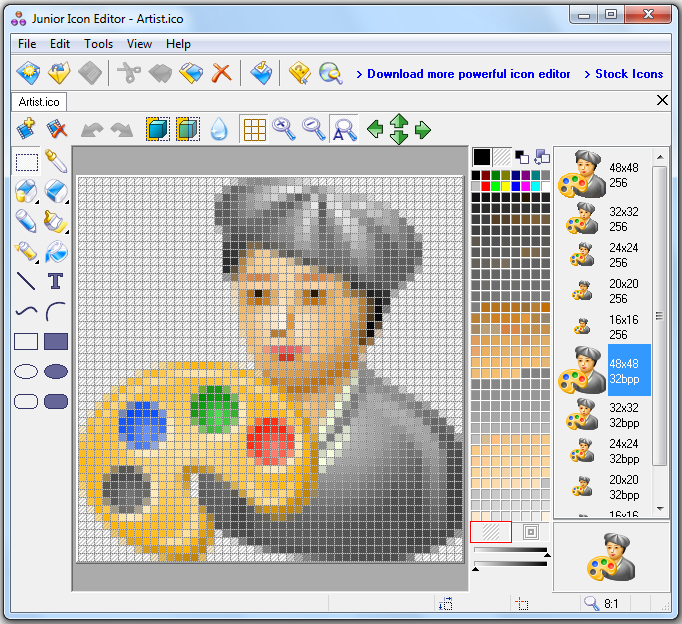
Junior Icon Editor is a free Windows utility for drawing icons and editing the images stored inside them. It provides pen, brush, airbrush, shape, line and curve tools, plus image rotation and shifting. You can work with standard or custom icon sizes, sort images within an icon and exchange images with other applications through the clipboard.
The publisher lists support for up to 16 million colors and 32-bit icons with an 8-bit alpha channel. Import and export cover ICO, PNG, XPM, XBM and ICPR. PNG editing also makes it useful for preparing icon images intended for websites and other platforms, but the editor itself requires a Windows PC. The publisher names Windows versions through Windows 10; Windows 11 compatibility is not established by this source.
What it offers
- Draw with pen, brush, airbrush, ellipse, rectangle, line and curve tools.
- Create standard-size or custom-size icons, including 32-bit images with an 8-bit alpha channel.
- Import and export ICO, PNG, XPM, XBM and ICPR files.
- Roll, shift and rotate images, sort images within icons and copy images between applications.
Good to know
- The editor requires a Windows PC; the publisher's references to other platforms describe PNG icon editing, not native versions of the application.
- The publisher page names Windows XP, Vista, 7, 8 and 10 but does not establish Windows 11 compatibility.
Product images
Sources
References used for this listing. Retrieval dates do not indicate hands-on testing.
More in utilities
View category ↗
1.1.1.1 with WARP 2026.8.2115.0
Encrypt traffic from your Mac to Cloudflare’s network with WARP, or use DNS-only mode for encrypted DNS queries to the 1.1.1.1 resolver.
1.1.1.1 with WARP 2026.8.2115.0
Encrypt traffic between your Windows PC and Cloudflare, or use encrypted DNS only, with the free 1.1.1.1 with WARP app.

3uTools 9.12.005
Manage iPhone and iPad photos, music, apps and backups from Windows with 3uTools, a free utility that also includes device checks and firmware flashing tools.